Samsung Notes

Samsung Notes

0 votes
  • Update
    18.09.2026
  • Latest Version
    4.9.06.8
  • Android OS
    6.0+
  • License
    Free
  • Languages
    English
  • Content Rating
    Everyone
  • Developer
  • Package Name
    com.samsung.android.app.notes

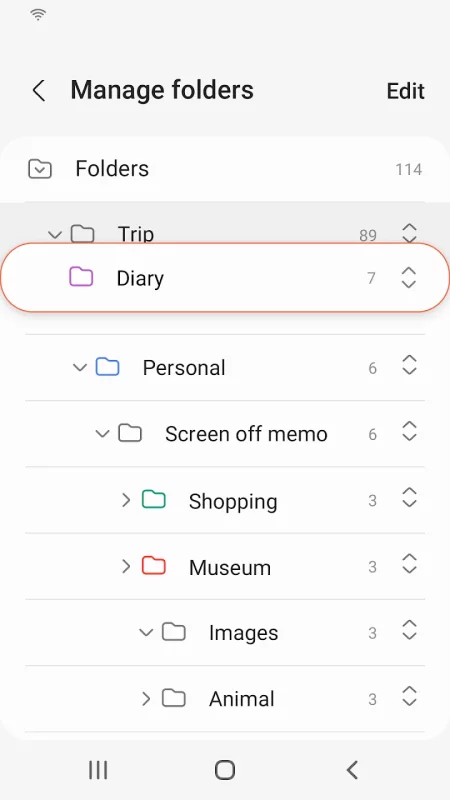
Samsung Notes can create and edit documents on mobile, tablet, or PC and collaborate with others.
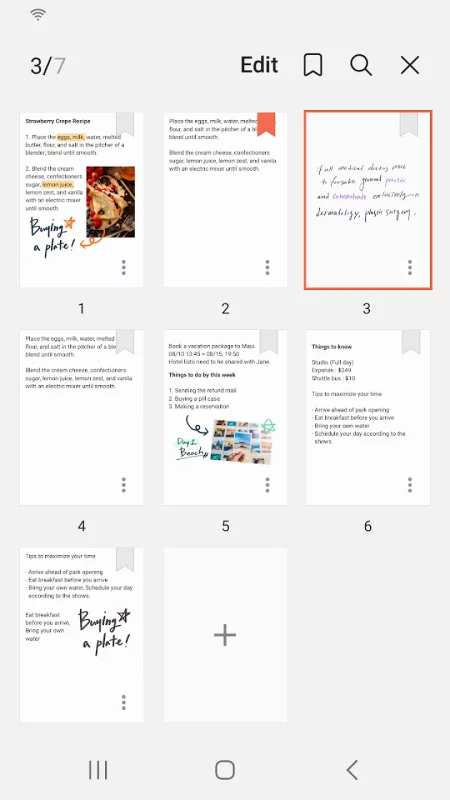
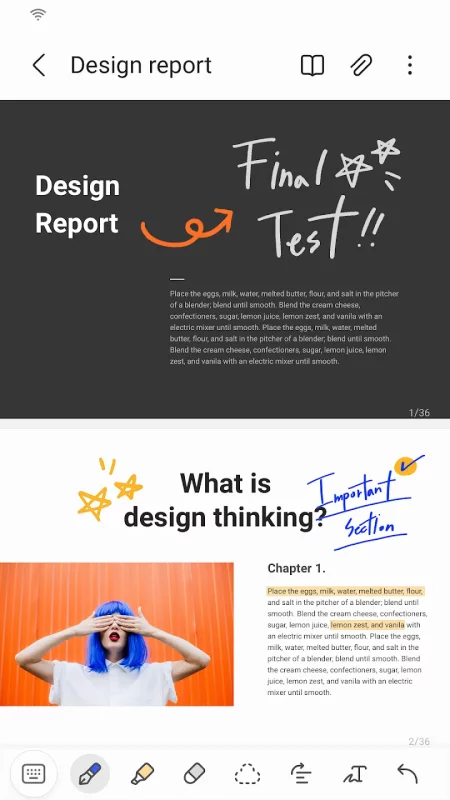
User can add annotations to the PDF using S Pen and create documents with images or voices.
It can also be used by connecting documents with various apps such as PDF, Microsoft Word, Microsoft PowerPoint, etc.

Try creating a new note.
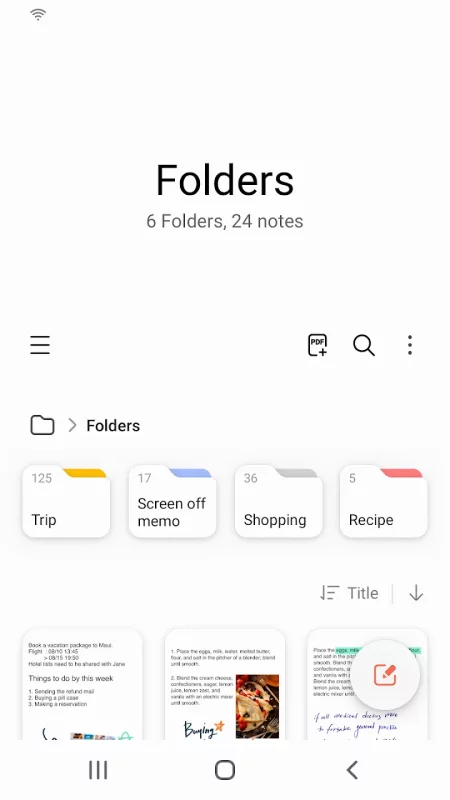
You can create a new note by tapping + in the bottom right corner of the main screen.
Newly created notes will have the “sdocx” extension.

Protect your notes.
1. On the main screen, tap More Options in the upper right corner, select Settings, then select Lock Note.
Then select a note locking method and password.
2. Lock the notes you want to protect by tapping More Options on the screen of the note you want to protect and selecting Lock Note.

Create handwritten notes.
Tap the Handwriting icon while writing a note. Your handwriting will be displayed directly on the note.

Add photos.
Tap the photo icon in the note you are working on to take a photo. You may also load, add tags to and edit an existing photo.

Add a voice recording.
By tapping the Voice Recording icon while writing a note, you can record sound and create a note with sound.

Try using various writing tools.
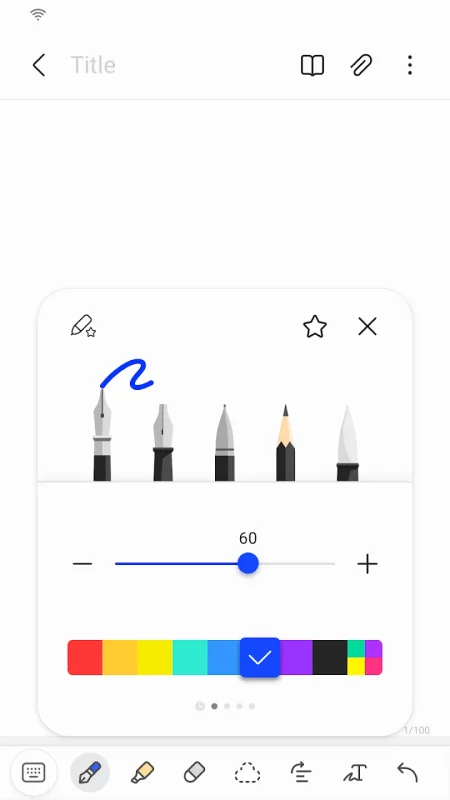
By tapping the Pen icon while writing a note, you can select a variety of writing tools such as pens, fountain pens, pencils, highlighters, etc., as well as various colors and thicknesses.
By tapping the Eraser icon, you can select and erase content that you want to remove.

You can import notes and memos created in Notes and Memo.
By using the Smart Switch feature, you can import data created in S Note and Memo saved on other devices.
You can also import previously created notes and memos with your Samsung account.

* Notice regarding app access permissions:

The following access permissions are required to provide you with this service.
Basic features of the service can be used even if Optional permissions are not granted.

[Optional permissions]
• Camera : Used to add pictures and scanned documents to notes
• Files and media : Used to save or load document files (Android 12)
• Microphone : Used to add voice recordings to notes
• Music and audio : Used to add audio to notes (Android 13)
• Notifications : Used to notify you about invitations to shared notes, note syncing issues, and more (from Android 13)
• Photos and videos : Used to add pictures and videos to notes (Android 13)
• Storage : Used to save or load document files (Android 9~11)

You can still use the app's basic functions without allowing the optional permissions.
Download Samsung Notes for Android for free

Download Samsung Notes 4.9.06.8 apk Android 6.0+ ARMV8
106.6 Mb
No viruses found
Permissions (29)
Detections: 0
Check date: 18 September 2026, 08:00
The file was scanned for viruses using VirusTotal.
SET_PROCESS_LIMIT - allows an application to set the maximum number of (not needed) application processes that can be running.
SYSTEM_ALERT_WINDOW - allows an app to create windows using the type windowmanager.layoutparams.type_application_overlay, shown on top of all other apps.
INTERNET - allows applications to open network sockets.
WRITE_EXTERNAL_STORAGE - allows an application to write to external storage.
GET_ACCOUNTS_PRIVILEGED - allows access to the list of accounts in the accounts service.
READ_SYNC_SETTINGS - allows applications to read the sync settings.
MANAGE_EXTERNAL_STORAGE - allows an application a broad access to external storage in scoped storage.
USE_BIOMETRIC - allows an app to use device supported biometric modalities.
USE_FINGERPRINT - this constant was deprecated in api level 28. applications should request use_biometric instead
NFC - allows applications to perform i/o operations over nfc.
ACCESS_WIFI_STATE - allows applications to access information about wi-fi networks.
RECORD_AUDIO - allows an application to record audio.
READ_EXTERNAL_STORAGE - allows an application to read from external storage.
READ_MEDIA_IMAGES - allows an application to read image files from external storage.
READ_MEDIA_AUDIO - allows an application to read audio files from external storage.
ACCESS_MEDIA_LOCATION - allows an application to access any geographic locations persisted in the user's shared collection.
CAMERA - required to be able to access the camera device.
STATUS_BAR - allows an application to open, close, or disable the status bar and its icons.
EXPAND_STATUS_BAR - allows an application to expand or collapse the status bar.
WAKE_LOCK - allows using powermanager wakelocks to keep processor from sleeping or screen from dimming.
WRITE_SYNC_SETTINGS - allows applications to write the sync settings.
READ_PHONE_STATE - allows read only access to phone state, including the current cellular network information, the status of any ongoing calls, and a list of any phoneaccounts registered on the device.
ACCESS_NETWORK_STATE - allows applications to access information about networks.
FOREGROUND_SERVICE - allows a regular application to use service.startforeground.
POST_NOTIFICATIONS - allows an app to post notifications
BLUETOOTH - allows applications to connect to paired bluetooth devices.
VIBRATE - allows access to the vibrator.
WRITE_SETTINGS - allows an application to read or write the system settings.
REORDER_TASKS - allows an application to change the z-order of tasks.
SHA1 signature: 29c647cbcc9a5fbd6c0c961e05712bd15352a1f5
SHA256 signature: 0a012131b1bdf9e80ef97d37f3b48362be363a464c8445ecf83627ebe8493a1e
How to install APK
  1. Download the APK file to your Android device.
  2. Find the file in the Downloads folder and open it.
  3. Allow installation from this source if Android blocks it.
  4. Tap Install. To update the app, install the newer APK without uninstalling the current version.

⚠If the download fails or gets stuck, try enabling a VPN, disabling your ad blocker, or switching to a different network.
More by Samsung Electronics Co., Ltd.
Voice Recorder
Voice Recorder
Record high-quality sound in a variety of situations quickly and easily with the Voice Recordings
Samsung TV Plus - TV & Movies
Watch Samsung TV Plus on the go with our mobile app. Everything you love about TV at zero cost.
Samsung Smart Switch Mobile
▣ Smart Switch gives you the freedom to move your contacts, music, photos, calendar, text messages,
SmartThings
SmartThings
Quickly and easily connect and control your smart home devices through SmartThings. SmartThings is
See also
Notepad, Notes, Easy Notebook
Want an easy-to-use notepad for quick note-taking? Want a sticky notes widget to organize your
Calculator+
Calculator+
This is a calculator application that allows you to perform calculations collectively by formula,
1Password: Password Manager
1Password has been helping folks forget their passwords since 2006. Trusted by millions of people
AOL: Email News Weather
Get news, weather, and fast email—all in one effortless place, the AOL App. Discover the AOL App -
Microsoft OneNote: Save Notes
Supercharge your productivity with OneNote. Organize your thoughts and ideas, and simplify planning
DuckDuckGo, optional Duck.ai
At DuckDuckGo, we believe the best way to protect your personal information from hackers, scammers,
Microsoft Copilot
Microsoft Copilot
The Microsoft Copilot app is the AI built for work. Copilot helps you keep your work moving, from
Dropbox: Secure Cloud Storage
Dropbox allows you to backup your most essential files to the cloud, where you may access them at
Comments (0)
Loading comments...