Samsung Smart Switch Mobile

Samsung Smart Switch Mobile

0 votes
  • Update
    25.09.2026
  • Latest Version
    9.5.03.0
  • Android OS
    4.0.1+
  • License
    Free
  • Languages
    English
  • Content Rating
    Everyone
  • Developer
  • Package Name
    com.sec.android.easyMover

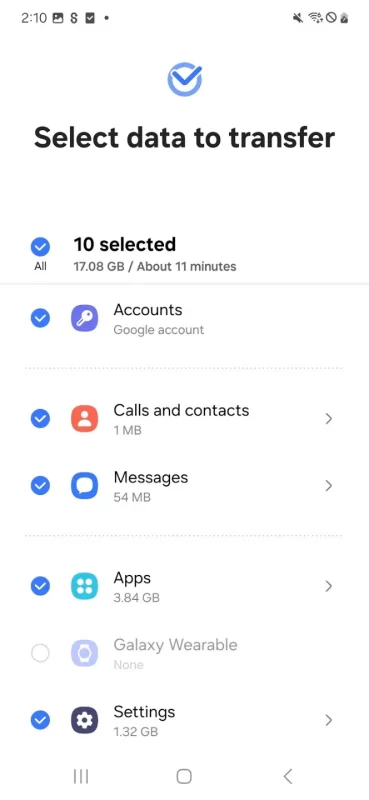
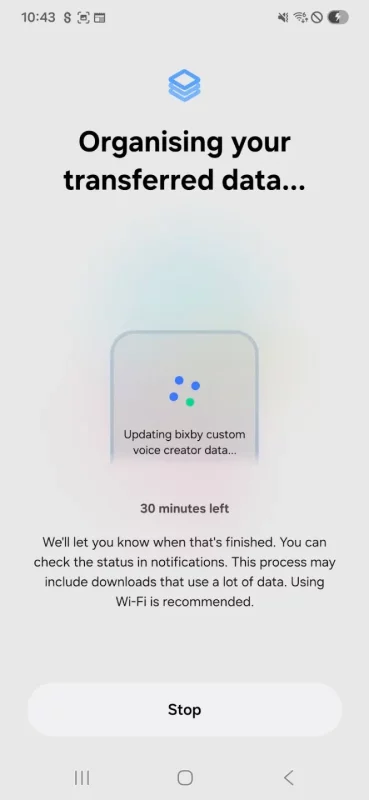
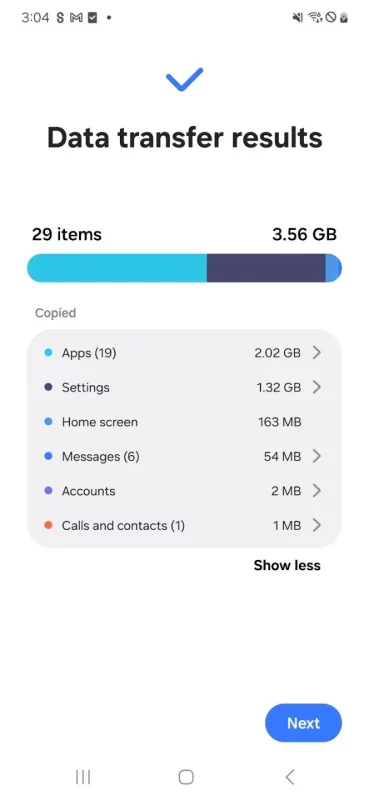
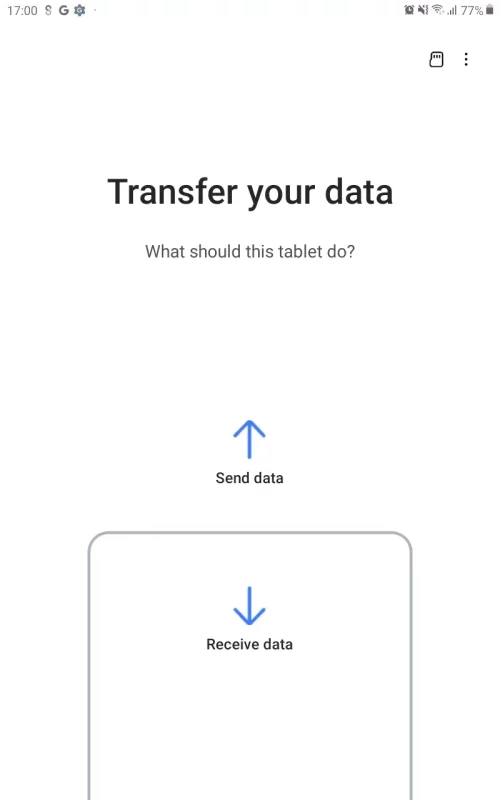
▣ Smart Switch gives you the freedom to move your contacts, music, photos, calendar, text messages, device settings and more to your new Galaxy device. Plus, Smart Switch™ helps you find your favorite apps or suggest similar ones on Google Play™.

▣ Who can transfer?
• Android™ owners
- Android 6.0 or higher

• iOS™ owners - use the option that’s best for you:
- Wired transfer from your iOS device to your Galaxy: iOS 12.0 or above, iOS device cable (lightning or 30 pin), and a USB connector
- Import from iCloud™: iOS 4.2.1 or higher and Apple ID
- PC/Mac transfer using iTunes™: Smart Switch PC/Mac software – Get started http://www.samsung.com/smartswitch

▣ What can be transferred?
- Contacts, calendar(Device content only), messages, photos, music (DRM free content only, Not supported for iCloud), videos (DRM free content only), call logs, memos, alarms, Wi-Fi, wallpapers, documents, app data (Galaxy devices only), home layouts (Galaxy devices only)
- You can send app data and home layouts by upgrading your Galaxy device to M OS (Galaxy S6 or higher).

* For reasons such as compatibility between devices, it may not be possible to install and use Smart Switch on certain devices.
1. To transfer data, both devices must have a minimum of 500 MB free space in their internal memory.
2. If you have a non-Samsung device that constantly disconnects from the wireless network, go to Advanced Wi-Fi on your device, turn off the “Wi-Fi initialize” and “Disconnect low Wi-Fi signal” options, and try again.
(The options described above may not be available, depending on your device manufacturer and OS version.)

The following permissions are required for the app service. For optional permissions, the default functionality of the service is turned on, but not allowed.

[ Required permissions ]
. Phone: Used to confirm your phone number (Android 12 or lower)
. Call logs: Used to transfer call log data (Android 9 or higher)
. Contacts: Used to transfer contacts data
. Calendar: Used to transfer calendar data
. Camera: Used to scan QR codes to connect to Galaxy phones and tablets
. SMS: Used to transfer SMS data
. Storage: Used to save the files necessary for data transfer (Android 11 or lower)
. Files and media: Used to save the files necessary for data transfer(Android 12)
. Photos and Videos: Used to save the files necessary for data transfer (Android 13 or higher)
. Nearby devices: Used to search for nearby devices using Wi-Fi or Bluetooth (Android 12 or higher)
. Location: Used to connect to devices using Wi-Fi Direct, which makes your location available to nearby devices (Android 12 or lower)
. Notifications: Used to provide information about the progress of data transfers (Android 13 or higher)

If your system software version is lower than Android 6.0, please update the software to configure App permissions.
Previously allowed permissions can be reset on Apps menu in device settings after software update.
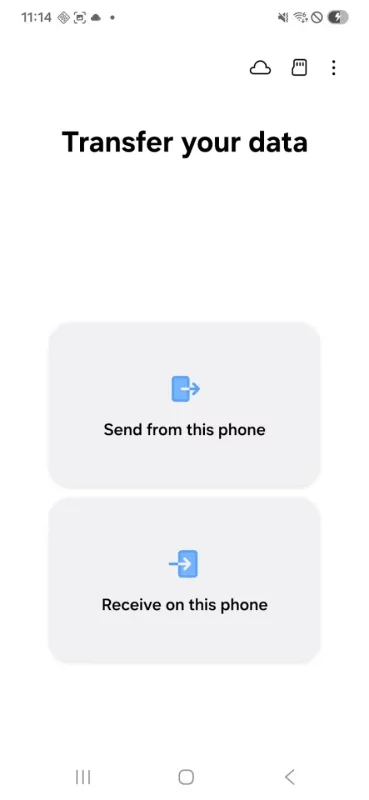
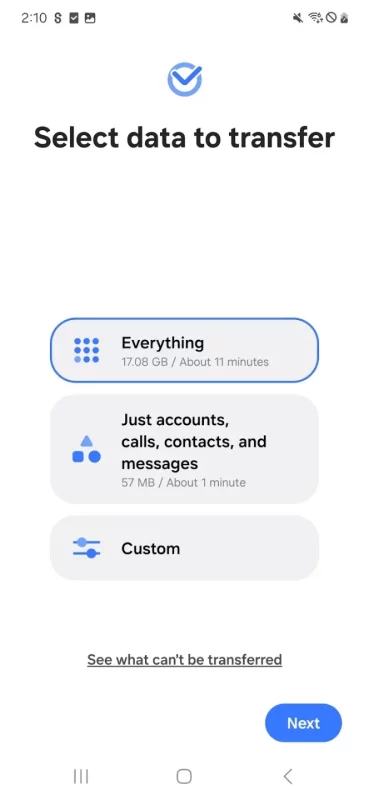
Download Samsung Smart Switch Mobile for Android for free

Download Samsung Smart Switch Mobile 9.5.03.0 apk Android 4.0.1+ ARMV7, X86
24.32 Mb
No viruses found
Permissions (39)
Detections: 0
Check date: 25 September 2026, 15:55
The file was scanned for viruses using VirusTotal.
READ_CONTACTS - allows an application to read the user's contacts data.
WRITE_CONTACTS - allows an application to write the user's contacts data.
READ_SMS - allows an application to read sms messages.
READ_CALENDAR - allows an application to read the user's calendar data.
WRITE_CALENDAR - allows an application to write the user's calendar data.
READ_CALL_LOG - allows an application to read the user's call log.
GET_TASKS - this constant was deprecated in api level 21. no longer enforced.
RECORD_AUDIO - allows an application to record audio.
MODIFY_AUDIO_SETTINGS - allows an application to modify global audio settings.
CHANGE_NETWORK_STATE - allows applications to change network connectivity state.
ACCESS_NETWORK_STATE - allows applications to access information about networks.
ACCESS_WIFI_STATE - allows applications to access information about wi-fi networks.
CHANGE_WIFI_STATE - allows applications to change wi-fi connectivity state.
INTERNET - allows applications to open network sockets.
WRITE_SETTINGS - allows an application to read or write the system settings.
OVERRIDE_WIFI_CONFIG - allows an application to modify any wifi configuration, even if created by another application.
BLUETOOTH - allows applications to connect to paired bluetooth devices.
BLUETOOTH_ADMIN - allows applications to discover and pair bluetooth devices.
ACCESS_COARSE_LOCATION - allows an app to access approximate location.
WRITE_EXTERNAL_STORAGE - allows an application to write to external storage.
READ_EXTERNAL_STORAGE - allows an application to read from external storage.
GET_ACCOUNTS - allows access to the list of accounts in the accounts service.
WAKE_LOCK - allows using powermanager wakelocks to keep processor from sleeping or screen from dimming.
READ_LOGS - allows an application to read the low-level system log files.
INSTALL_PACKAGES - allows an application to install packages.
GET_PACKAGE_SIZE - allows an application to find out the space used by any package.
CLEAR_APP_CACHE - allows an application to clear the caches of all installed applications on the device.
PACKAGE_USAGE_STATS - allows an application to collect component usage statistics
CHANGE_COMPONENT_ENABLED_STATE - allows an application to change whether an application component (other than its own) is enabled or not.
WRITE_SECURE_SETTINGS - allows an application to read or write the secure system settings.
READ_LOGS - allows an application to read the low-level system log files.
WRITE_SETTINGS - allows an application to read or write the system settings.
VIBRATE - allows access to the vibrator.
READ_SYNC_SETTINGS - allows applications to read the sync settings.
READ_PHONE_STATE - allows read only access to phone state, including the current cellular network information, the status of any ongoing calls, and a list of any phoneaccounts registered on the device.
REORDER_TASKS - allows an application to change the z-order of tasks.
SYSTEM_ALERT_WINDOW - allows an app to create windows using the type windowmanager.layoutparams.type_application_overlay, shown on top of all other apps.
REBOOT - required to be able to reboot the device.
RECEIVE_BOOT_COMPLETED - allows an application to receive the intent.action_boot_completed that is broadcast after the system finishes booting.
SHA1 signature: 9ca5170f381919dfe0446fcdab18b19a143b3163
SHA256 signature: 34df0e7a9f1cf1892e45c056b4973cd81ccf148a4050d11aea4ac5a65f900a42
How to install APK
  1. Download the APK file to your Android device.
  2. Find the file in the Downloads folder and open it.
  3. Allow installation from this source if Android blocks it.
  4. Tap Install. To update the app, install the newer APK without uninstalling the current version.

⚠If the download fails or gets stuck, try enabling a VPN, disabling your ad blocker, or switching to a different network.
More by Samsung Electronics Co., Ltd.
Samsung Notes
Samsung Notes
Samsung Notes can create and edit documents on mobile, tablet, or PC and collaborate with others.
Voice Recorder
Voice Recorder
Record high-quality sound in a variety of situations quickly and easily with the Voice Recordings
Samsung TV Plus - TV & Movies
Watch Samsung TV Plus on the go with our mobile app. Everything you love about TV at zero cost.
SmartThings
SmartThings
Quickly and easily connect and control your smart home devices through SmartThings. SmartThings is
See also
Find My Phone: Find Lost Phone
Find My Phone has over 15 Million downloads. Find Lost Phone is one of best lost phone finder
ExpressVPN: VPN Fast & Secure
Download ExpressVPN for Android and try before you buy with an exclusive free trial. Enjoy fast,
Google
Google
Download the Google app to find quick answers, explore your interests, and ask anything on your
Blink Home Monitor
Blink Home Monitor
Get more value, simplicity, and convenience with Blink smart home security. See and speak to people
NordVPN – fast VPN for privacy
Download NordVPN to enjoy fast, private, and secure internet in an instant. It’s an easy-to-use VPN
Malwarebytes - Mobile Security
Malwarebytes delivers all-in-one mobile security and powerful digital protection against malware,
Turbo VPN - Secure VPN Proxy
Turbo VPN is a free and unlimited VPN proxy, offering you a fast VPN connection and stable VPN
QR & Barcode Scanner
QR & Barcode Scanner app is the fastest QR code scanner / bar code scanner out there. QR &
Comments (0)
Loading comments...