
- Update12.09.2026
- Latest Version7.81.0
- Android OS9+
- LicenseFree
-
LanguagesEnglish English, Deutsch, Español, Suomi, Français, हिन्दी, Bahasa Indonesia, Italiano, 한국어, Nederlands, Polski, Português, Русский, ไทย, Türkçe, Tiếng Việt, 中文
- Content RatingEveryone 10+
- DeveloperAOL Media LLC
- Package Namecom.aol.mobile.aolapp
Get news, weather, and fast email—all in one effortless place, the AOL App.
Discover the AOL App - Your all-in-one news, weather & email solution!
Welcome to the AOL app, your gateway to seamless communication and comprehensive information. Experience lightning-fast email, and breaking news from a variety of diverse sources.
Seamless Experience, All in One App
The AOL app makes staying connected and informed effortless with its intuitive, user-friendly design. Whether you're checking email, catching up on the latest news, or managing your inbox, enjoy a smooth experience that rivals top apps like Yahoo Mail, Outlook, Gmail, and News Break. Download AOL today for the perfect blend of communication and information—all in one place.
Stay Informed, Stay Ahead with News
Stay ahead with an immersive news experience that goes beyond single-source apps. The AOL app brings you breaking news, top stories, and in-depth coverage across politics, finance, entertainment, sports, lifestyle, and more—all from trusted sources like ABC News, NBC News, CNN, Fox News, BBC, Reuters, and USA Today. Say goodbye to limited viewpoints and hello to diverse perspectives that keep you informed and engaged.
Save Now, Read Later
Found an interesting news story but don't have time to read it? Save articles for later with a simple tap. The AOL app's "saved" icon ensures you never miss out on captivating content.
Effortless Email
Experience a free AOL email account with smart features that simplify your life. Preview attachments in one tab, auto-sort gift cards and coupons, organize emails with intuitive shortcuts, and unsubscribe from junk in a tap.
1 TB Email Storage
With a massive 1 TB of email storage, you can keep all your correspondence, emails, and attachments securely in one place. Access your emails anytime, anywhere, and never delete an important message again due to storage constraints.
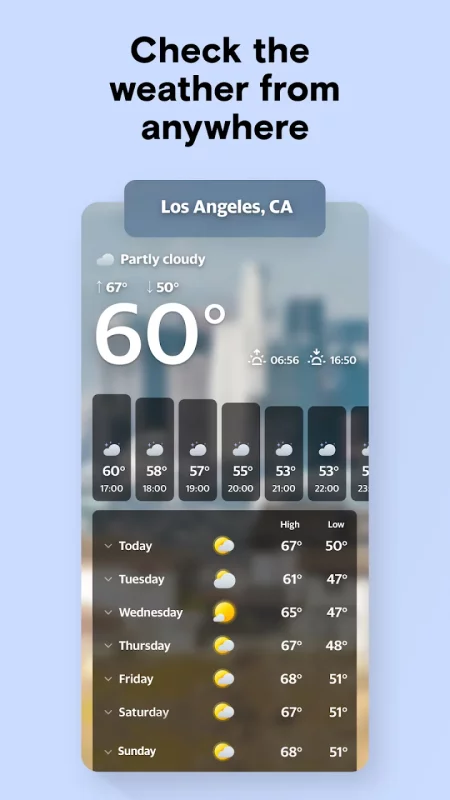
Weather Updates, Anytime
Planning a trip or just checking today’s weather? Get local and global forecasts in a single tap. View hourly and daily updates in a clear, organized layout, and customize notifications for real-time or scheduled alerts.
Organize Your Digital Life
The AOL app is not just about email; it's about organizing your digital world. Discover incredible features that make finding your digital documents a breeze. Save money and never miss a deal with our coupon tab. Keep track of your gift card balances effortlessly. Need assistance? The in-app "help" tab is here for you 24/7. And for more complex problems, reach out to our friendly customer service team directly from the app. We've got your back every step of the way!
User-Friendly Interface
Navigate through an intuitive and easy-to-use interface. Whether you're checking your email, reading the latest news, or managing your inbox, the AOL app provides a seamless and enjoyable experience that rivals other popular email and news apps like Yahoo Mail, Outlook, Spark, Gmail, and News Break.
Superior Email Experience
Our email service outperforms competitors with its combination of generous storage, advanced features, and user-friendly design. Experience the difference with AOL email!
Download the AOL app today and elevate your mobile productivity! Experience the perfect blend of communication and information all in one place. Stay connected, stay informed, and stay organized with AOL - your go-to app for email & news.





Download AOL: Email News Weather for Android for free
- Download the XAPK file to your Android device.
- Install one of these installers from our website:
- Open the installer and select the downloaded file from the Downloads folder.
- Allow installation from this source if Android asks for permission.
- Start installation. To update the app, install the newer file without uninstalling the current version.