Microsoft Copilot

Microsoft Copilot

0 votes
  • Update
    11.09.2026
  • Latest Version
    16.0.20416.20042
  • Android OS
    13+
  • License
    Free
  • Languages
    English
  • Content Rating
    Teen
  • Developer
  • Package Name
    com.microsoft.office.officehubrow

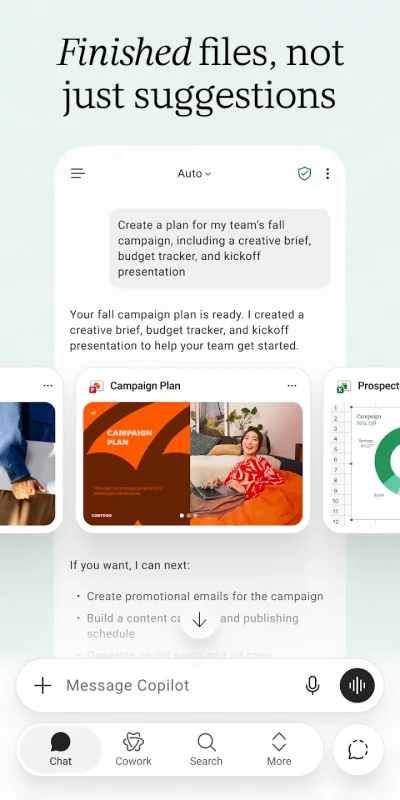
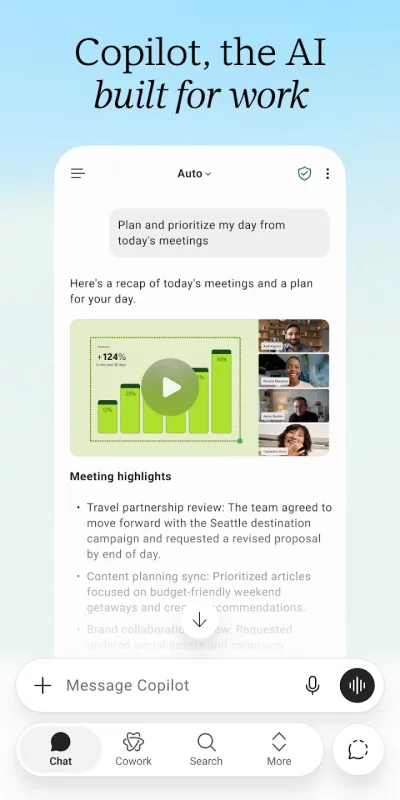
The Microsoft Copilot app is the AI built for work. Copilot helps you keep your work moving, from early ideas to finished documents, presentations, and more. Whether you're creating content, managing projects, organizing your day, or finding information, Copilot helps you get more done from one place.

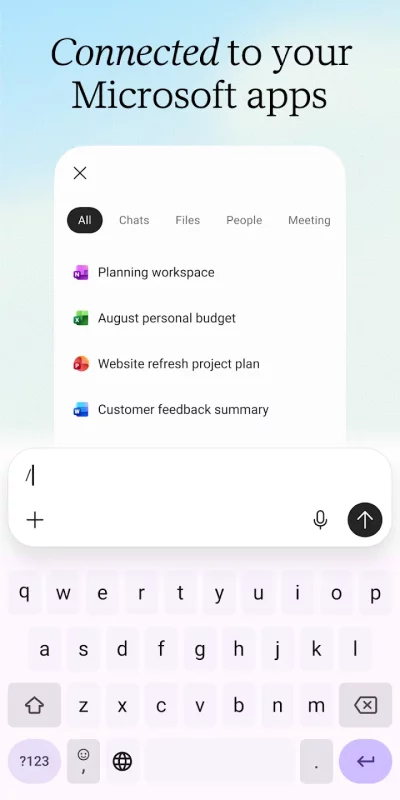
Copilot connects to Word, Excel, PowerPoint, Outlook, Teams, and more, bringing the files and information you use into one place. Create polished documents, presentations, and spreadsheets, summarize articles and files, draft emails, brainstorm ideas, analyze information, and get answers grounded in the work you're doing.

Whether you're preparing for an important meeting, researching a new topic, organizing your workload, or trying to understand difficult information, Copilot helps you work faster with answers and content that are grounded in the work you're doing.

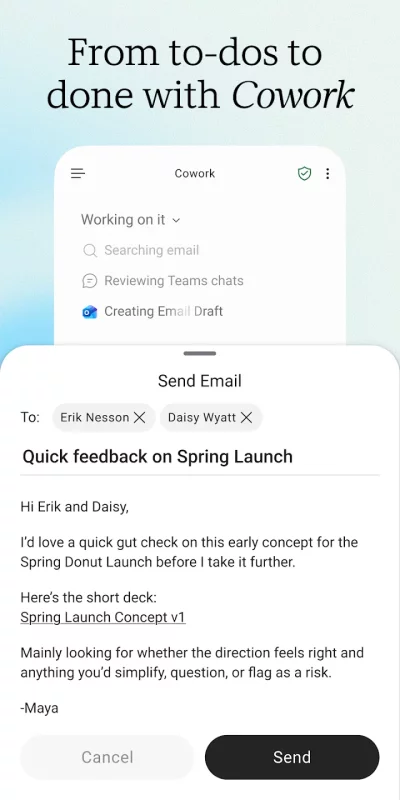
Take on bigger projects with Cowork. Hand Copilot multi-step tasks and let it create finished Word documents, PowerPoint presentations, Excel spreadsheets, and completed to-dos instead of simply suggesting your next step.

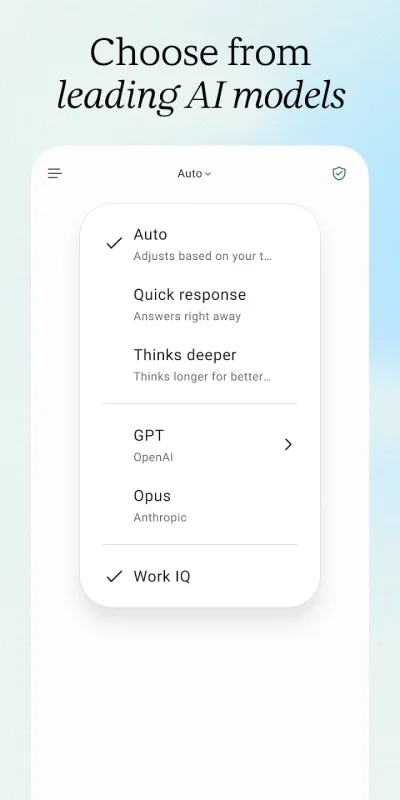
Choose between leading AI models, selecting the one that's best suited for writing, research, planning, analysis, brainstorming, or creative work.

Copilot also remembers what matters, connects to the files and information you use most, and helps you pick up where you left off. Upload Word, Excel, PowerPoint, images or PDF files directly from your phone to ask questions, generate summaries, and find the information you need.

Use Copilot to:

- Explain complex concepts with clear, easy-to-understand answers
- Brainstorm business ideas and organize your next project
- Plan and prioritize your workday with personalized schedules
- Summarize long articles, reports, and documents in seconds
- Draft email and text replies with the right tone
- Analyze spreadsheets and compare data
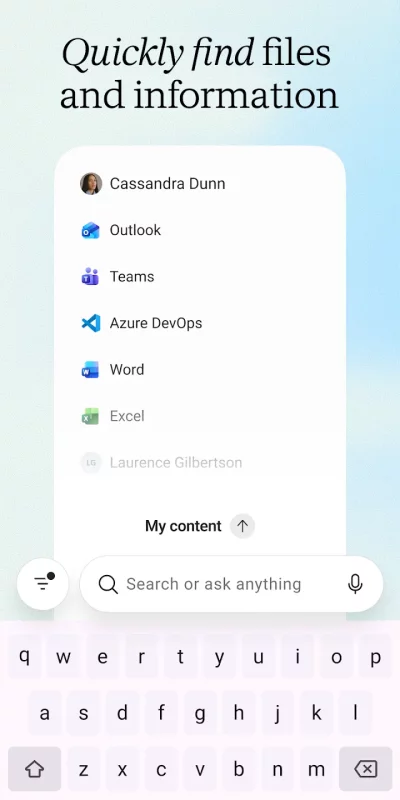
- Find files across your Microsoft 365 content
- Create presentations, reports, and documents faster
- Talk naturally using voice or upload files to get answers

For organizations with a Microsoft 365 Copilot subscription, Work IQ gives Copilot a deep
understanding of your organization's work, people, and relationships, delivering more intelligent, relevant, personalized and trusted assistance.

Copilot is built on the same enterprise-grade security foundation as Microsoft 365 — your permissions, encryption, and compliance commitments already in place. Data processing and protection commitments differ by subscription; see the full security documentation for details.

Availability of Microsoft Copilot features may vary. Some capabilities require specific licenses or may be disabled by your organization's administrator.
Download Microsoft Copilot for Android for free

Download Microsoft Copilot 16.0.20416.20042 xapk Android 13+ ARMV8
302.04 Mb
No viruses found
Permissions (33)
Detections: 0
Check date: 11 September 2026, 04:30
The file was scanned for viruses using VirusTotal.
ACCESS_COARSE_LOCATION - allows an app to access approximate location.
ACCESS_FINE_LOCATION - allows an app to access precise location.
ACCESS_NETWORK_STATE - allows applications to access information about networks.
ACCESS_WIFI_STATE - allows applications to access information about wi-fi networks.
BLUETOOTH - allows applications to connect to paired bluetooth devices.
CAMERA - required to be able to access the camera device.
FOREGROUND_SERVICE - allows a regular application to use service.startforeground.
FOREGROUND_SERVICE_DATA_SYNC - allows a regular application to use service.startforeground with the type "datasync".
FOREGROUND_SERVICE_MEDIA_PLAYBACK - allows a regular application to use service.startforeground with the type "mediaplayback".
FOREGROUND_SERVICE_MEDIA_PROJECTION - allows a regular application to use service.startforeground with the type "mediaprojection".
FOREGROUND_SERVICE_MICROPHONE - allows a regular application to use service.startforeground with the type "microphone".
GET_PACKAGE_SIZE - allows an application to find out the space used by any package.
HIGH_SAMPLING_RATE_SENSORS - allows an app to access sensor data with a sampling rate greater than 200 hz.
INTERNET - allows applications to open network sockets.
MANAGE_EXTERNAL_STORAGE - allows an application a broad access to external storage in scoped storage.
MODIFY_AUDIO_SETTINGS - allows an application to modify global audio settings.
NFC - allows applications to perform i/o operations over nfc.
POST_NOTIFICATIONS - allows an app to post notifications
READ_EXTERNAL_STORAGE - allows an application to read from external storage.
READ_MEDIA_AUDIO - allows an application to read audio files from external storage.
READ_MEDIA_IMAGES - allows an application to read image files from external storage.
READ_MEDIA_VIDEO - allows an application to read video files from external storage.
READ_MEDIA_VISUAL_USER_SELECTED - allows an application to read image or video files from external storage that a user has selected via the permission prompt photo picker.
READ_PHONE_STATE - allows read only access to phone state, including the current cellular network information, the status of any ongoing calls, and a list of any phoneaccounts registered on the device.
RECEIVE_BOOT_COMPLETED - allows an application to receive the intent.action_boot_completed that is broadcast after the system finishes booting.
RECORD_AUDIO - allows an application to record audio.
SET_WALLPAPER - allows applications to set the wallpaper.
SYSTEM_ALERT_WINDOW - allows an app to create windows using the type windowmanager.layoutparams.type_application_overlay, shown on top of all other apps.
USE_BIOMETRIC - allows an app to use device supported biometric modalities.
USE_FINGERPRINT - this constant was deprecated in api level 28. applications should request use_biometric instead
VIBRATE - allows access to the vibrator.
WAKE_LOCK - allows using powermanager wakelocks to keep processor from sleeping or screen from dimming.
WRITE_EXTERNAL_STORAGE - allows an application to write to external storage.
SHA1 signature: 464fe87d17060838e59300c1472d6bef074593a8
SHA256 signature: 1fb4de760f40f30e66d308518a1bd9d14ef1411bffa9d6762876b602661d54ed
How to install XAPK
  1. Download the XAPK file to your Android device.
  2. Install one of these installers from our website:
  3. Open the installer and select the downloaded file from the Downloads folder.
  4. Allow installation from this source if Android asks for permission.
  5. Start installation. To update the app, install the newer file without uninstalling the current version.

⚠If the download fails or gets stuck, try enabling a VPN, disabling your ad blocker, or switching to a different network.
More by Microsoft Corporation
Microsoft Teams
Microsoft Teams
Whether you’re connecting with your community for an upcoming activity or working with teammates on
Microsoft Excel: Spreadsheets
Spreadsheets & Calculations • Create charts, budgets, project plans, accounting & financial
Microsoft OneNote: Save Notes
Supercharge your productivity with OneNote. Organize your thoughts and ideas, and simplify planning
Microsoft Outlook
Microsoft Outlook
Stay organized with a unified inbox, intelligent filtering and multiple calendars at a glance.
See also
DuckDuckGo, optional Duck.ai
At DuckDuckGo, we believe the best way to protect your personal information from hackers, scammers,
Microsoft Outlook
Microsoft Outlook
Stay organized with a unified inbox, intelligent filtering and multiple calendars at a glance.
Microsoft Word: Edit Documents
Create, edit, read and share documents on your mobile device with the same power and familiarity
Google Calendar
Google Calendar
Get the official Google Calendar app, for your Android phone, tablet, or Wear OS device to stay
Google Drive
Google Drive
Google Drive lets you securely store, intelligently organize and collaborate on files and folders
Google Slides
Google Slides
Create, edit, and collaborate on presentations from your Android phone or tablet with the Google
Google Sheets
Google Sheets
Create, edit, and collaborate on spreadsheets from your Android phone or tablet with the Google
Microsoft PowerPoint
OneDrive syncing keeps your files up to date, so you can start on your PC and continue editing on
Comments (0)
Loading comments...