- Update17.09.2026
- Latest Version1.4.3
- Android OS8.0+
- LicenseFree
-
LanguagesEnglish English, العربية, Deutsch, Español, Filipino, Français, हिन्दी, Bahasa Indonesia, Italiano, 日本語, 한국어, Bahasa Melayu, Português, Русский, ไทย, Türkçe, Tiếng Việt, 中文
- Content RatingEveryone
- DeveloperSimple Design Ltd.
- Package Namenotes.notepad.checklist.calendar.todolist.notebook
Want an easy-to-use notepad for quick note-taking?
Want a sticky notes widget to organize your tasks right on your screen?
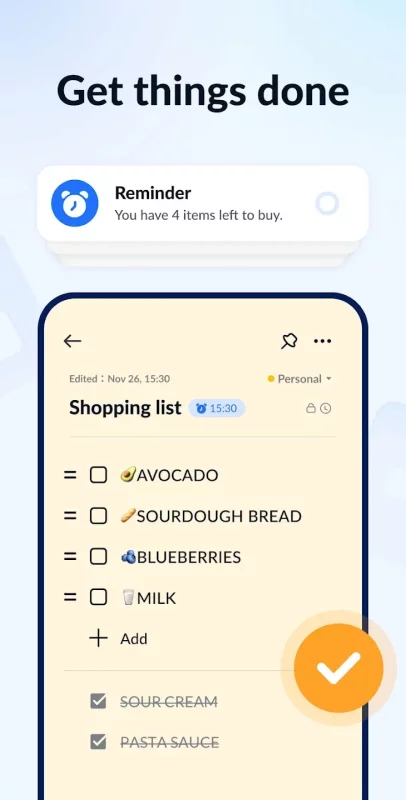
Want a handy memo pad to make to do lists, shopping lists with reminders?
This free note-taking app, notebook, and memo pad app meets all your needs! No ads!
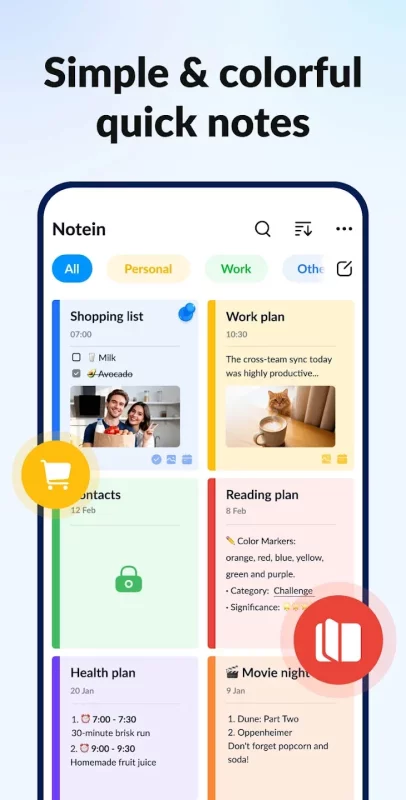
Notein - Notepad, Notes, Lists is an awesome notes app for Android. You can write notes with colorful backgrounds for easy notes management. Sticky notes widgets, note reminders, note lock, etc., all make note-taking so simple, quick, and safe. Take notes just like using pen and paper.
✍️Handy Note Taking App
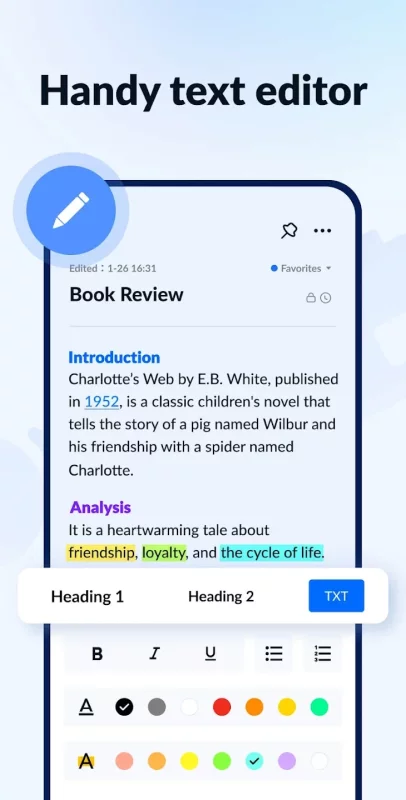
Notein, the free notepad app and note widget app provides two note-taking modes, text mode (lined paper style), and checklist mode. Notein will automatically save notes as you type.
- Take quick notes, school notes, meeting notes, anytime, anywhere.
- Write memos, to do lists, shopping lists, tasks, etc. to better organize your life.
- Quickly view, add, check, and edit notes through the notes widget.
Check off, archive, edit, delete, share notes easily with this good notes app.
📅Calendar Notes and Memos
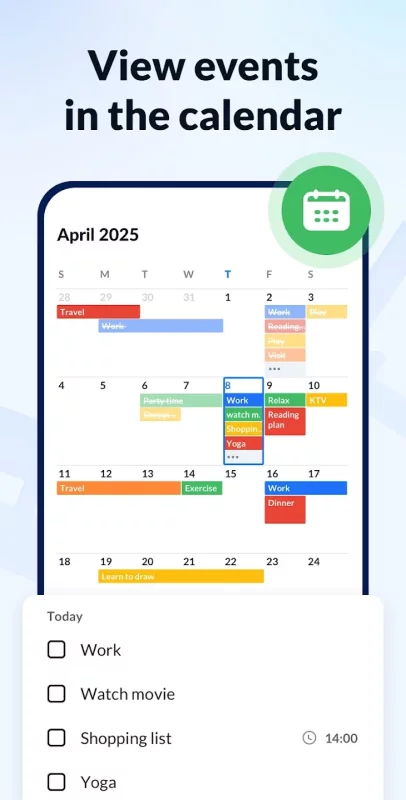
Awesome notepad app allows you to add notes to the calendar! Use Notein to create notes, tasks, to-do lists on the calendar. Viewing and organizing your notes in the calendar mode makes it easy to master your schedule!
⏰Reminders for Notes and To-do Lists
You can set reminders for your notes. Free note pad app Notein will remind you on time and never let you miss any important thing!
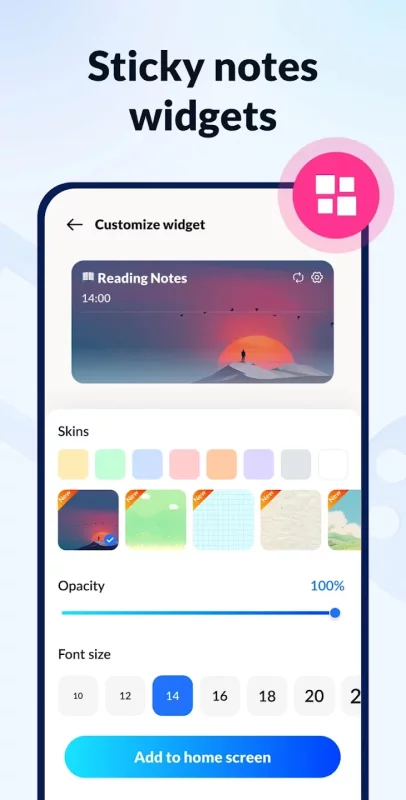
✨Sticky Notes Widgets on Home Screen
Notein - Notepad, Notes, Lists supports adding sticky notes widgets to your home screen on Android devices, including Samsung, Xiaomi, Huawei, and Redmi. Access your notes quickly from the notes widgets.
🎨Manage Notes by Color
Good notes app Notein supports color notes. Write notes with different colors to easily organize your notes and lists. Sorting and filtering notes by color will help you find your target faster.
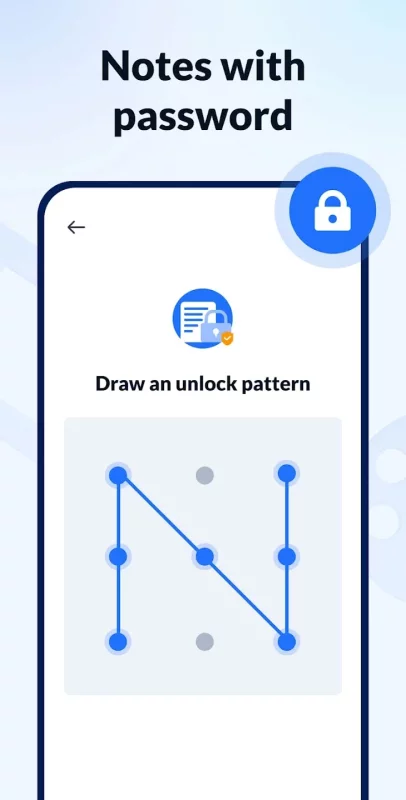
🔐Notes with Password
Want to keep your notes private? No problem! Free notepad app allows you to set passwords to protect your notes. Notepad app free with locker keeps your notes safe!
☁️Backup and Restore
This notebook app supports backing up all your notes and lists to the Cloud. Never worry about losing your notes.
FEATURES
- Colorful and convenient sticky notes widget
- Powerful notepad/notebook/memo pad for note taking
- Write various notes, class notes, book notes, sticky notes, text notes
- Pin important notes and view through notes widgets
- Calendar mode to better schedule your time, manage your notes
- Share notes with friends via Twitter, SMS, WeChat, Email, etc.
- Make color notes, manage notes by color
- Display notes in list/grid/details mode
- Sort notes by time and color, quickly find notes
- Get things done (GTD)
- Notification bar reminder
- Small size notepad app
Try Notein - Notepad, Notes, Lists and free note widget app for an excellent note editing experience!
Your feedback and suggestions are always welcome! If you have any suggestions or questions, please feel free to contact us at.
Stay organized with this free note widget app
Easily jot down ideas, to-dos, and reminders with this free note widget app. Use widgets to keep important notes right on your home screen and take advantage of widgets for quick access anytime. This note widget app lets you edit, check, and access notes within seconds!
Download Notepad, Notes, Easy Notebook for Android for free
- Download the XAPK file to your Android device.
- Install one of these installers from our website:
- Open the installer and select the downloaded file from the Downloads folder.
- Allow installation from this source if Android asks for permission.
- Start installation. To update the app, install the newer file without uninstalling the current version.