- Update26.09.2026
- Latest Version2.178.8835.02.beta
- Android OS8.0+
- LicenseFree
-
LanguagesEnglish Afrikaans, አማርኛ, العربية, অসমীয়া, Azərbaycan dili, Беларуская, Български, বাংলা, Bosanski, Català, ᏣᎳᎩ, Čeština, Cymraeg, Dansk, Deutsch, Ελληνικά, English, Español, Eesti, Euskara, فارسی, Suomi, Filipino, Français, Gaeilge, Gàidhlig, Galego, ગુજરાતી, Hausa, עברית, हिन्दी, Hrvatski, Magyar, Հայերեն, Bahasa Indonesia, Igbo, Íslenska, Italiano, 日本語, ქართული, Қазақ тілі, ខ្មែរ, ಕನ್ನಡ, 한국어, कोंकणी, Кыргызча, Lëtzebuergesch, ລາວ, Lietuvių, Latviešu, Māori, Македонски, മലയാളം, Монгол, मराठी, Bahasa Melayu, Malti, မြန်မာ, Norsk bokmål, नेपाली, Nederlands, Norsk nynorsk, ଓଡ଼ିଆ, ਪੰਜਾਬੀ, Polski, Português, Runa Simi, Română, Русский, Ikinyarwanda, سنڌي, සිංහල, Slovenčina, Slovenščina, Shqip, Српски, Svenska, Kiswahili, தமிழ், తెలుగు, Тоҷикӣ, ไทย, ትግርኛ, Türkmençe, Tagalog, Setswana, Türkçe, Татар теле, ئۇيغۇرچە, Українська, اردو, Oʻzbekcha, Tiếng Việt, Wolof, isiXhosa, Èdè Yorùbá, 中文, isiZulu
- Content RatingEveryone
- DeveloperMicrosoft Corporation
- Package Namecom.microsoft.todos
Microsoft To Do is a task management app to help you stay organized and manage your day-to-day. You can use Microsoft To Do to make shopping lists or task lists, take notes, record collections, plan an event, or set reminders to increase your productivity and focus on what matters to you. Microsoft To Do makes it easy to stay organized and manage your life.
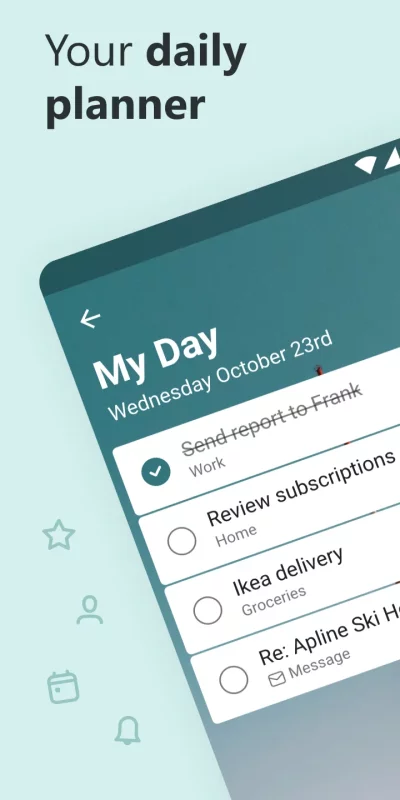
Accomplish what's meaningful and important to you each day with My Day and Suggestions, your personalized daily planner tools. Intelligent suggestions recommend tasks from across your lists that may be relevant for the day. From grocery lists to housecleaning routines, daily tasks are simple with To Do. When you're quickly switching between contexts and tasks, it's important to have tools that help you achieve what matters. Microsoft To Do helps you quickly capture and retrieve your lists and tasks across devices and between multiple accounts.
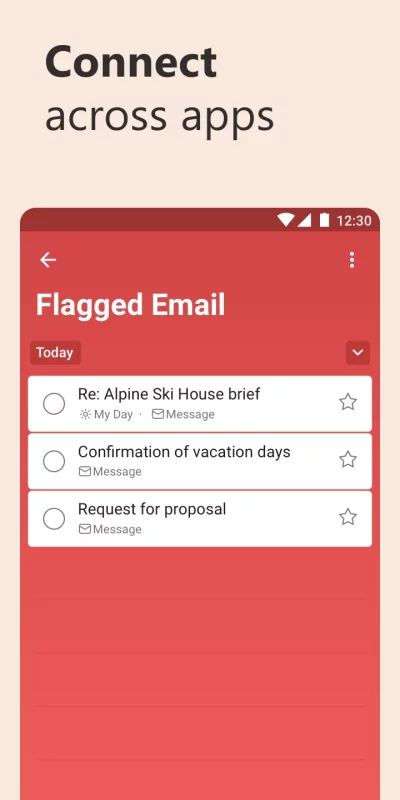
Capture tasks from different Microsoft apps and services and sync them with Microsoft To Do. Flag emails as tasks in Outlook or any email account hosted by Microsoft, add to lists with Cortana, and see tasks assigned to you from Microsoft Planner. Get peace of mind knowing that your tasks and lists are hosted on the Microsoft 365 service – one of the most reliable services with industry-leading security offerings.
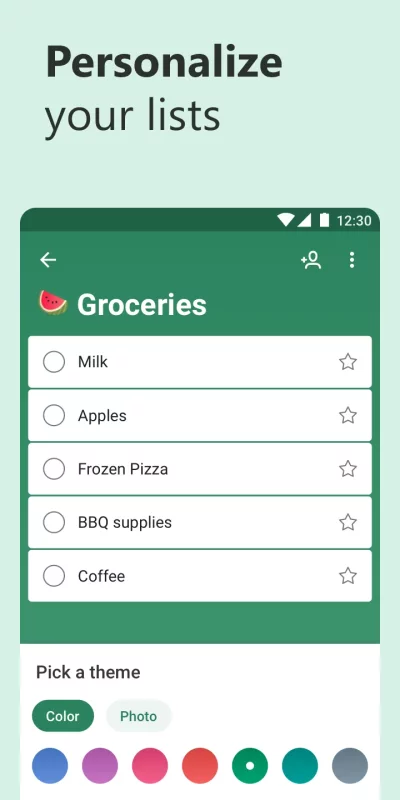
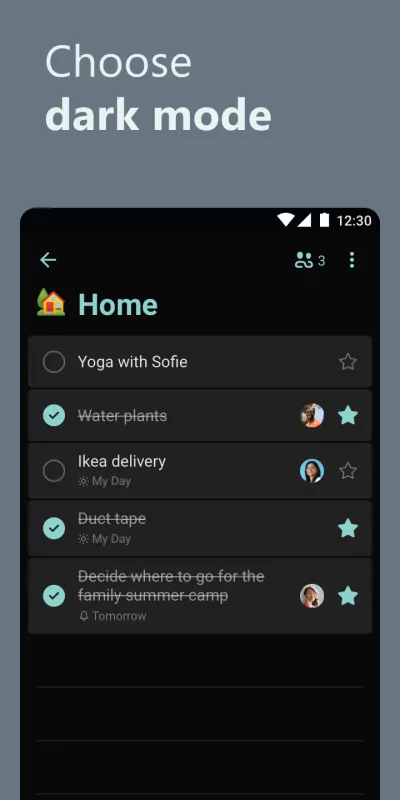
Microsoft To Do’s modern, easy-to-use experience makes your lists unique, with customizable features like emoji in lists, colorful themes, dark mode, and more. Plus, shared lists help you stay connected and collaborate with family, friends, and colleagues.
Microsoft To Do features:
Daily planner
• A daily planner personalized with suggested tasks: My Day
• To do lists are accessible anywhere, on any device
• Share lists and assign tasks with your friends, family, colleagues, and classmates
• Task management features break your tasks into manageable steps
• Take notes to add to any task
• Group lists together by topic or project
Task manager
• Add reminders, tasks and lists with the To Do widget
• Daily organizer personalized with bold and colorful backgrounds
• Reminders with one-time or recurring due dates
• Make task lists and switch between school, work, and personal lists
• Attach up to 25 MB of files to any task
To Do lists for any purpose
• Bill planner
• Shopping list
• Reminders
• Task management
• Take notes
• And more
Office 365 integration
• Sync reminders and task lists between Outlook and To Do
• Lists and tasks are hosted with the security of Microsoft 365
• Task lists are compiled from the apps and services across Microsoft 365
• Add multiple Microsoft accounts
Microsoft To Do helps you organize and simplify your plans, whether it's for work, school, or home.
To Do is free and available across the web and iOS, Mac, Android, and Windows devices.
Learn more: https://to-do.microsoft.com
Follow us on Twitter: @MicrosoftToDo
Need support? https://todosupport.microsoft.com/support?product_id=todo
By installing Microsoft To Do, you agree to the Microsoft Terms of Use: https://go.microsoft.com/fwlink/?linkid=842575

Download Microsoft To Do: Lists & Tasks for Android for free
- Download the APK file to your Android device.
- Find the file in the Downloads folder and open it.
- Allow installation from this source if Android blocks it.
- Tap Install. To update the app, install the newer APK without uninstalling the current version.