• Update
    21.09.2026
  • Latest Version
    26.3.1.6772
  • Android OS
    10+
  • License
    Free
  • Languages
    English
  • Content Rating
    Everyone
  • Developer
  • Package Name
    com.hp.printercontrol

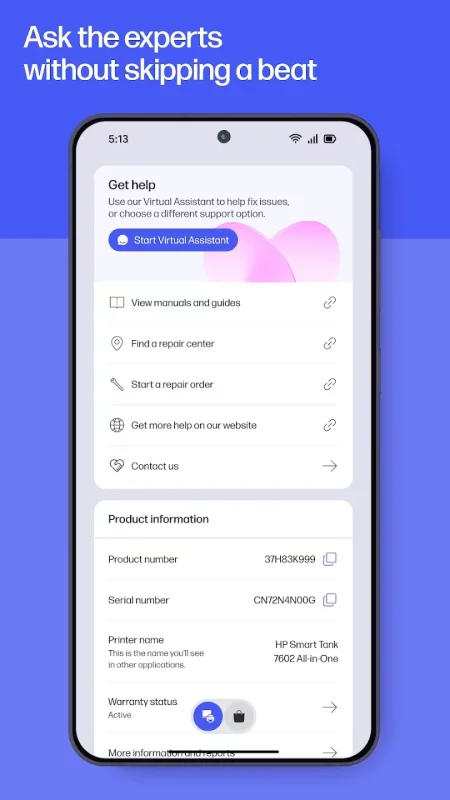
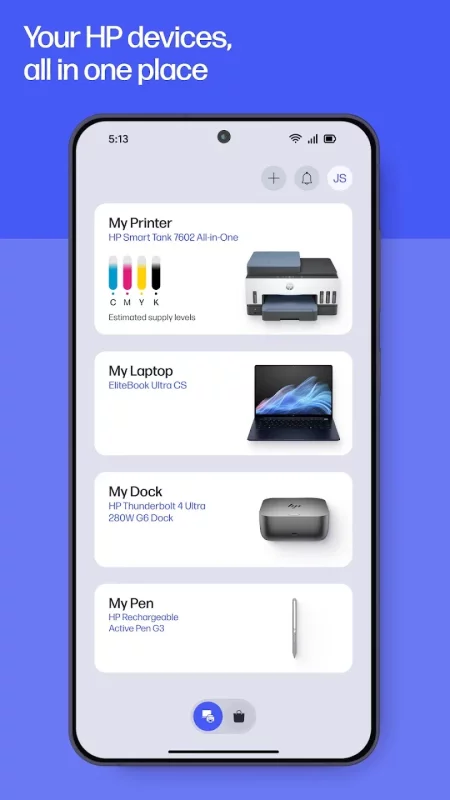
The go-to app for your HP devices. Set up your new printer, personalize your experience, print, scan, and contact support—all in one place.

Formerly HP Smart, the new HP app[1] offers you more ways to get more from your HP device.

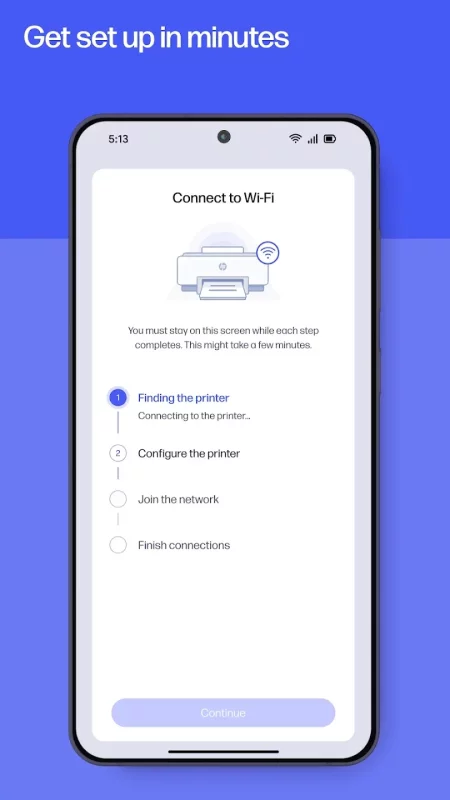
Easy Setup, Wherever You Are
New device? No problem. Get up and running fast with a guided setup that does the heavy lifting for you. Once you are ready to go, you can manage your HP printer and computer and stay on top of the essentials, like checking your ink levels.

Make the Most of Your Device
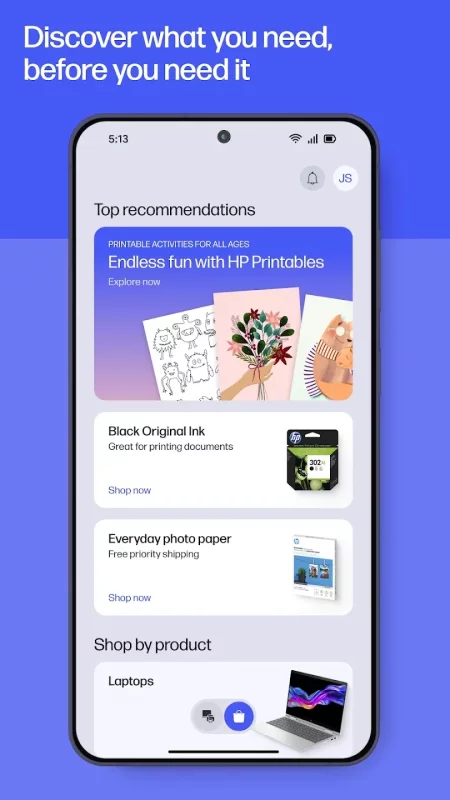
Stay informed with top recommendations. Plus, you can adjust your device settings and discover HP products that match your needs—it is all about making your tech work just the way you like it.

Print and Scan, On Your Time
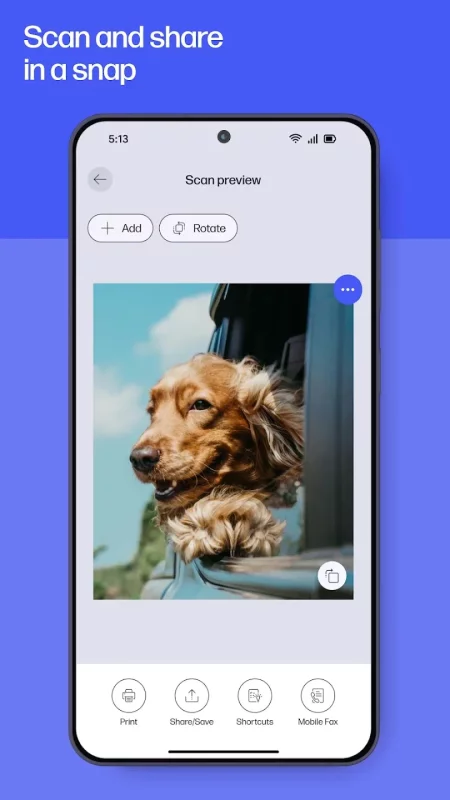
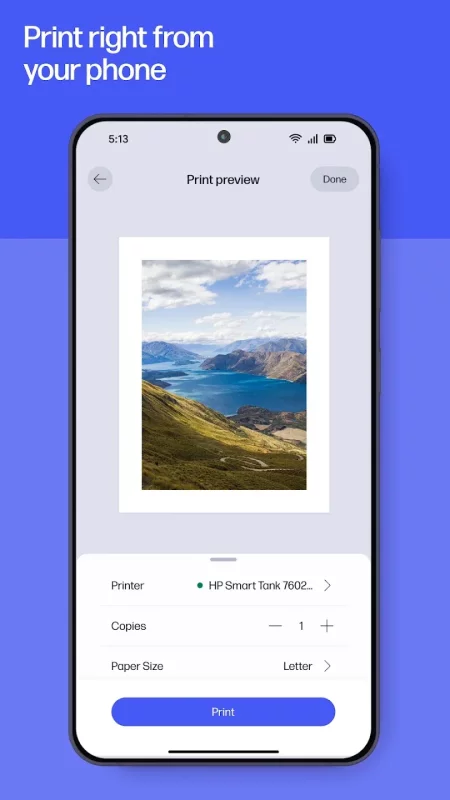
Print a school form from the kitchen or a last-minute birthday card. Even, scan receipts in seconds and send it straight to your email. Whether you're at home or at the office, completing your print tasks is a click away.

Instant Help Whenever You Need It
When something goes wrong, help is right there—make a quick call, message live chat or find answers in the app. You’ll be back to what matters before you know it.

But wait, your experience just gets better and better!

• HP Printables: Unlock a world of creativity with HP Printables[2]. Explore tons of cards, coloring pages, educational worksheets, and fun crafts projects.

• Print Photos: Print high-quality photos directly from your device.

• Scan and Print: Adjust and edit your documents before you hit print.

• Scan Documents: Quickly scan and digitize your documents for easy sharing and storage.

• Fax: Send and receive faxes directly from the app.

• Print Shortcuts: Set up custom shortcuts for print tasks you use often.

• Print Supplies: Get a notification when your printer is low on ink or paper and easily order more to keep printing uninterrupted.

• HP Warranty Check: Keep track of your HP device warranties.

We're always adding cool new features to the app. Make sure you turn on auto-updates, so you don't miss all the latest improvements!

Disclaimers

1. HP Smart and myHP are now the HP app, available for download on Android mobile phones and tablets. The HP app requires download available at www.hp.com/hp-app. Not all HP devices, services, apps are available in the HP app. Certain features are available in English language only, and may vary by printer and PC model/country, and between desktop/mobile applications. HP reserves the right to introduce charges for use of select HP app functionality. Internet access required. HP account required for full functionality. Fax sending capability only. Live chat and phone support are available during business hours and varies by country. Chat service is localized in supported regions, and where not supported, will default to English. Supported conferencing features vary by device and device configuration. For complete Terms of Service see: www.hp.com/hp-app-terms-of-use.

2. Printables are for personal use only and may not be distributed for any commercial purpose.
Download HP for Android for free

Download HP 26.3.1.6772 xapk Android 10+ ARMV7
201.47 Mb
No viruses found
Permissions (30)
Detections: 0
Check date: 21 September 2026, 13:15
The file was scanned for viruses using VirusTotal.
ACCESS_BACKGROUND_LOCATION - allows an app to access location in the background.
ACCESS_COARSE_LOCATION - allows an app to access approximate location.
ACCESS_FINE_LOCATION - allows an app to access precise location.
ACCESS_NETWORK_STATE - allows applications to access information about networks.
ACCESS_WIFI_STATE - allows applications to access information about wi-fi networks.
BLUETOOTH - allows applications to connect to paired bluetooth devices.
BLUETOOTH_ADMIN - allows applications to discover and pair bluetooth devices.
BLUETOOTH_ADVERTISE - required to be able to advertise to nearby bluetooth devices.
BLUETOOTH_CONNECT - required to be able to connect to paired bluetooth devices.
BLUETOOTH_SCAN - required to be able to discover and pair nearby bluetooth devices.
CAMERA - required to be able to access the camera device.
CHANGE_NETWORK_STATE - allows applications to change network connectivity state.
CHANGE_WIFI_MULTICAST_STATE - allows applications to enter wi-fi multicast mode.
CHANGE_WIFI_STATE - allows applications to change wi-fi connectivity state.
FOREGROUND_SERVICE - allows a regular application to use service.startforeground.
FOREGROUND_SERVICE_CONNECTED_DEVICE - allows a regular application to use service.startforeground with the type "connecteddevice".
FOREGROUND_SERVICE_DATA_SYNC - allows a regular application to use service.startforeground with the type "datasync".
INTERNET - allows applications to open network sockets.
POST_NOTIFICATIONS - allows an app to post notifications
READ_EXTERNAL_STORAGE - allows an application to read from external storage.
READ_PHONE_STATE - allows read only access to phone state, including the current cellular network information, the status of any ongoing calls, and a list of any phoneaccounts registered on the device.
RECEIVE_BOOT_COMPLETED - allows an application to receive the intent.action_boot_completed that is broadcast after the system finishes booting.
REORDER_TASKS - allows an application to change the z-order of tasks.
USE_BIOMETRIC - allows an app to use device supported biometric modalities.
USE_FINGERPRINT - this constant was deprecated in api level 28. applications should request use_biometric instead
WAKE_LOCK - allows using powermanager wakelocks to keep processor from sleeping or screen from dimming.
WRITE_EXTERNAL_STORAGE - allows an application to write to external storage.
ACTIVITY_RECOGNITION - allows an application to recognize physical activity.
SHA1 signature: 9c43bbcd07e1586e15c859e27370f91dfa824b54
SHA256 signature: f9772b17cd872eea3e214ea2808febfcfd1822f872eb2e3816339d04b054450e
How to install XAPK
  1. Download the XAPK file to your Android device.
  2. Install one of these installers from our website:
  3. Open the installer and select the downloaded file from the Downloads folder.
  4. Allow installation from this source if Android asks for permission.
  5. Start installation. To update the app, install the newer file without uninstalling the current version.

⚠If the download fails or gets stuck, try enabling a VPN, disabling your ad blocker, or switching to a different network.
See also
Notepad, Notes, Easy Notebook
Want an easy-to-use notepad for quick note-taking? Want a sticky notes widget to organize your
AOL: Email News Weather
Get news, weather, and fast email—all in one effortless place, the AOL App. Discover the AOL App -
LastPass Password Manager
LastPass is a password manager that secures your passwords and personal information in an encrypted
DuckDuckGo, optional Duck.ai
At DuckDuckGo, we believe the best way to protect your personal information from hackers, scammers,
Microsoft OneNote: Save Notes
Supercharge your productivity with OneNote. Organize your thoughts and ideas, and simplify planning
1Password: Password Manager
1Password has been helping folks forget their passwords since 2006. Trusted by millions of people
Dropbox: Secure Cloud Storage
Dropbox allows you to backup your most essential files to the cloud, where you may access them at
Google Keep - Notes and lists
Quickly capture and share your thoughts, manage your to-dos, and stay organized. Google Keep has
Comments (0)
Loading comments...