Lightroom Photo & Video Editor

Lightroom Photo & Video Editor

0 votes
  • Update
    25.09.2026
  • Latest Version
    11.5.22
  • Android OS
    8.0+
  • License
    Free
  • Languages
    English
  • Content Rating
    Everyone
  • Developer
  • Package Name
    com.adobe.lrmobile

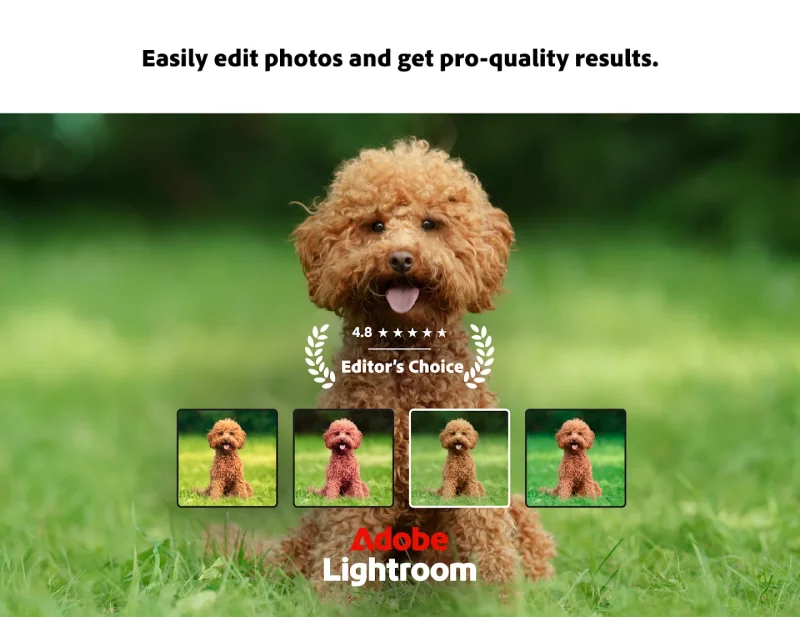
Ever wish your photos could really show what makes a moment special? Adobe Lightroom is a free photo and video editor that helps you do just that. From your dog’s goofy grin to that sunset that took your breath away, Adobe Lightroom makes it simple to bring those moments to life, just the way you see them.

Whether you’re snapping pics on the go or curating your social feed, Lightroom puts powerful AI photo tools in your pocket to make quick edits easy and fun. The Adobe Lightroom photo editor app is here to help you create photos you’re proud to share.

AI PHOTO EDITOR & NEW FILM FILTER PRESETS THAT SET YOUR PICTURE APART
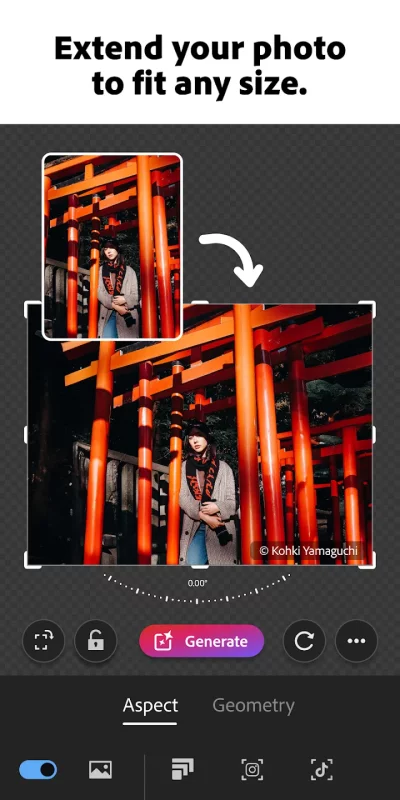
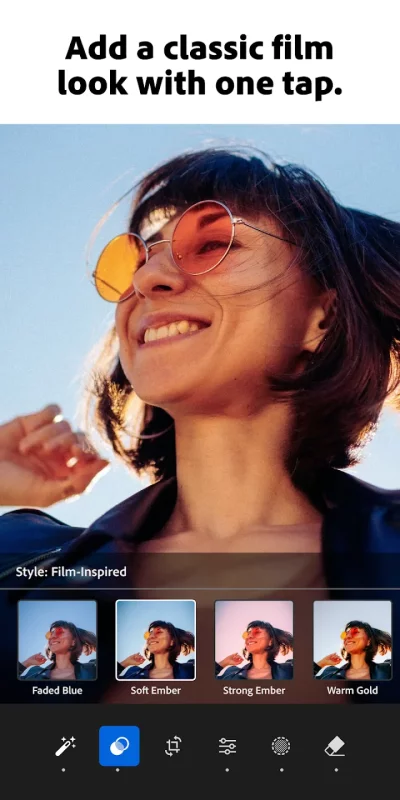
Want brighter colors? Softer, blurry backgrounds? A quick touch-up to crop and resize a photo? Adobe Lightroom’s one-tap features like Quick Actions and Adaptive Presets let you enhance photo quality in seconds. Try our new film filter presets to match your vintage aesthetic. Our AI photo editor tools suggest the best edits for your images. Perfect for quick fixes or adding a unique vibe, no experience required. Use it as your go-to picture editor.

EDIT PHOTOS, REMOVE DISTRACTIONS, & BLUR BACKGROUND
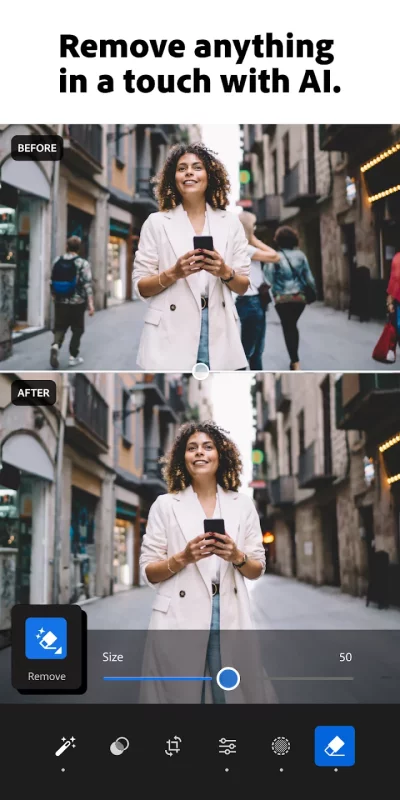
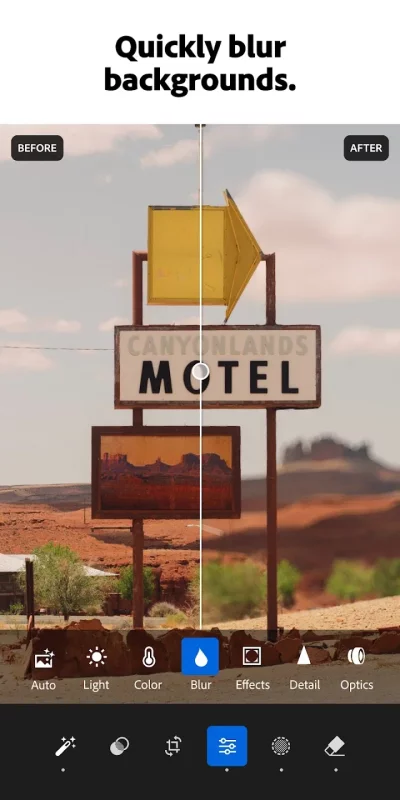
Adobe Lightroom photo editor gives you access to tools that feel professional but stay approachable. Blur the photo background for a polished look, adjust the finer details, or use Generative Remove as an AI photo editor to erase objects within your photos.

POWERFUL EDITS WITH ZERO HASSLE
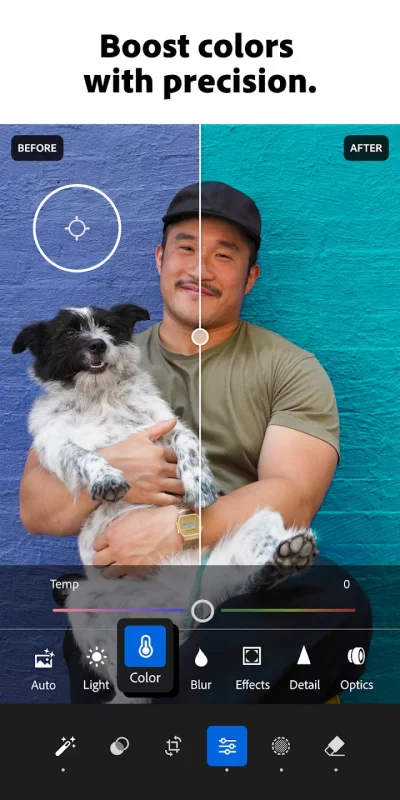
Edit photos easily by tweaking exposure, highlights, and shadows. Fix photos with new film filter presets, unique photo effects, color grading, hue, saturation, or add a blurry bokeh effect to nail the perfect vibe. Edit photos with your creative control while keeping it simple.

GET INSPIRATION FROM THE COMMUNITY
Not sure where to start? Browse photo presets shared by creators around the world. From vintage film filter photo effects to applying a retro photo filter, Adobe Lightroom has the presets to match your aesthetic. Whether you’re looking to make bold edits with AI photo editor tools or subtle tweaks for polished portrait edits, find a look that matches your style — or create your own. Save your favorites and make every photo feel like you.

EDIT ONCE, APPLY EVERYWHERE
Snapped a whole concert, travel day, or family gathering? Use Lightroom’s AI photo editor tools to fix photos in batches to keep your photo edits looking consistent.

WHY ADOBE LIGHTROOM?
• Edit photos for every moment: whether editing photos for fun, capturing memories, gaining confidence, or sharing on social media.
• Flexible picture editor: Our photo editor is beginner-friendly and grows with you to strengthen your editing skills. Fix photos, crop and resize images, blur background elements, or remove distractions.
• User-friendly AI photo editor designed to help build confidence, spark creativity, and showcase your authentic style.

PICTURE EDITOR TOOLS YOU'LL LOVE
• Quick Action photo editor: Fix photos with suggested edits tailored to your pics.
• Preset Edits: Discover filters or make your own signature look. Try our NEW film filter presets to match your cinematic style.
• Background Blur: Create depth with a blurry background effortlessly.
• Generative Remove Edits: Take out the things you didn’t want with this AI photo eraser.
• Video Editing: Bring the same creative energy to your clips with tools for light, color, and presets.

FOR EVERY KIND OF PHOTOGRAPHER
Photo editing has never been easier. Lightroom is here to empower you - to capture sunsets, family moments, or your latest foodie find. With tools to fix pictures, enhance photo quality, and edit videos, Adobe Lightroom gives you the right balance of ease and control.

Download Adobe Lightroom today.

Terms & Conditions:
Your use of this application is governed by the Adobe General Terms of Use http://www.adobe.com/go/terms_en and the Adobe Privacy Policy http://www.adobe.com/go/privacy_policy_en

Do not sell or share my personal information www.adobe.com/go/ca-rights
Download Lightroom Photo & Video Editor for Android for free

Download Lightroom Photo & Video Editor 11.5.22 xapk Android 8.0+ ARMV8, X86_64
468.82 Mb
No viruses found
Permissions (26)
Detections: 0
Check date: 25 September 2026, 20:00
The file was scanned for viruses using VirusTotal.
ACCESS_COARSE_LOCATION - allows an app to access approximate location.
ACCESS_FINE_LOCATION - allows an app to access precise location.
ACCESS_MEDIA_LOCATION - allows an application to access any geographic locations persisted in the user's shared collection.
ACCESS_NETWORK_STATE - allows applications to access information about networks.
ACCESS_WIFI_STATE - allows applications to access information about wi-fi networks.
CAMERA - required to be able to access the camera device.
CREDENTIAL_MANAGER_QUERY_CANDIDATE_CREDENTIALS - allows a browser to invoke the set of query apis to get metadata about credential candidates prepared during the credentialmanager.preparegetcredential api.
DETECT_SCREEN_CAPTURE - allows an application to get notified when a screen capture of its windows is attempted.
FOREGROUND_SERVICE - allows a regular application to use service.startforeground.
FOREGROUND_SERVICE_DATA_SYNC - allows a regular application to use service.startforeground with the type "datasync".
GET_ACCOUNTS - allows access to the list of accounts in the accounts service.
INTERNET - allows applications to open network sockets.
POST_NOTIFICATIONS - allows an app to post notifications
READ_EXTERNAL_STORAGE - allows an application to read from external storage.
READ_MEDIA_IMAGES - allows an application to read image files from external storage.
READ_MEDIA_VIDEO - allows an application to read video files from external storage.
READ_MEDIA_VISUAL_USER_SELECTED - allows an application to read image or video files from external storage that a user has selected via the permission prompt photo picker.
READ_PHONE_STATE - allows read only access to phone state, including the current cellular network information, the status of any ongoing calls, and a list of any phoneaccounts registered on the device.
RECEIVE_BOOT_COMPLETED - allows an application to receive the intent.action_boot_completed that is broadcast after the system finishes booting.
USE_BIOMETRIC - allows an app to use device supported biometric modalities.
USE_FINGERPRINT - this constant was deprecated in api level 28. applications should request use_biometric instead
VIBRATE - allows access to the vibrator.
WAKE_LOCK - allows using powermanager wakelocks to keep processor from sleeping or screen from dimming.
WRITE_EXTERNAL_STORAGE - allows an application to write to external storage.
SHA1 signature: 3cc3f830a100df6533071fd13d4ff3d2ad8db25b
SHA256 signature: a51dccb1a7a0da2c24f51c334da578c71e1fc51282983d1dc78a793876e64e7f
How to install XAPK
  1. Download the XAPK file to your Android device.
  2. Install one of these installers from our website:
  3. Open the installer and select the downloaded file from the Downloads folder.
  4. Allow installation from this source if Android asks for permission.
  5. Start installation. To update the app, install the newer file without uninstalling the current version.

⚠If the download fails or gets stuck, try enabling a VPN, disabling your ad blocker, or switching to a different network.
More by Adobe
Adobe Digital Editions
One eBook reader for all your Adobe DRM protected books across your Android Devices, iPad, Mac or
Adobe Scan AI PDF Scanner, OCR
Magic eraser for cleaner scans. The new Magic eraser tool removes unwanted fingers, shadows,
Photoshop Express Photo Editor
PHOTO EDITING MADE FUN AND EASY Tap into your creativity and capture the moment with a photo editor
See also
Amazon Photos: Photo & Video
Amazon Photos lets you store and share full-resolution photos, keeping favorite moments secure and
Photoshop Express Photo Editor
PHOTO EDITING MADE FUN AND EASY Tap into your creativity and capture the moment with a photo editor
VSCO: Photo Editor
VSCO: Photo Editor
VSCO: Photo Editor & Inspiring Photography Community. Our community-driven platform empowers
PicsKit Photo Editor & Design
An all-in-one photo editor studio on mobile: drip art effects, neon effects stickers, quick art...
Google Photos
Google Photos
Google Photos is the home for all your photos and videos. Easily store, edit, organize, and search
Picsart AI Photo Editor, Video
Ignite your creative potential with Picsart — the all-in-one AI photo editor, AI video editor, and
Pixlr AI Photo & Video Editor
Unleash your creativity with Pixlr AI Art Photo Editor (formerly Pixlr Express) – your go-to free
Video Editor & Maker - InShot
InShot - Powerful all-in-one Video Editor and Video Maker with professional features. Add music,
Comments (0)
Loading comments...