- Update20.09.2026
- Latest Version2.241.1553
- Android OS8.0+
- LicenseFree
-
LanguagesEnglish English, العربية, Azərbaycan dili, Български, Čeština, Dansk, Deutsch, Ελληνικά, Español, فارسی, Français, हिन्दी, Hrvatski, Magyar, Bahasa Indonesia, Italiano, עברית, 日本語, 한국어, Македонски, Bahasa Melayu, Nederlands, Polski, Português, Română, Русский, Slovenčina, Shqip, Српски, Svenska, ไทย, Türkçe, Українська, اردو, Tiếng Việt, 中文
- Content RatingEveryone
- DeveloperInShot Video Editor
- Package Namecom.camerasideas.instashot
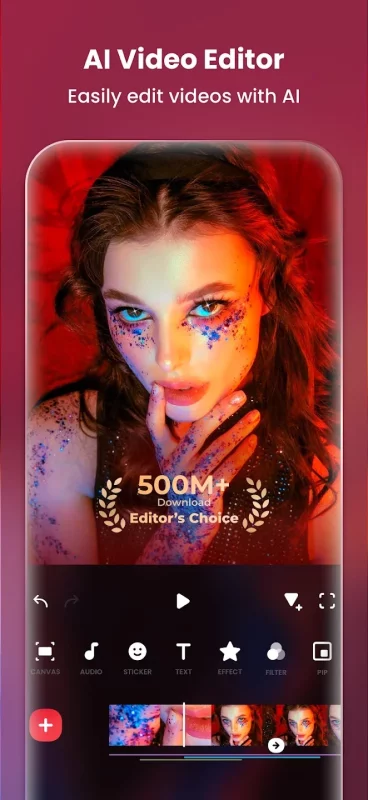
InShot - Powerful all-in-one Video Editor and Video Maker with professional features. Add music, text, transition effects for videos, make smooth slow motion, make video collage, blur background and etc! As an easy-to-use editing app, InShot makes creating vlogs a breeze and helps you to become an influencer on YouTube, Instagram, TikTok, WhatsApp, Facebook, etc.
InShot is also a photo editor and collage maker. Edit pictures and selfie, remove bg, add filters, adjust HSL, etc. Make stylish Instagram story covers and posts.
Features:
AI Tool
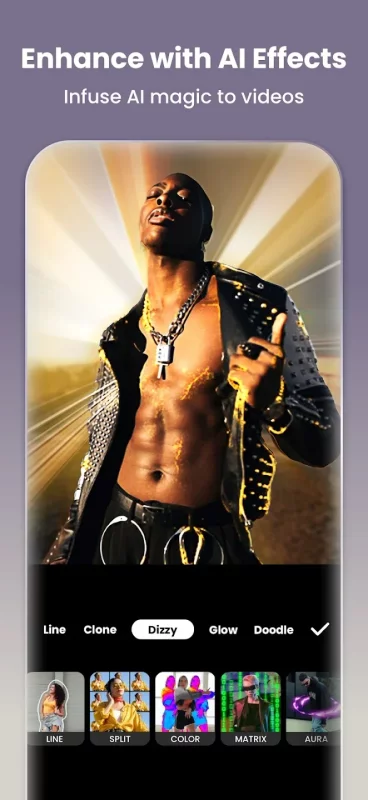
- AI Body Effects. Experience the magic of AI with instant presets that elevate your images and videos in just one tap.
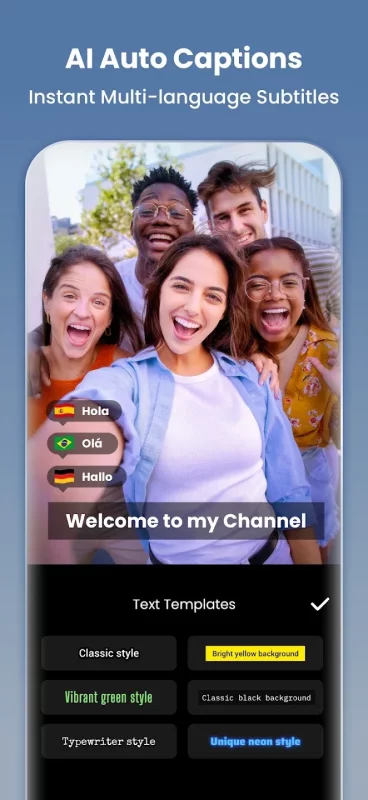
- Auto Captions. AI-powered speech-to-text tool helps you say goodbye to manual text typing and makes video editing effortless.
- AI Speech. An instant text-to-speech tool with muti languages supports and various voice styles.
- Auto Remove Background. Remove background of videos/photos at the touch of a button.
- Smart tracking. Make stickers/text move seamlessly in sync with your tracking object motion, adding dynamic flair to your videos.
- Smooth slow-mo. Experience seamless slow-motion effects for buttery smooth videos.
Full-featured Video Editing
- Trim/Merge clips. Combine and compress video without losing quality.
- Reverse videos.
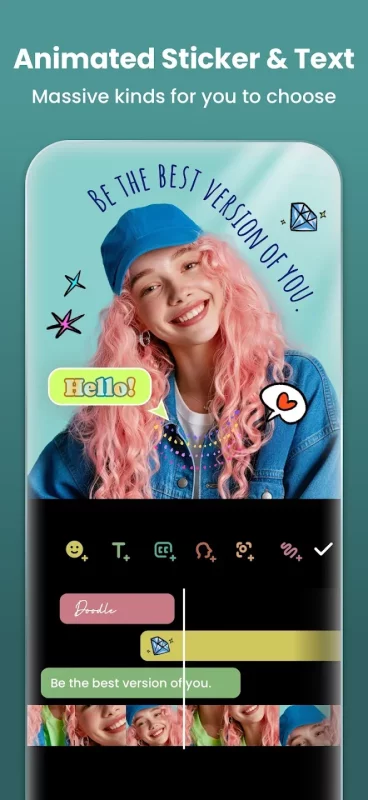
- Add text, emoji and InShot exclusive stickers.
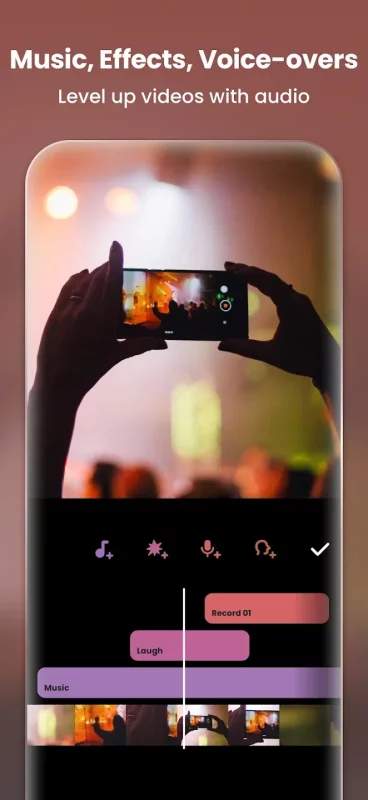
- Add music, sound effects & voice-overs.
- Add various-styles voice effects.
- Adjust ratio. Fit your video and photo in any aspect ratio.
- Speed control. Speed up/slow down video. Add speed ramping.
- Keyframes editing. Add custome keyframe animations.
- Chromakey. Easily edit green screen video.
- Picture-in-Picture. Create multi-layered videos.
- Mixtures. Blend your video with blend mode.
- Color picker. Pick any color on the screen and apply it to the background/text.
Filters, Effects & Transitions
- Lots of cinematic filters.
- Adjust video brightness, contrast, saturation, etc. Customized video filters and video effects.
- Unique effects such as Glitch, Fade, Noise, Beats, Weather, Retro DV, celebrate, etc.
- AI effects. Clone, stroke, auto-blur, etc.
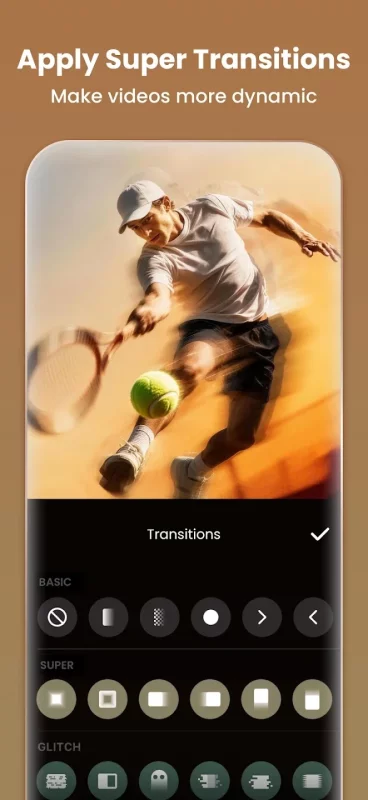
- Pro editing app with super transitions. Combine two clips with transition effects.
Photo Editor & Collage Maker
* Blur the background easily.
* 1000+ stickers, memes, texts & backgrounds.
* Turn blurry photos into HD with AI Photo Enhancer.
* Remove unwanted objects effortlessly.
* AI Flash & Backlight. Use AI Light to brighten your portraits like a pro.
* Easy-to-use photo grid collage maker. Up to 20 photos & 100+ highly editable layouts.
* Beyond Grid: Explore Freestyle, AI Blend & Pic Stitch collage modes.
Canvas & Background
- Choose from various background patterns or upload your own pictures.
- Adjust video ratios for Instagram/TikTok/Youtube post.
Easy to Share
- Custom video export resolution, HD pro video editor support 4K 60fps export.
- Share your daily life on social media: Instagram Reels, TikTok, Whatsapp Status, YouTube Shorts, etc.
InShot is an editing app for videos and photos. With InShot - video maker with music, you can easily make basic video and even advanced assets like video collage, smooth slow motion, stop motion, reverse video and more. Share your vlogs to social media to get more likes, or edit video with music and pic for TikTok.
Disclaimer:
InShot is not affiliated, associated, sponsored, endorsed by, or in any way officially connected with YouTube, Instagram, TikTok, WhatsApp, Facebook, Twitter.
Download Video Editor & Maker - InShot for Android for free
- Download the APK file to your Android device.
- Find the file in the Downloads folder and open it.
- Allow installation from this source if Android blocks it.
- Tap Install. To update the app, install the newer APK without uninstalling the current version.