Skype for Business for Android

Skype for Business for Android

0 votes
  • Update
    26.09.2026
  • Latest Version
    6.39.0.23
  • Android OS
    8.0+
  • License
    Free
  • Languages
    English
  • Content Rating
    Everyone
  • Developer
  • Package Name
    com.microsoft.office.lync15

Skype for Business, formerly Lync 2013, for Android extends the power of Lync and Skype to your favorite mobile device: voice & video over wireless, rich presence, instant messaging, conferencing, and calling features from a single, easy-to-use interface.

Key Features:
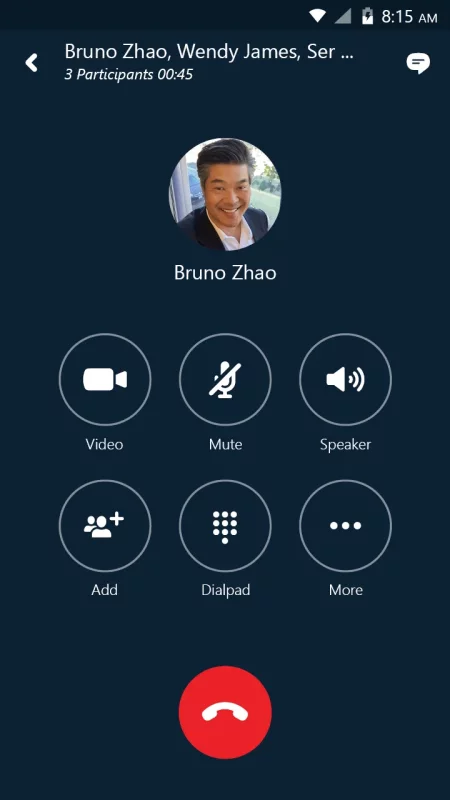
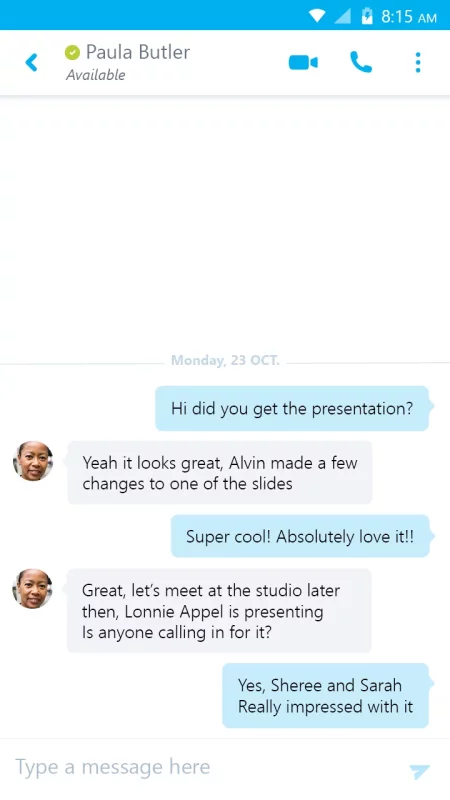
-Initiate a group IM or video conversation and invite additional participants
-Join, rejoin and initiate a Skype for Business Meeting to communicate and collaborate on amazing ideas
-Share your video and view speaker's video during a conference
-Control the meeting (mute or remove attendees) and know more about participants’ modalities
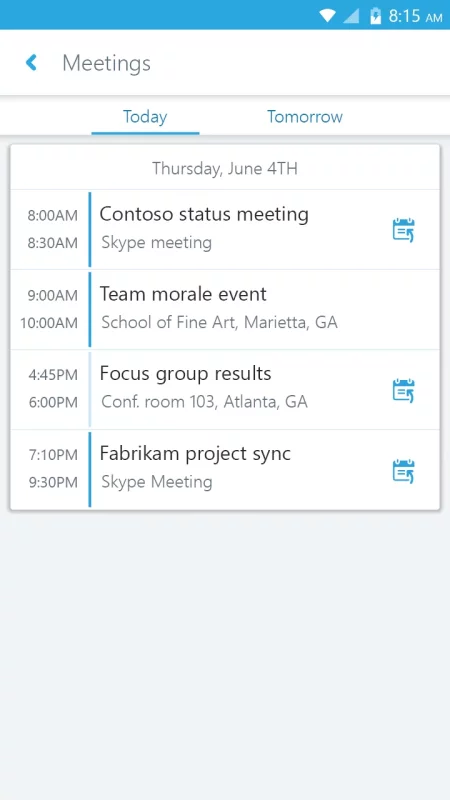
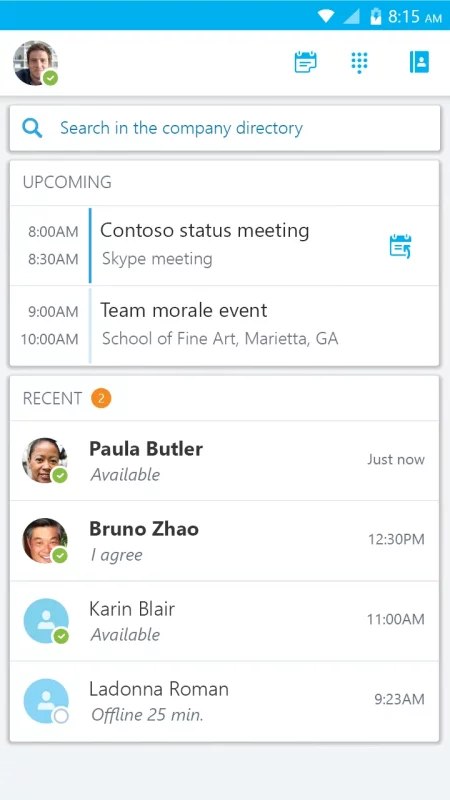
-Look at your upcoming meetings and join via one click
-Find your recent conversations and pick them up from where you left
-Search your contacts by name, email, or phone number
-Enhanced security via Active Directory Authentication Library (ADAL)

Anyone can use the Skype for Business Mobile app when invited to a Skype for Business or Lync 2013 meeting. However, you must have a Skype for Business or Lync account in order to use (and enjoy) the full capability of the Skype for Business Mobile app. Also, some functionality might require an update to Lync or Skype for Business Server or might not be available to all users. If you’re not sure about your account status, please contact your IT department

IMPORTANT: THIS SOFTWARE REQUIRES CONNECTIVITY TO VALIDLY LICENSED COPIES OF MICROSOFT LYNC OR SKYPE FOR BUSINESS SERVER OR OFFICE 365 / LYNC ONLINE / SKYPE FOR BUSINESS ONLINE AND WILL NOT WORK WITHOUT IT. UPDATES TO MICROSOFT LYNC SERVER OR SKYPE FOR BUSINESS MAY BE REQUIRED FOR PROPER PERFORMANCE. SOME FUNCTIONALITY MAY NOT BE AVAILABLE IN ALL COUNTRIES. IF YOU ARE UNSURE ABOUT YOUR COMPANY’S LICENSE TO AND/OR DEPLOYMENT OF LYNC OR SKYPE FOR BUSINESS, PLEASE CONTACT YOUR IT DEPARTMENT. SKYPE FOR BUSINESS APP IS ONLY AVAILABLE FOR Android 4.0 OR GREATER.
Download Skype for Business for Android for Android for free

Download Skype for Business for Android 6.39.0.23 apk Android 8.0+ ARMV8, ARMV7, X86, X86_64
141.85 Mb
Permissions (41)
INTERNET - allows applications to open network sockets.
WRITE_EXTERNAL_STORAGE - allows an application to write to external storage.
ACCESS_NETWORK_STATE - allows applications to access information about networks.
ACCESS_WIFI_STATE - allows applications to access information about wi-fi networks.
CHANGE_WIFI_STATE - allows applications to change wi-fi connectivity state.
CHANGE_NETWORK_STATE - allows applications to change network connectivity state.
CHANGE_WIFI_MULTICAST_STATE - allows applications to enter wi-fi multicast mode.
GET_ACCOUNTS - allows access to the list of accounts in the accounts service.
READ_PHONE_STATE - allows read only access to phone state, including the current cellular network information, the status of any ongoing calls, and a list of any phoneaccounts registered on the device.
READ_PHONE_NUMBERS - allows read access to the device's phone number(s), which is exposed to instant applications.
VIBRATE - allows access to the vibrator.
CALL_PHONE - allows an application to initiate a phone call without going through the dialer user interface for the user to confirm the call.
MODIFY_AUDIO_SETTINGS - allows an application to modify global audio settings.
RECORD_AUDIO - allows an application to record audio.
WAKE_LOCK - allows using powermanager wakelocks to keep processor from sleeping or screen from dimming.
BLUETOOTH_CONNECT - required to be able to connect to paired bluetooth devices.
CAMERA - required to be able to access the camera device.
READ_CONTACTS - allows an application to read the user's contacts data.
WRITE_CONTACTS - allows an application to write the user's contacts data.
READ_SYNC_STATS - allows applications to read the sync stats.
READ_SYNC_SETTINGS - allows applications to read the sync settings.
WRITE_SYNC_SETTINGS - allows applications to write the sync settings.
BROADCAST_STICKY - allows an application to broadcast sticky intents.
READ_LOGS - allows an application to read the low-level system log files.
GET_TASKS - this constant was deprecated in api level 21. no longer enforced.
FOREGROUND_SERVICE - allows a regular application to use service.startforeground.
USE_FULL_SCREEN_INTENT - required for apps targeting build.version_codes.q that want to use notification full screen intents.
BLUETOOTH - allows applications to connect to paired bluetooth devices.
BLUETOOTH_ADMIN - allows applications to discover and pair bluetooth devices.
FOREGROUND_SERVICE_DATA_SYNC - allows a regular application to use service.startforeground with the type "datasync".
FOREGROUND_SERVICE_MEDIA_PLAYBACK - allows a regular application to use service.startforeground with the type "mediaplayback".
FOREGROUND_SERVICE_CONNECTED_DEVICE - allows a regular application to use service.startforeground with the type "connecteddevice".
FOREGROUND_SERVICE_PHONE_CALL - allows a regular application to use service.startforeground with the type "phonecall".
FOREGROUND_SERVICE_SPECIAL_USE - allows a regular application to use service.startforeground with the type "specialuse".
MANAGE_OWN_CALLS - allows a calling application which manages its own calls through the self-managed connectionservice apis.
READ_MEDIA_IMAGES - allows an application to read image files from external storage.
READ_MEDIA_VIDEO - allows an application to read video files from external storage.
READ_MEDIA_VISUAL_USER_SELECTED - allows an application to read image or video files from external storage that a user has selected via the permission prompt photo picker.
READ_EXTERNAL_STORAGE - allows an application to read from external storage.
POST_NOTIFICATIONS - allows an app to post notifications
REORDER_TASKS - allows an application to change the z-order of tasks.
SHA1 signature: 7dc83cd2abe833560c2896626e307041c0df3a7a
SHA256 signature: b925136f3ea7c0a1951690a1ab313910da81f40994a85342ec622888f1287051
How to install APK
  1. Download the APK file to your Android device.
  2. Find the file in the Downloads folder and open it.
  3. Allow installation from this source if Android blocks it.
  4. Tap Install. To update the app, install the newer APK without uninstalling the current version.

⚠If the download fails or gets stuck, try enabling a VPN, disabling your ad blocker, or switching to a different network.
More by Microsoft Corporation
Microsoft Teams
Microsoft Teams
Whether you’re connecting with your community for an upcoming activity or working with teammates on
Microsoft Excel: Spreadsheets
Spreadsheets & Calculations • Create charts, budgets, project plans, accounting & financial
Microsoft OneNote: Save Notes
Supercharge your productivity with OneNote. Organize your thoughts and ideas, and simplify planning
Microsoft Outlook
Microsoft Outlook
Stay organized with a unified inbox, intelligent filtering and multiple calendars at a glance.
See also
Indeed Job Search
Indeed Job Search
Discover your next job opportunity on Indeed, the free job search app designed to connect you with
Square Point of Sale: Payment
Square Point of Sale (POS) is the all-in-one payment processing app designed for any business.
Uber - Driver: Drive & Deliver
Uber Driver is the app trusted by over 10 million drivers and couriers worldwide. Whether you want
Microsoft Authenticator
Use Microsoft Authenticator for easy, secure sign-ins for all your online accounts using
Zoom Workplace
Zoom Workplace
Zoom Workplace is your AI-first collaboration platform for meetings, chat, phone calls, docs,
When I Work Team Scheduling
Join more than 200,000 workplaces running on When I Work to reduce chaos, costs, and turnover with
LinkedIn: Community & Network
Welcome to LinkedIn – The Professional Network That Works for You Build your career, grow your
Microsoft Teams
Microsoft Teams
Whether you’re connecting with your community for an upcoming activity or working with teammates on
Comments (0)
Loading comments...