Zoom Workplace

Zoom Workplace

0 votes
  • Update
    14.09.2026
  • Latest Version
    7.1.8.42948
  • Android OS
    9+
  • License
    Free
  • Languages
    English
  • Content Rating
    Everyone
  • Developer
  • Package Name
    us.zoom.videomeetings

Zoom Workplace is your AI-first collaboration platform for meetings, chat, phone calls, docs, calendar, mail, whiteboard, and more. Whether you're working remotely, in the office, or on the go, Zoom Workplace helps your team stay connected and get work done — all from a single app.
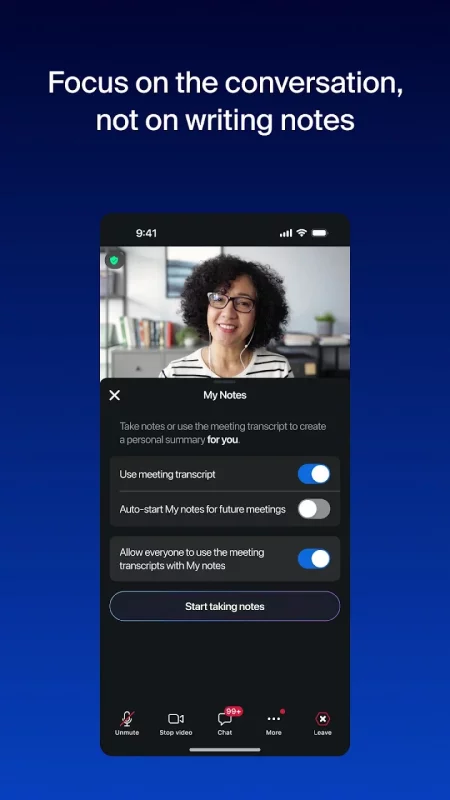
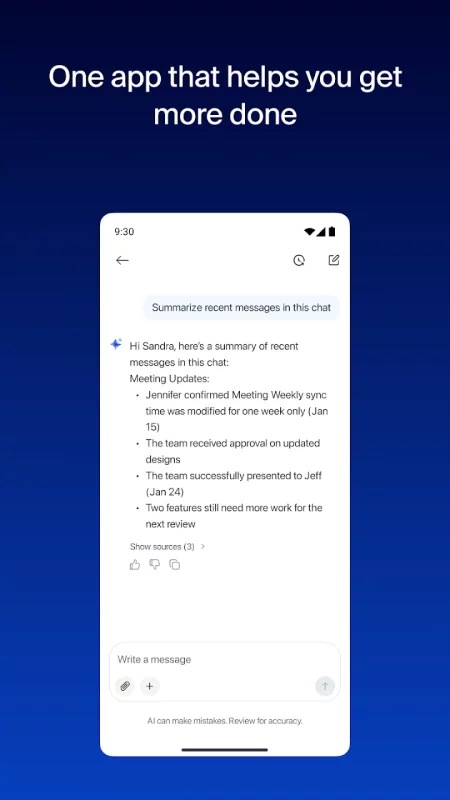
With core AI features built in, you get help prepping for meetings, taking meeting notes with My notes, catching up on messages you missed, and drafting content faster.

GET MORE DONE ON THE GO WITH ZOOM AI*
Built-in AI notetaker for AI-generated meeting summaries
Draft messages and content with AI that knows your work context
Catch up on unread Chat messages in seconds

ONE APP FOR VIDEO CONFERENCING, CHAT, AND CALLS
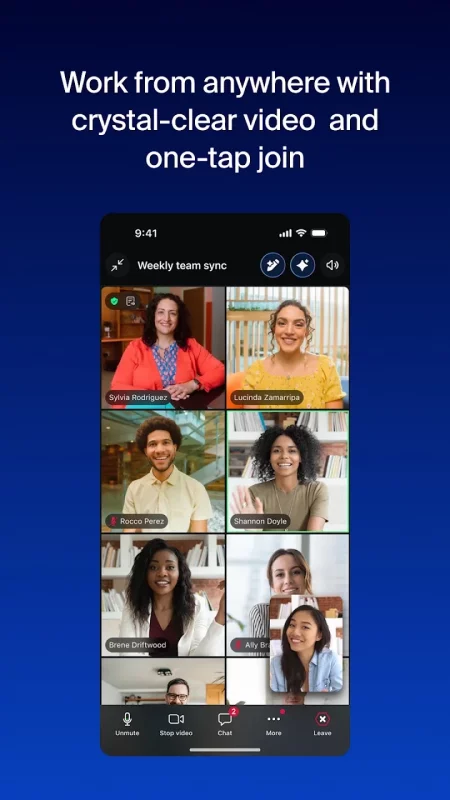
Schedule or join a video meeting with one tap
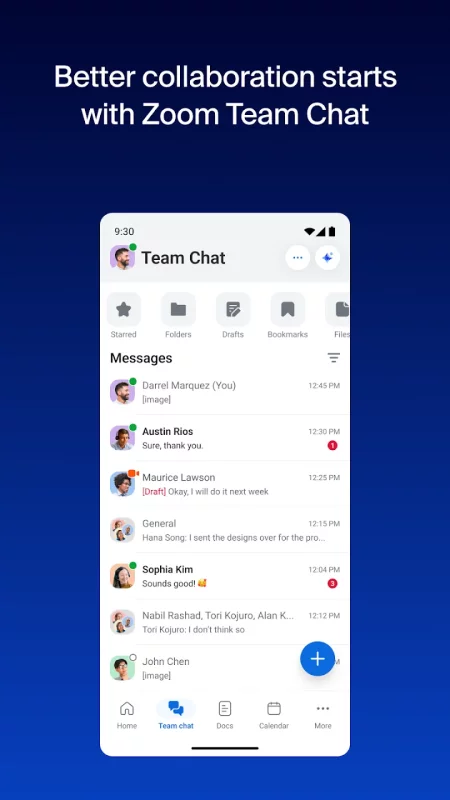
Send messages to colleagues and external contacts in Team Chat
Place and receive phone calls or send SMS text messages with Zoom Phone*

BOOST YOUR PRODUCTIVITY
Create and share Zoom Docs to keep your team aligned
Get automatic meeting summaries
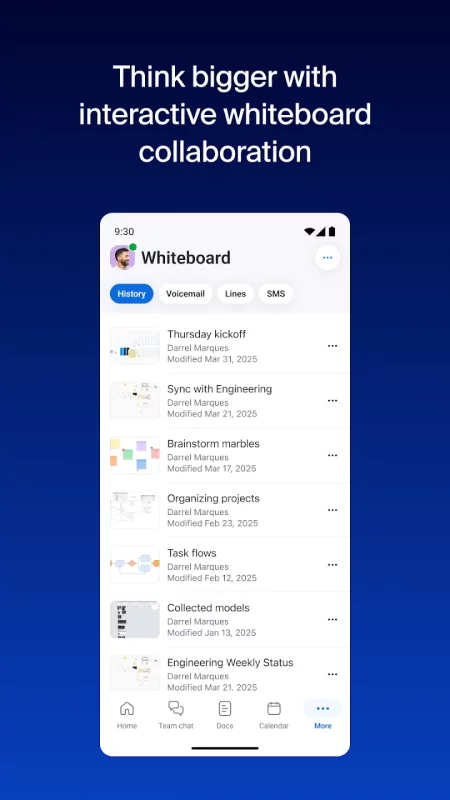
Brainstorm and collaborate on Zoom Whiteboard

SWITCH BETWEEN DEVICES WITHOUT MISSING A BEAT
Move a live video call or phone call between devices with one tap
Start a Zoom Rooms meeting and share your screen*
Multitask on your Android phone with Picture in Picture or tablet with Split Screen

WORK SAFELY ON THE GO
"Hey Google" Voice Access commands for hands-free control
Keep your data protected with enterprise-grade security and SSO*
Zoom Workplace combines the collaboration tools teams rely on — video conferencing, team messaging, cloud phone, document editing, virtual whiteboard, calendar, and email — into one simple app. It's designed to help you spend less time switching between tools and more time focused on what matters.
*A paid Zoom Workplace subscription or other license may be required to use certain product features. Upgrade your free account today to start gaining these benefits. Zoom AI may not be available for all regions and industry verticals. Some features not currently available across all regions or plans and are subject to change.

UPGRADE YOUR FREE ACCOUNT TO ZOOM WORKPLACE PRO AND GET AI INCLUDED
Host unlimited meetings up to 30 hours each
Record meetings to the cloud (up to 10GB)
Assign meeting co-hosts and schedulers

Your Zoom Workplace Pro subscription will automatically renew unless you cancel at least 24 hours before the end of the free trial or the plan billing period. After you start your subscription, you can manage it from the Google Play app. The amount charged to the payment method in your Google Play account will vary by the plan you select and your country. The plan price will be displayed before you start your free trial or confirm your purchase.
Download Zoom Workplace for Android for free

Download Zoom Workplace 7.1.8.42948 xapk Android 9+ ARMV7
249.87 Mb
No viruses found
Permissions (43)
Detections: 0
Check date: 14 September 2026, 18:15
The file was scanned for viruses using VirusTotal.
ACCESS_COARSE_LOCATION - allows an app to access approximate location.
ACCESS_FINE_LOCATION - allows an app to access precise location.
ACCESS_NETWORK_STATE - allows applications to access information about networks.
ACCESS_WIFI_STATE - allows applications to access information about wi-fi networks.
BLUETOOTH - allows applications to connect to paired bluetooth devices.
BLUETOOTH_ADMIN - allows applications to discover and pair bluetooth devices.
BLUETOOTH_CONNECT - required to be able to connect to paired bluetooth devices.
BLUETOOTH_SCAN - required to be able to discover and pair nearby bluetooth devices.
CALL_PHONE - allows an application to initiate a phone call without going through the dialer user interface for the user to confirm the call.
CAMERA - required to be able to access the camera device.
CREDENTIAL_MANAGER_QUERY_CANDIDATE_CREDENTIALS - allows a browser to invoke the set of query apis to get metadata about credential candidates prepared during the credentialmanager.preparegetcredential api.
FOREGROUND_SERVICE - allows a regular application to use service.startforeground.
FOREGROUND_SERVICE_CAMERA - allows a regular application to use service.startforeground with the type "camera".
FOREGROUND_SERVICE_CONNECTED_DEVICE - allows a regular application to use service.startforeground with the type "connecteddevice".
FOREGROUND_SERVICE_DATA_SYNC - allows a regular application to use service.startforeground with the type "datasync".
FOREGROUND_SERVICE_MEDIA_PLAYBACK - allows a regular application to use service.startforeground with the type "mediaplayback".
FOREGROUND_SERVICE_MEDIA_PROJECTION - allows a regular application to use service.startforeground with the type "mediaprojection".
FOREGROUND_SERVICE_MICROPHONE - allows a regular application to use service.startforeground with the type "microphone".
FOREGROUND_SERVICE_PHONE_CALL - allows a regular application to use service.startforeground with the type "phonecall".
INTERNET - allows applications to open network sockets.
MANAGE_OWN_CALLS - allows a calling application which manages its own calls through the self-managed connectionservice apis.
MODIFY_AUDIO_SETTINGS - allows an application to modify global audio settings.
NFC - allows applications to perform i/o operations over nfc.
POST_NOTIFICATIONS - allows an app to post notifications
READ_CALENDAR - allows an application to read the user's calendar data.
READ_CONTACTS - allows an application to read the user's contacts data.
READ_EXTERNAL_STORAGE - allows an application to read from external storage.
READ_PHONE_NUMBERS - allows read access to the device's phone number(s), which is exposed to instant applications.
READ_PHONE_STATE - allows read only access to phone state, including the current cellular network information, the status of any ongoing calls, and a list of any phoneaccounts registered on the device.
RECEIVE_BOOT_COMPLETED - allows an application to receive the intent.action_boot_completed that is broadcast after the system finishes booting.
RECORD_AUDIO - allows an application to record audio.
REORDER_TASKS - allows an application to change the z-order of tasks.
REQUEST_IGNORE_BATTERY_OPTIMIZATIONS - permission an application must hold in order to use settings.action_request_ignore_battery_optimizations.
SYSTEM_ALERT_WINDOW - allows an app to create windows using the type windowmanager.layoutparams.type_application_overlay, shown on top of all other apps.
USE_BIOMETRIC - allows an app to use device supported biometric modalities.
USE_FINGERPRINT - this constant was deprecated in api level 28. applications should request use_biometric instead
USE_FULL_SCREEN_INTENT - required for apps targeting build.version_codes.q that want to use notification full screen intents.
VIBRATE - allows access to the vibrator.
WAKE_LOCK - allows using powermanager wakelocks to keep processor from sleeping or screen from dimming.
WRITE_CALENDAR - allows an application to write the user's calendar data.
WRITE_CONTACTS - allows an application to write the user's contacts data.
WRITE_EXTERNAL_STORAGE - allows an application to write to external storage.
SHA1 signature: 5d77c4d8fe71648b6fc904e1bbfcb8809cd5aa40
SHA256 signature: 60b75724b34686e52bde944969de120f16bd6d959788d54384494caedd4e445d
How to install XAPK
  1. Download the XAPK file to your Android device.
  2. Install one of these installers from our website:
  3. Open the installer and select the downloaded file from the Downloads folder.
  4. Allow installation from this source if Android asks for permission.
  5. Start installation. To update the app, install the newer file without uninstalling the current version.

⚠If the download fails or gets stuck, try enabling a VPN, disabling your ad blocker, or switching to a different network.
See also
LinkedIn: Community & Network
Welcome to LinkedIn – The Professional Network That Works for You Build your career, grow your
Microsoft Teams
Microsoft Teams
Whether you’re connecting with your community for an upcoming activity or working with teammates on
Google Chat
Google Chat
Google Chat is the best way for teams using Workspace to connect, collaborate and get things done.
Comments (0)
Loading comments...