Link to Windows

Link to Windows

0 votes
  • Update
    03.10.2026
  • Latest Version
    1.26091.116.0-beta
  • Android OS
    10+
  • License
    Free
  • Languages
    English
  • Content Rating
    Everyone
  • Developer
  • Package Name
    com.microsoft.appmanager

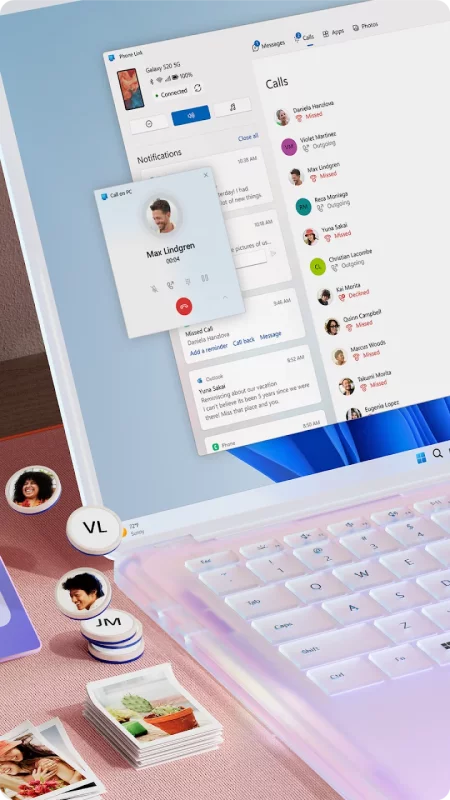
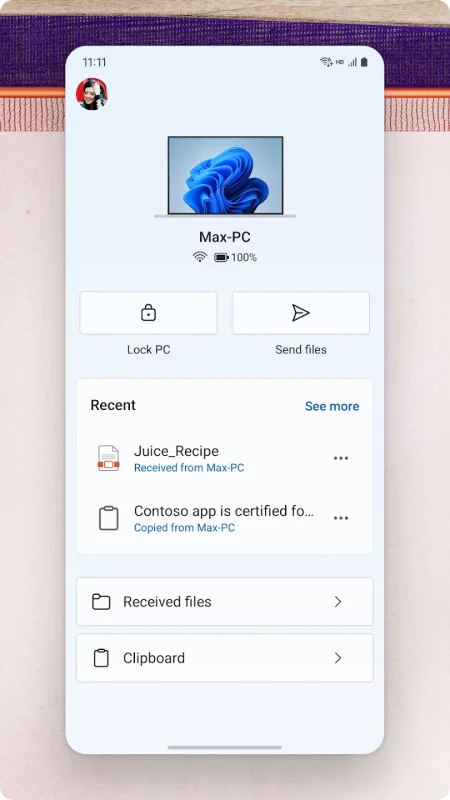
You love your phone. So does your PC. Get instant access to everything you love on your phone, right from your PC. To get started, install the Link to Windows app on your Android phone and connect it with the Phone Link on your Windows PC.

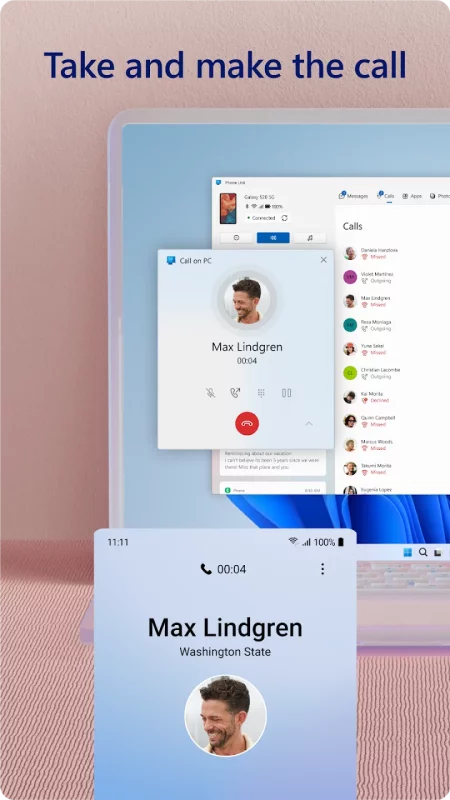
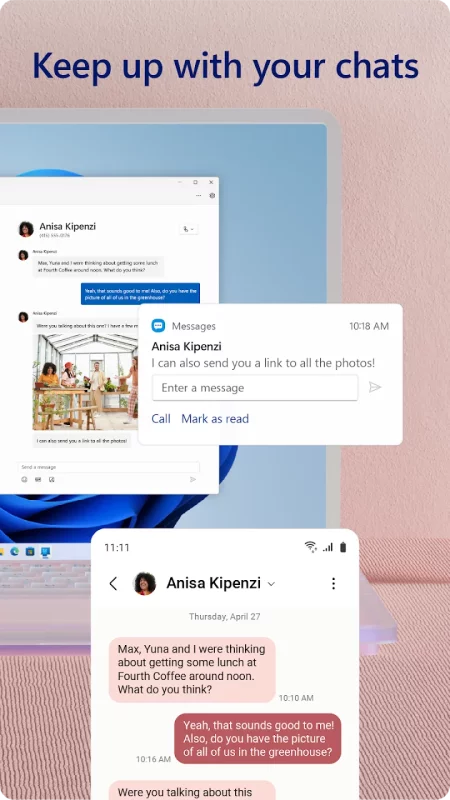
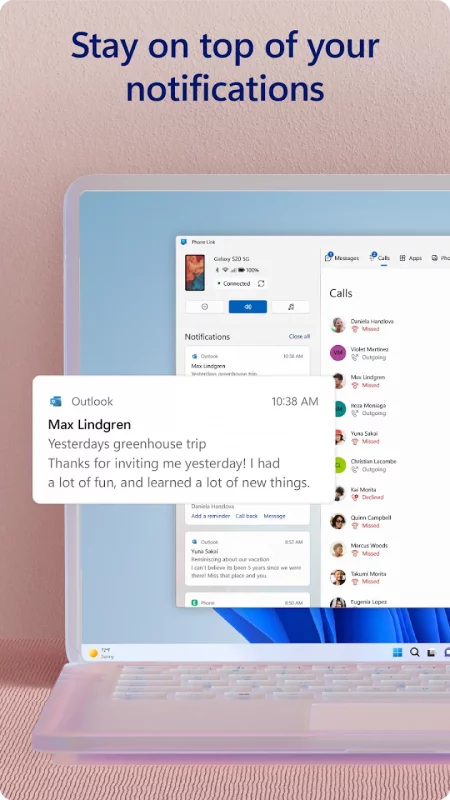
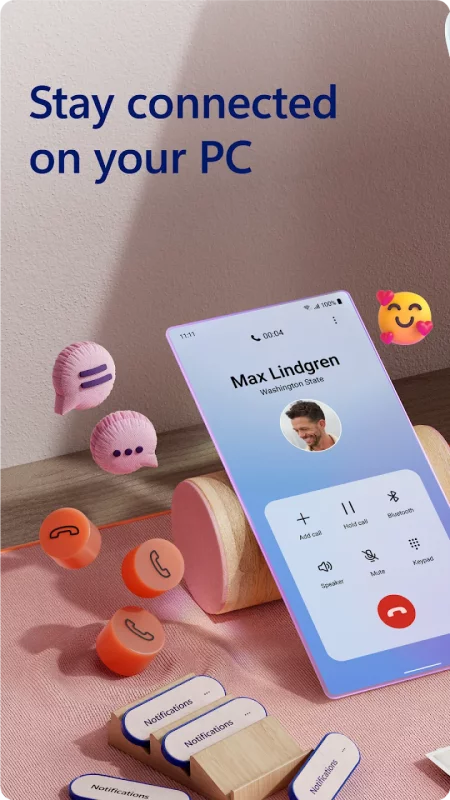
Link your Android phone and PC to view and reply to text messages, make and receive calls*, view your notifications, and more.

Make emailing yourself photos a thing of the past as you share your favorite images between your phone and PC. Copy, edit, and even drag and drop photos without ever touching your phone.

Phone Link features:
• Make and receive calls from your PC*
• Manage your Android phone's notifications on your PC
• Access your favorite mobile apps** on your PC
• Read and reply to text messages from your PC
• Drag files between your PC and phone**
• Copy and paste content between your PC and phone**
• Instantly access the photos on your phone from your PC
• Use your PC's bigger screen, keyboard, mouse, and touch screen to interact with your phone from your PC.

Integrated with select** Microsoft Duo, Samsung, and HONOR phones for an even better experience:
The Link to Windows app comes integrated so no additional apps need to be downloaded from the Play Store.
Link to Windows is easy to find in the Quick Access tray (swipe down from the top of your screen to access it).
Exclusive features like cross-device copy and paste, Phone screen, file drag-and-drop, and Apps.

Let us know what features you'd like to see next by selecting “Send feedback” in the Phone Link settings.

*Calls requires a Windows 10 PC with Bluetooth capability.

**Drag and drop, Phone screen and Apps all require a compatible Microsoft Duo, Samsung or HONOR device (full list and breakdown of capabilities: aka.ms/phonelinkdevices). The multiple apps experience requires a Windows 10 PC running the May 2020 Update or later and has at least 8GB of RAM, and your Android device must be running Android 11.0.

The Link to Windows accessibility service is for those using a screen reading tool on the PC. When the service is enabled, it lets you control all your phone’s apps from your PC using Android keyboard navigation while receiving spoken feedback from your PC speakers. No personal or sensitive data is collected via Accessibility Service.

By installing this app, you agree to the Microsoft Terms of Use https://go.microsoft.com/fwlink/?LinkID=246338 and Privacy Statement https://go.microsoft.com/fwlink/?LinkID=248686.
Download Link to Windows for Android for free

Download Link to Windows 1.26091.116.0-beta apk Android 10+ ARMV8
81.31 Mb
No viruses found
Permissions (50)
Detections: 0
Check date: 03 October 2026, 13:05
The file was scanned for viruses using VirusTotal.
ACCESS_NETWORK_STATE - allows applications to access information about networks.
BLUETOOTH - allows applications to connect to paired bluetooth devices.
POST_NOTIFICATIONS - allows an app to post notifications
READ_PHONE_STATE - allows read only access to phone state, including the current cellular network information, the status of any ongoing calls, and a list of any phoneaccounts registered on the device.
INTERNET - allows applications to open network sockets.
RECEIVE_BOOT_COMPLETED - allows an application to receive the intent.action_boot_completed that is broadcast after the system finishes booting.
SET_ALARM - allows an application to broadcast an intent to set an alarm for the user.
WAKE_LOCK - allows using powermanager wakelocks to keep processor from sleeping or screen from dimming.
REQUEST_IGNORE_BATTERY_OPTIMIZATIONS - permission an application must hold in order to use settings.action_request_ignore_battery_optimizations.
DETECT_SCREEN_RECORDING - allows an application to get notified when it is being recorded.
ACCESS_WIFI_STATE - allows applications to access information about wi-fi networks.
CHANGE_WIFI_STATE - allows applications to change wi-fi connectivity state.
ACCESS_FINE_LOCATION - allows an app to access precise location.
NEARBY_WIFI_DEVICES - required to be able to advertise and connect to nearby devices via wi-fi.
ACCESS_COARSE_LOCATION - allows an app to access approximate location.
FOREGROUND_SERVICE - allows a regular application to use service.startforeground.
FOREGROUND_SERVICE_LOCATION - allows a regular application to use service.startforeground with the type "location".
CAMERA - required to be able to access the camera device.
FOREGROUND_SERVICE_CAMERA - allows a regular application to use service.startforeground with the type "camera".
READ_CALL_LOG - allows an application to read the user's call log.
READ_CONTACTS - allows an application to read the user's contacts data.
FOREGROUND_SERVICE_CONNECTED_DEVICE - allows a regular application to use service.startforeground with the type "connecteddevice".
QUERY_ALL_PACKAGES - allows query of any normal app on the device, regardless of manifest declarations.
READ_MEDIA_IMAGES - allows an application to read image files from external storage.
READ_MEDIA_VIDEO - allows an application to read video files from external storage.
READ_EXTERNAL_STORAGE - allows an application to read from external storage.
WRITE_EXTERNAL_STORAGE - allows an application to write to external storage.
READ_SMS - allows an application to read sms messages.
SEND_SMS - allows an application to send sms messages.
VIBRATE - allows access to the vibrator.
MODIFY_AUDIO_SETTINGS - allows an application to modify global audio settings.
SYSTEM_ALERT_WINDOW - allows an app to create windows using the type windowmanager.layoutparams.type_application_overlay, shown on top of all other apps.
FOREGROUND_SERVICE_MEDIA_PROJECTION - allows a regular application to use service.startforeground with the type "mediaprojection".
FOREGROUND_SERVICE_DATA_SYNC - allows a regular application to use service.startforeground with the type "datasync".
READ_MEDIA_VISUAL_USER_SELECTED - allows an application to read image or video files from external storage that a user has selected via the permission prompt photo picker.
MANAGE_EXTERNAL_STORAGE - allows an application a broad access to external storage in scoped storage.
BLUETOOTH_CONNECT - required to be able to connect to paired bluetooth devices.
BLUETOOTH_ADVERTISE - required to be able to advertise to nearby bluetooth devices.
BLUETOOTH_SCAN - required to be able to discover and pair nearby bluetooth devices.
BLUETOOTH_ADMIN - allows applications to discover and pair bluetooth devices.
USE_BIOMETRIC - allows an app to use device supported biometric modalities.
USE_FINGERPRINT - this constant was deprecated in api level 28. applications should request use_biometric instead
GET_ACCOUNTS - allows access to the list of accounts in the accounts service.
KILL_BACKGROUND_PROCESSES - allows an application to call activitymanager.killbackgroundprocesses(string).
CAPTURE_AUDIO_OUTPUT - allows an application to capture audio output.
REQUEST_COMPANION_PROFILE_COMPUTER - allows application to request to be associated with a computer to share functionality and/or data with other devices, such as notifications, photos and media (associationrequest.device_profile_computer) by companiondevicemanager.
REQUEST_COMPANION_SELF_MANAGED - allows an application to create a "self-managed" association.
MANAGE_WIFI_NETWORK_SELECTION - this permission is used to let oems grant their trusted app access to a subset of privileged wifi apis to improve wifi performance.
RECORD_AUDIO - allows an application to record audio.
NFC - allows applications to perform i/o operations over nfc.
SHA1 signature: afb5c4f74c1d2e6778b61e36cb63a6e8059d281d
SHA256 signature: e843ee3da1195d6afb89caa3ce7427b08fc01fd878a24fa56e962c35c71d5e70
How to install APK
  1. Download the APK file to your Android device.
  2. Find the file in the Downloads folder and open it.
  3. Allow installation from this source if Android blocks it.
  4. Tap Install. To update the app, install the newer APK without uninstalling the current version.

⚠If the download fails or gets stuck, try enabling a VPN, disabling your ad blocker, or switching to a different network.
More by Microsoft Corporation
Microsoft Teams
Microsoft Teams
Whether you’re connecting with your community for an upcoming activity or working with teammates on
Microsoft Excel: Spreadsheets
Spreadsheets & Calculations • Create charts, budgets, project plans, accounting & financial
Microsoft OneNote: Save Notes
Supercharge your productivity with OneNote. Organize your thoughts and ideas, and simplify planning
Microsoft Outlook
Microsoft Outlook
Stay organized with a unified inbox, intelligent filtering and multiple calendars at a glance.
See also
Find My Phone: Find Lost Phone
Find My Phone has over 15 Million downloads. Find Lost Phone is one of best lost phone finder
Instacart: Get Food Delivery
Get food delivery and grocery orders delivered directly to your door in as fast as 30 minutes with
Zillow: Homes for Sale & Rent
Find your new home to buy or rent with expert real estate tools and millions of listings right at
TikTok - Videos, Shop & LIVE
TikTok is the global discovery platform for videos, streaming on LIVE, shopping, and more. Our
Google Fit: Activity Tracking
Get to a healthier and more active life with the new Google Fit! It's hard to know how much or
Calorie Counter by Lose It!
Lose It! Is your personal calorie counter, diet planner, nutrition-focused food tracker and weight
AirDroid: File & Remote Access
AirDroid is your best personal mobile device management suite, which is built on 10 years of
Street View Map and Navigation
Street View Map and Navigation The street view map and navigation app is a complete GPS navigation
Comments (0)
Loading comments...