- Update30.09.2026
- Latest Version3.3.32
- Android OS12.1+
- LicenseFree
-
LanguagesEnglish English, Español
- Content RatingEveryone
- DeveloperUnroll.Me
- Package Namecom.unrollme
Unroll.Me is the free inbox cleaner trusted by millions to reduce clutter, block spam, and reveal the hidden subscriptions taking over their inbox.
Whether you're dealing with spam, endless subscription emails, or an inbox so cluttered it feels impossible to manage, Unroll.Me helps you take control instantly in just one click!
Our powerful email cleaner tools simplify your inbox instantly. With features like our advanced spam blocker and intuitive spam app filtering, you can unsubscribe from emails, clean up distractions, and enjoy a calmer inbox every day.
⭐ Here's What You Can Expect from Unroll.Me:
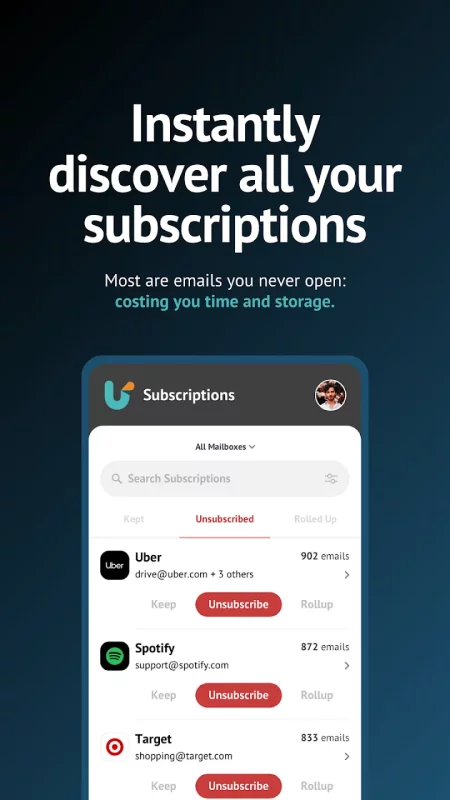
• The List View: Visualize all your subscription emails in one place, updated automatically as new ones appear
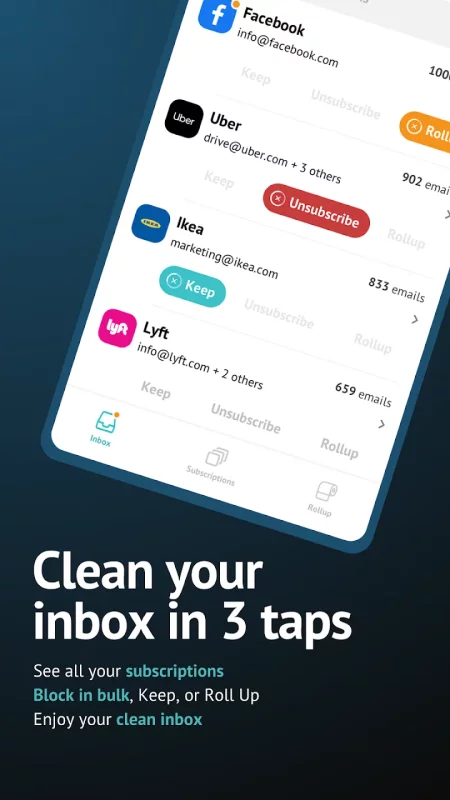
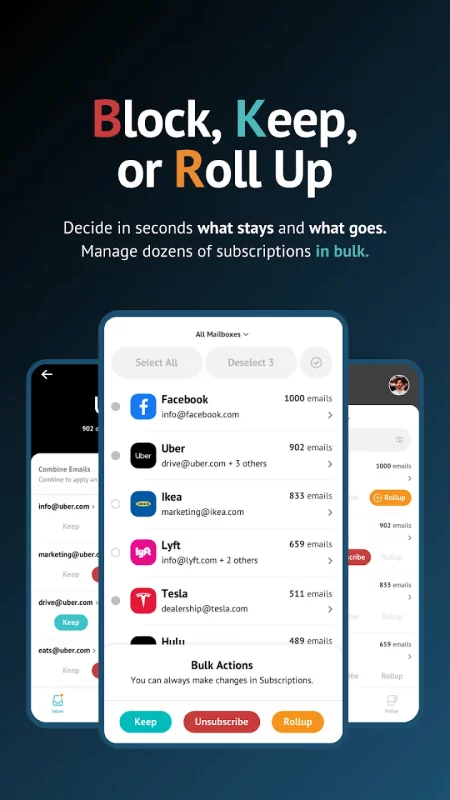
• Block, Keep, and Roll Up: Manage your subscription emails, either in bulk or individually
• Search Your Subscriptions: Easily find specific senders you want to block or keep
• Edit Your Choices: Modify your selections at any time in the Subscriptions tab
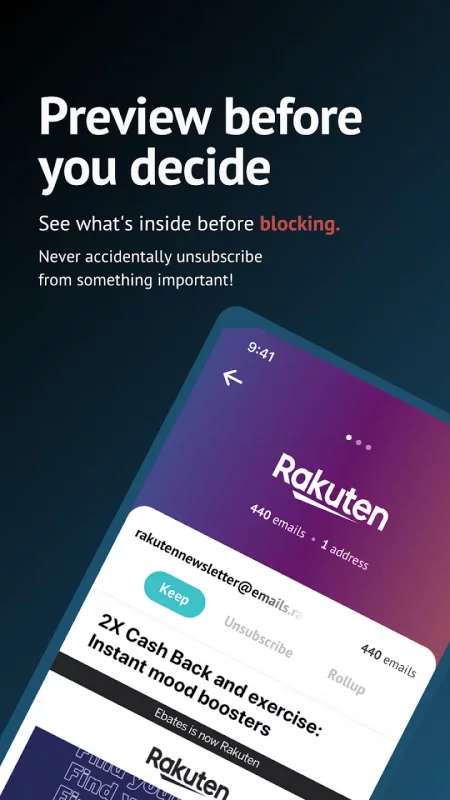
• Rich Text Emails: All subscriptions in Unroll.Me can display a preview of the email, allowing you to quickly decide what to do with a subscription
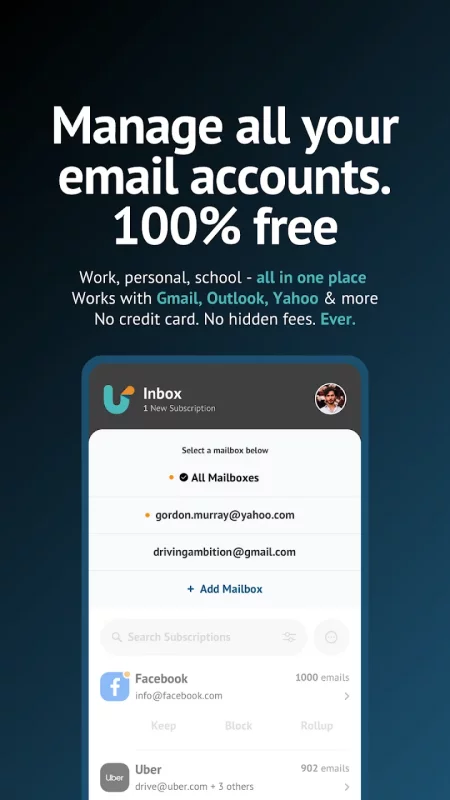
• Multi-Account Support: Clean and manage subscriptions across all your email apps
• Manage email in Bulk: Select multiple (or all) subscriptions and bulk block, keep, or rollup
• Works with Major Providers: Compatible with Gmail, iCloud, Yahoo!, AOL, Outlook, and more
• 100% Free: Our email cleaner is completely free. No hidden fees, no subscriptions
📧 How Unroll.Me Works
With Unroll.Me, with just one click you can:
• Block unwanted emails that you don't want to receive
• Keep the ones you want
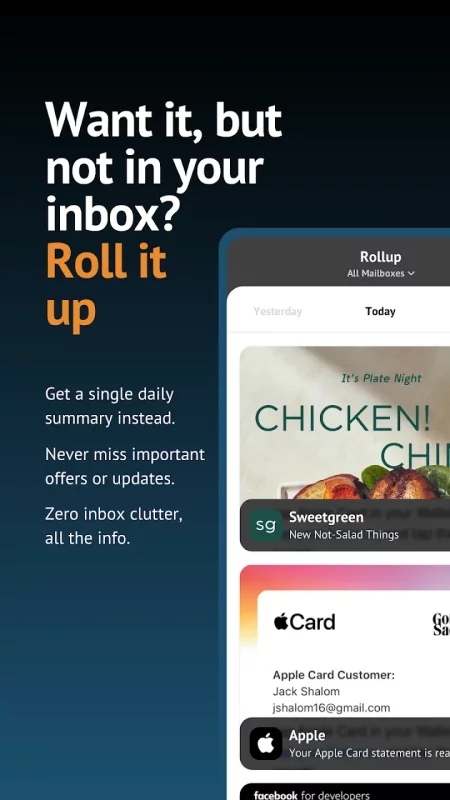
• Rollup the rest into a single daily digest, in case you don't want to block but also don't want to keep a subscription in your inbox
✅ What Users Love Most
• Subscription Awareness: Instantly see all your subscription emails, often dozens (or hundreds) you didn't know you had
• Multi-Account Convenience: Clean multiple email accounts across different email apps in one place
• Effective Email Management: Declutter quickly, manage subscriptions, and block spam with our spam blocker and email cleaner features
• User-Friendly Experience: Setup takes seconds, and the intuitive design is praised by users around the world
• Huge Time Savings: Unsubscribe, organize, and clean in minutes—your inbox has never felt this light
• Real Satisfaction: Users describe immediate relief, reduced stress, and better focus after cleanup
📱Manage Your Inbox in All Email Providers
Unroll.Me also works across all major email apps, like Gmail, iCloud, Yahoo!, AOL, Outlook, and more. You'll be able to manage several accounts in one simple dashboard.
Whether you have multiple inboxes for work, school, and personal email, our inbox cleaner makes everything easy, fast, and efficient.
🛡 Your Privacy Is Important
We have established security protocols for our services and practices, such as:
• We encrypt sensitive data, including anything that could identify you
• We regularly monitor, scan, and test for vulnerabilities in our production systems
Unroll.Me is a completely secure service, and our users' privacy is of paramount concern. Your personal data has always been secure with us.
⚡Take Control Today
Whether you're looking for a powerful clean email inbox cleaner, a smarter spam app, or a reliable spam blocker to regain control of multiple inboxes, Unroll.Me delivers real results—fast and free.
Download Unroll.Me today and experience the inbox clarity millions of users love. If it helps you, please leave a review—your feedback inspires others to take control too.
Download Unroll.Me - Inbox Mail Cleaner for Android for free
- Download the XAPK file to your Android device.
- Install one of these installers from our website:
- Open the installer and select the downloaded file from the Downloads folder.
- Allow installation from this source if Android asks for permission.
- Start installation. To update the app, install the newer file without uninstalling the current version.