Files by Google

Files by Google

0 votes
  • Update
    25.09.2026
  • Latest Version
    1.12582.983680946.3-release
  • Android OS
    8.0+
  • License
    Free
  • Languages
    English
  • Content Rating
    Everyone
  • Developer
  • Package Name
    com.google.android.apps.nbu.files

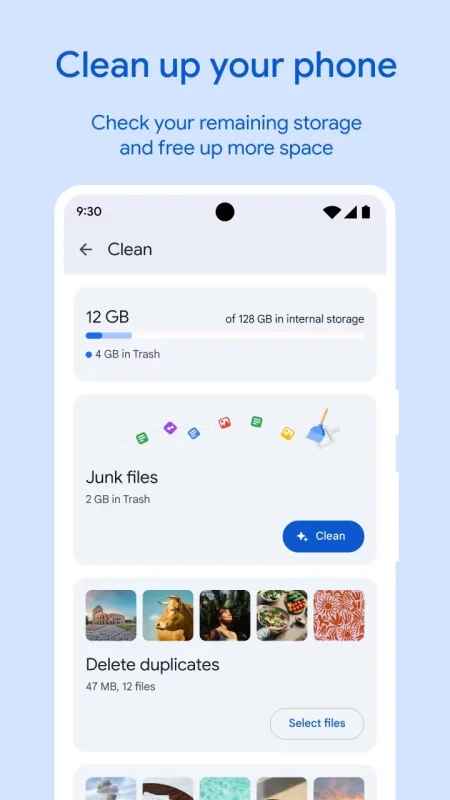
✨ Free up space on your device with cleaning recommendations
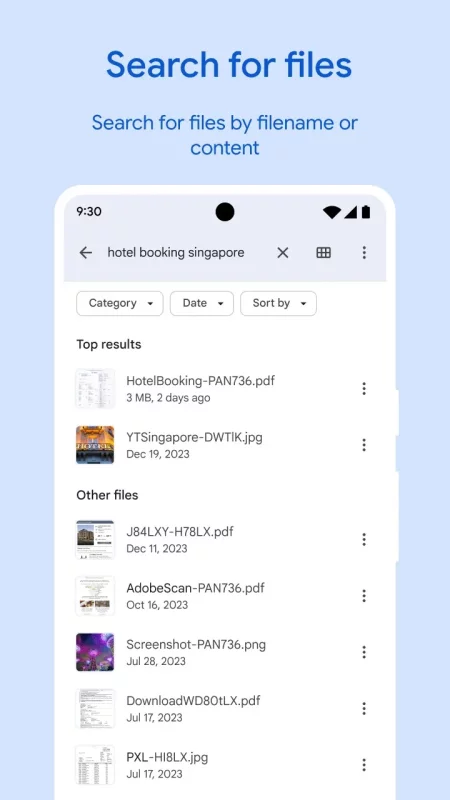
🔍 Find files faster with search and simple browsing
↔️ Quickly share files offline with Quick Share
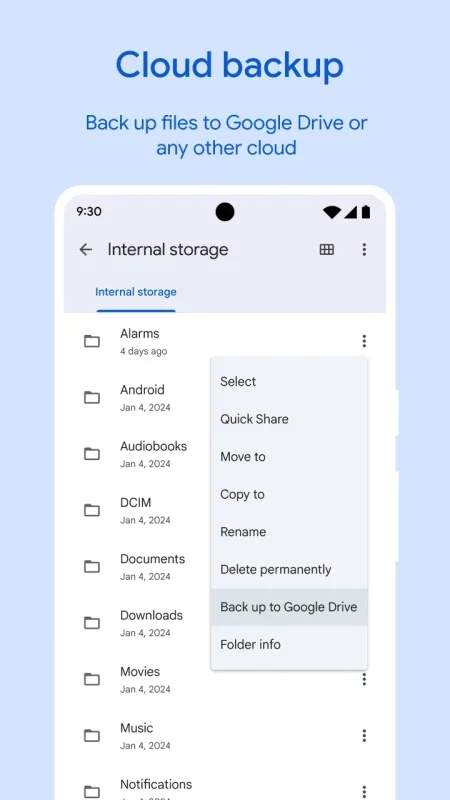
☁️ Back up files to the cloud to save space on your device
🔒 Secure your files with a non-device lock

Free up space
Easily see how much space is left on your device, SD card and USB drive. Free up space by finding old photos from chat apps, duplicate files, clearing cache, and more.

Find files faster
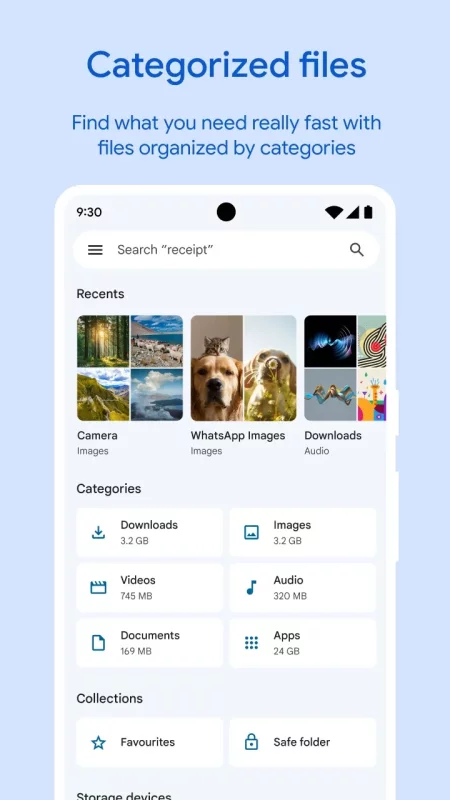
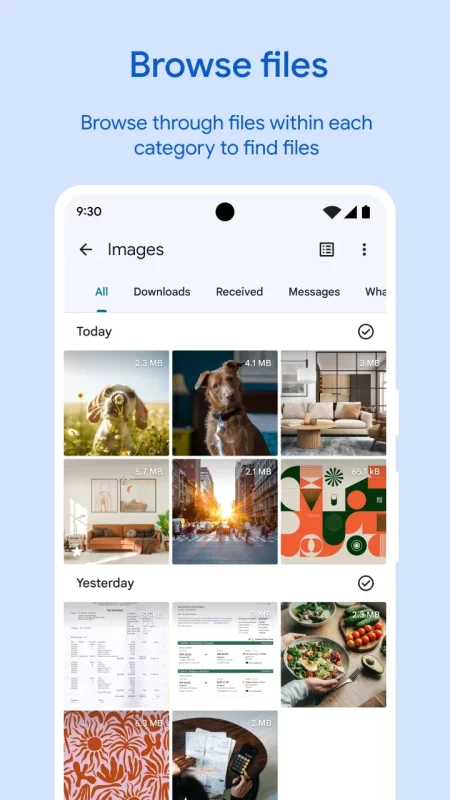
Save time looking for photos, videos, and documents on your phone. Search quickly or browse your GIFs or share that video you downloaded recently. Sort files by size to understand what’s taking up space.

Fast & secure file sharing
Share photos, videos, apps, and more to Android and Chromebook devices around you with Quick Share. Files transfer quickly, with speeds up to 480 Mbps, even without an internet connection. Transfers are private and secured with end-to-end encryption.

Secure your files
Keep your sensitive files safe with a PIN or pattern that can be different from your device lock.

Play offline media
Listen to your music or watch your videos with advanced controls like playback speed, shuffle, and more.

Back up files
Move your files to Google Drive or an SD card to save space on your device. You can also share to other cloud storage apps on your device.

Get smart recommendations
Get helpful suggestions to save space, protect your device, and more. Your recommendations get smarter the more you use the app.

It’s efficient and effective
The Files by Google app uses less than 20 MB of storage on your device, it’s easy to use, and has no ads.
Download Files by Google for Android for free

Download Files by Google 1.12582.983680946.3-release apk Android 8.0+ ARMV8
19.03 Mb
No viruses found
Permissions (21)
Detections: 0
Check date: 25 September 2026, 14:20
The file was scanned for viruses using VirusTotal.
WAKE_LOCK - allows using powermanager wakelocks to keep processor from sleeping or screen from dimming.
READ_EXTERNAL_STORAGE - allows an application to read from external storage.
WRITE_EXTERNAL_STORAGE - allows an application to write to external storage.
ACCESS_MEDIA_LOCATION - allows an application to access any geographic locations persisted in the user's shared collection.
RECEIVE_BOOT_COMPLETED - allows an application to receive the intent.action_boot_completed that is broadcast after the system finishes booting.
ACCESS_NETWORK_STATE - allows applications to access information about networks.
ACCESS_WIFI_STATE - allows applications to access information about wi-fi networks.
INTERNET - allows applications to open network sockets.
WRITE_SETTINGS - allows an application to read or write the system settings.
FOREGROUND_SERVICE - allows a regular application to use service.startforeground.
FOREGROUND_SERVICE_DATA_SYNC - allows a regular application to use service.startforeground with the type "datasync".
FOREGROUND_SERVICE_MEDIA_PLAYBACK - allows a regular application to use service.startforeground with the type "mediaplayback".
PACKAGE_USAGE_STATS - allows an application to collect component usage statistics
GET_PACKAGE_SIZE - allows an application to find out the space used by any package.
REQUEST_DELETE_PACKAGES - allows an application to request deleting packages.
MANAGE_EXTERNAL_STORAGE - allows an application a broad access to external storage in scoped storage.
QUERY_ALL_PACKAGES - allows query of any normal app on the device, regardless of manifest declarations.
POST_NOTIFICATIONS - allows an app to post notifications
USE_BIOMETRIC - allows an app to use device supported biometric modalities.
USE_FINGERPRINT - this constant was deprecated in api level 28. applications should request use_biometric instead
REQUEST_INSTALL_PACKAGES - allows an application to request installing packages.
SHA1 signature: 9f591218c092ce2ae72aeb71c2ea00a7cbf20030
SHA256 signature: 207af9a133a630c4246a06c79c09946a70840f4702ee5baa53f3791b537b0f14
How to install APK
  1. Download the APK file to your Android device.
  2. Find the file in the Downloads folder and open it.
  3. Allow installation from this source if Android blocks it.
  4. Tap Install. To update the app, install the newer APK without uninstalling the current version.

⚠If the download fails or gets stuck, try enabling a VPN, disabling your ad blocker, or switching to a different network.
More by Google LLC
YouTube
YouTube
Get the official YouTube app on Android phones and tablets. See what the world is watching -- from
Google Docs
Google Docs
Create, edit, and collaborate with others on documents from your Android phone or tablet with the
YouTube Music
YouTube Music
Connecting you to the world of music: ● Music content including live performances, covers, remixes
Google Messages
Google Messages
Google Messages is the official Google app for messaging. Google Messages is revolutionizing how a
See also
Find My Phone: Find Lost Phone
Find My Phone has over 15 Million downloads. Find Lost Phone is one of best lost phone finder
Google
Google
Download the Google app to find quick answers, explore your interests, and ask anything on your
ExpressVPN: VPN Fast & Secure
Download ExpressVPN for Android and try before you buy with an exclusive free trial. Enjoy fast,
Malwarebytes - Mobile Security
Malwarebytes delivers all-in-one mobile security and powerful digital protection against malware,
AVG AntiVirus & Security
Get AVG AntiVirus FREE - Mobile Security for Android to help protect you from harmful viruses and
Blink Home Monitor
Blink Home Monitor
Get more value, simplicity, and convenience with Blink smart home security. See and speak to people
Ruler - Measuring Tape, Inches
Ruler, Measuring Tape - AR App transforms your device into a super handy ruler and tape measure —
McAfee: Stay Secure & Private
In today's digital world, knowing what's real and what's fake is more critical than
Comments (0)
Loading comments...