WhatsApp Business

WhatsApp Business

0 votes
  • Update
    20.09.2026
  • Latest Version
    2.26.37.73
  • Android OS
    6.0+
  • License
    Free
  • Languages
    English
  • Content Rating
    Everyone
  • Developer
  • Package Name
    com.whatsapp.w4b

Everything you love about WhatsApp plus built-in tools for business

WhatsApp Business is a free-to-download app with built-in tools to help you work smarter, build trust, and grow your business.

You get free calls* and free international messaging* plus business features to help you do more with conversations.

Download the app to get business benefits like these:

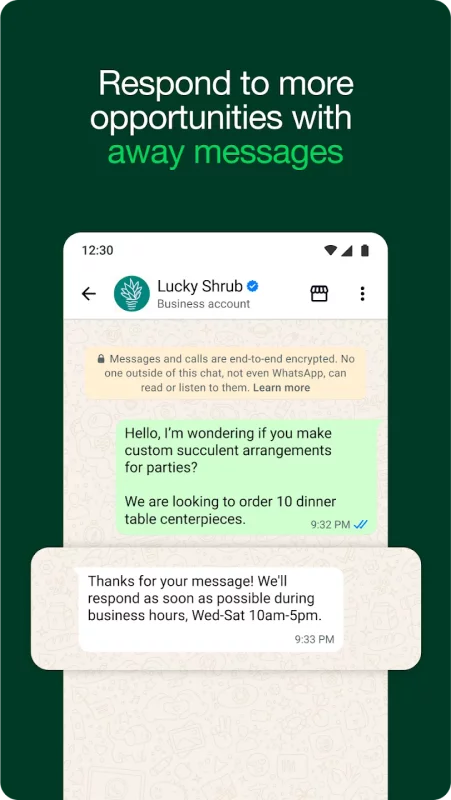
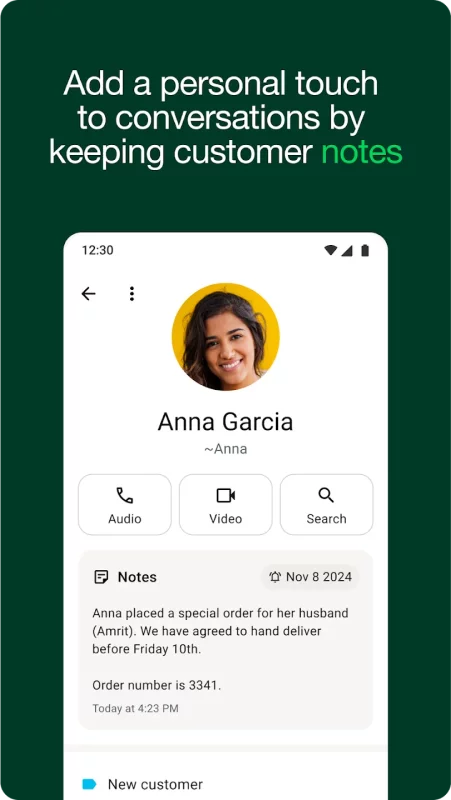
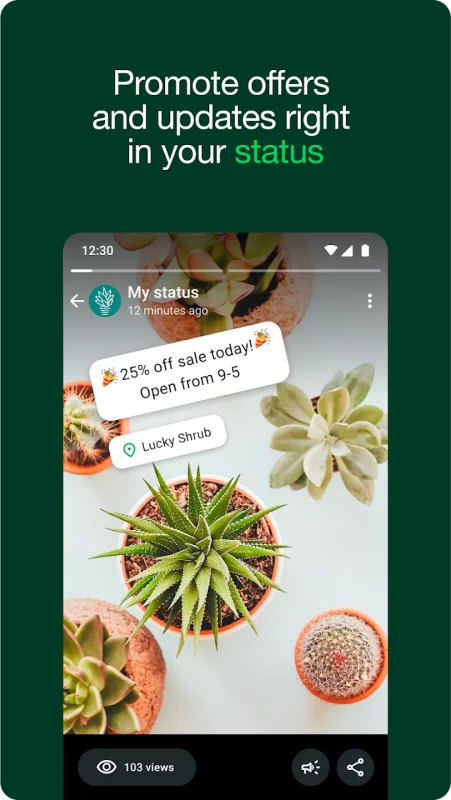
• Work smarter. Save time by letting the app do the work for you! Send customers automated quick replies and away messages so you never miss an opportunity. Use labels to quickly organize, filter, and find important conversations. Create a status to share an offer or news, and even take orders and payments** in-app to create a great customer experience.

• Build relationships and trust. With a professional business profile on a secure platform, you build credibility and trust with customers. Use the app to provide more responsive customer support and build long-term loyalty. Subscribe to Meta Verified*** to reinforce your authenticity.

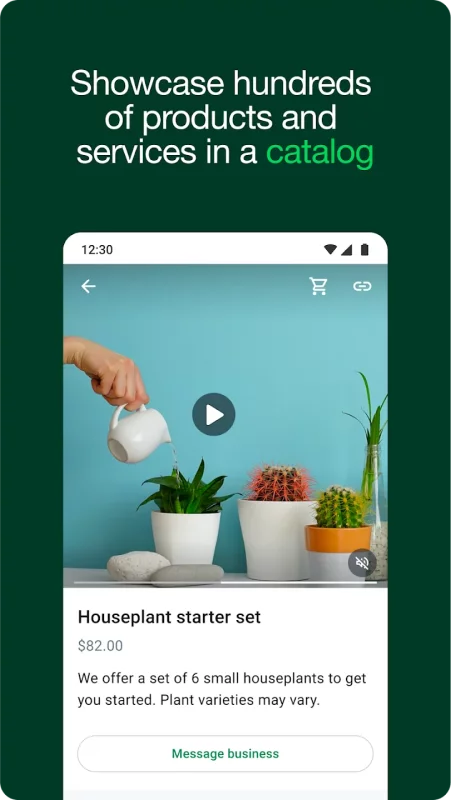
• Sell more and grow. Get discovered, advertise, and make more valuable customer connections. Boost sales by sending targeted offers to customers; create ads that click to WhatsApp; showcase your product catalog; and give customers the convenience of in-app orders and payments.**

FAQs

Are all features free?
The app is free to download and use, with a mix of free and paid features.

Can I still use my personal WhatsApp?
Yes! As long as you have two different phone numbers, your business and personal accounts can live together on a single device.

Can I transfer over my chat history?
Yes. When you set up the WhatsApp Business app, you can restore a backup from your WhatsApp account to transfer your messages, media, and contacts to your business account.

How many devices can I connect?
You can have a total of five web-based devices or mobile phones on your account (up to 10 if you subscribe to Meta Verified***).

*Data charges may apply. Contact your provider for details.
**Not available in all markets
***Available soon globally
Download WhatsApp Business for Android for free

Download WhatsApp Business 2.26.37.73 xapk Android 6.0+ ARMV8
102.95 Mb
No viruses found
Permissions (57)
Detections: 0
Check date: 20 September 2026, 17:20
The file was scanned for viruses using VirusTotal.
ACCESS_COARSE_LOCATION - allows an app to access approximate location.
ACCESS_FINE_LOCATION - allows an app to access precise location.
ACCESS_MEDIA_LOCATION - allows an application to access any geographic locations persisted in the user's shared collection.
ACCESS_NETWORK_STATE - allows applications to access information about networks.
ACCESS_WIFI_STATE - allows applications to access information about wi-fi networks.
BLUETOOTH - allows applications to connect to paired bluetooth devices.
BLUETOOTH_CONNECT - required to be able to connect to paired bluetooth devices.
BROADCAST_STICKY - allows an application to broadcast sticky intents.
CAMERA - required to be able to access the camera device.
CHANGE_NETWORK_STATE - allows applications to change network connectivity state.
CHANGE_WIFI_STATE - allows applications to change wi-fi connectivity state.
DETECT_SCREEN_CAPTURE - allows an application to get notified when a screen capture of its windows is attempted.
DETECT_SCREEN_RECORDING - allows an application to get notified when it is being recorded.
FOREGROUND_SERVICE - allows a regular application to use service.startforeground.
FOREGROUND_SERVICE_CAMERA - allows a regular application to use service.startforeground with the type "camera".
FOREGROUND_SERVICE_DATA_SYNC - allows a regular application to use service.startforeground with the type "datasync".
FOREGROUND_SERVICE_LOCATION - allows a regular application to use service.startforeground with the type "location".
FOREGROUND_SERVICE_MEDIA_PLAYBACK - allows a regular application to use service.startforeground with the type "mediaplayback".
FOREGROUND_SERVICE_MEDIA_PROJECTION - allows a regular application to use service.startforeground with the type "mediaprojection".
FOREGROUND_SERVICE_MICROPHONE - allows a regular application to use service.startforeground with the type "microphone".
FOREGROUND_SERVICE_PHONE_CALL - allows a regular application to use service.startforeground with the type "phonecall".
GET_ACCOUNTS - allows access to the list of accounts in the accounts service.
GET_TASKS - this constant was deprecated in api level 21. no longer enforced.
INSTALL_SHORTCUT - allows an application to install a shortcut in launcher.
INTERNET - allows applications to open network sockets.
MANAGE_OWN_CALLS - allows a calling application which manages its own calls through the self-managed connectionservice apis.
MODIFY_AUDIO_SETTINGS - allows an application to modify global audio settings.
NEARBY_WIFI_DEVICES - required to be able to advertise and connect to nearby devices via wi-fi.
NFC - allows applications to perform i/o operations over nfc.
POST_NOTIFICATIONS - allows an app to post notifications
READ_BASIC_PHONE_STATE - allows read only access to phone state with a non dangerous permission, including the information like cellular network type, software version.
READ_CONTACTS - allows an application to read the user's contacts data.
READ_EXTERNAL_STORAGE - allows an application to read from external storage.
READ_MEDIA_AUDIO - allows an application to read audio files from external storage.
READ_MEDIA_IMAGES - allows an application to read image files from external storage.
READ_MEDIA_VIDEO - allows an application to read video files from external storage.
READ_MEDIA_VISUAL_USER_SELECTED - allows an application to read image or video files from external storage that a user has selected via the permission prompt photo picker.
READ_PHONE_NUMBERS - allows read access to the device's phone number(s), which is exposed to instant applications.
READ_PHONE_STATE - allows read only access to phone state, including the current cellular network information, the status of any ongoing calls, and a list of any phoneaccounts registered on the device.
READ_SYNC_SETTINGS - allows applications to read the sync settings.
READ_SYNC_STATS - allows applications to read the sync stats.
RECEIVE_BOOT_COMPLETED - allows an application to receive the intent.action_boot_completed that is broadcast after the system finishes booting.
RECORD_AUDIO - allows an application to record audio.
REQUEST_INSTALL_PACKAGES - allows an application to request installing packages.
RUN_USER_INITIATED_JOBS - allows applications to use the user-initiated jobs api.
SCHEDULE_EXACT_ALARM - allows applications to use exact alarm apis.
SEND_SMS - allows an application to send sms messages.
USE_BIOMETRIC - allows an app to use device supported biometric modalities.
USE_FINGERPRINT - this constant was deprecated in api level 28. applications should request use_biometric instead
USE_FULL_SCREEN_INTENT - required for apps targeting build.version_codes.q that want to use notification full screen intents.
VIBRATE - allows access to the vibrator.
WAKE_LOCK - allows using powermanager wakelocks to keep processor from sleeping or screen from dimming.
WRITE_CONTACTS - allows an application to write the user's contacts data.
WRITE_EXTERNAL_STORAGE - allows an application to write to external storage.
WRITE_SYNC_SETTINGS - allows applications to write the sync settings.
INSTALL_SHORTCUT - allows an application to install a shortcut in launcher.
WRITE_SETTINGS - allows an application to read or write the system settings.
SHA1 signature: 8b0debf9516af037c9be2f539584b97fe9781764
SHA256 signature: fb920d381bee1b2093f27dc8f13d994da629dc91887d0529b35c9a2dc4f4a6c2
How to install XAPK
  1. Download the XAPK file to your Android device.
  2. Install one of these installers from our website:
  3. Open the installer and select the downloaded file from the Downloads folder.
  4. Allow installation from this source if Android asks for permission.
  5. Start installation. To update the app, install the newer file without uninstalling the current version.

⚠If the download fails or gets stuck, try enabling a VPN, disabling your ad blocker, or switching to a different network.
More by WhatsApp LLC
WhatsApp Messenger
WhatsApp Messenger
WhatsApp from Meta is a FREE messaging and video calling app. It’s used by over 2B people in more
See also
Text Free: Second Phone Number
TextFree: Free Texting App & Call App With A 2nd Phone Number Looking for a free texting app or
BOSS Revolution: Call & Top up
🎁 10% automatic saving on your First International Mobile Top-Up and $2 Free for Calling. 📞 Crystal
Yahoo Mail: Email & Planner
YAHOO MAIL: THE SMART INBOX DESIGNED TO SIMPLIFY YOUR LIFE Yahoo Mail is the ultimate smart inbox
Firefox Fast & Private Browser
The internet. As it should be. Firefox is a private web browser designed to protect your data,
Messenger
Messenger
Messenger is a free messaging app that helps you connect with anyone, anywhere. Stay in touch with
Telegram
Telegram
Pure instant messaging — simple, fast, secure, and synced across all your devices. One of the top 5
Microsoft Edge
Microsoft Edge
Browse with Microsoft Edge, your everyday web browser with built-in Copilot. From finding
Opera: Private Web Browser
Ditch the default and switch to a browser that works as hard as you do. Opera combines
Comments (0)
Loading comments...