
- Update25.09.2026
- Latest Version7.39
- Android OS10+
- LicenseFree
-
LanguagesEnglish العربية, Deutsch, English, Español, Français, हिन्दी, Bahasa Indonesia, Italiano, 日本語, 한국어, မြန်မာ, Português, Русский, ไทย, Türkçe, Tiếng Việt, 中文
- Content RatingEveryone
- DeveloperFamily Locator inc
- Package Namemg.locations.track5
Looking for a reliable phone tracker to locate lost devices and share your location with trusted contacts?
Phone Tracker By Number is a GPS phone locator and location-sharing app for connected devices. Whether your phone is hidden nearby, left in the car, forgotten at work, or misplaced while traveling, OneLocator helps you check its location and make it ring.
You can also voluntarily share your live GPS location with trusted contacts during trips, meetups, outdoor activities, or daily travel. Sharing begins only after an authorized connection is established and the required permissions are granted.
# Key Features
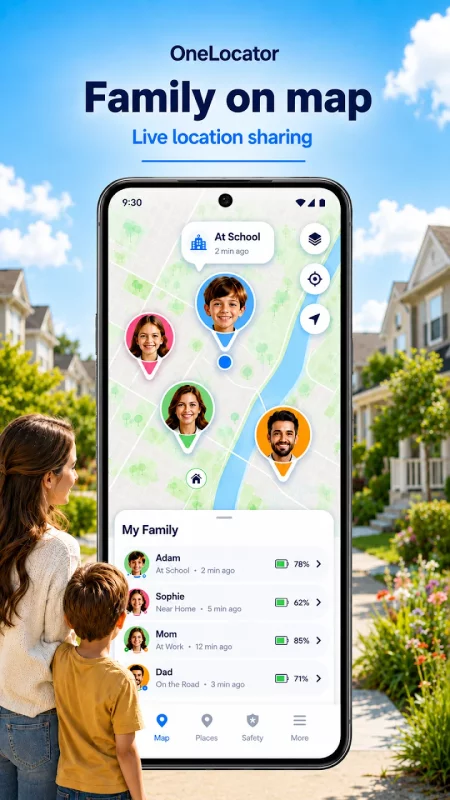
* Real-Time GPS Phone Tracker
View the latest available GPS location of a connected phone on a private map.
* Live Location Sharing
Share your real-time GPS location with trusted contacts. Sharing is voluntary, permission-based, and can be stopped at any time.
* Find My Phone
Check the current or last known location of a lost or misplaced phone to help determine where it was last detected.
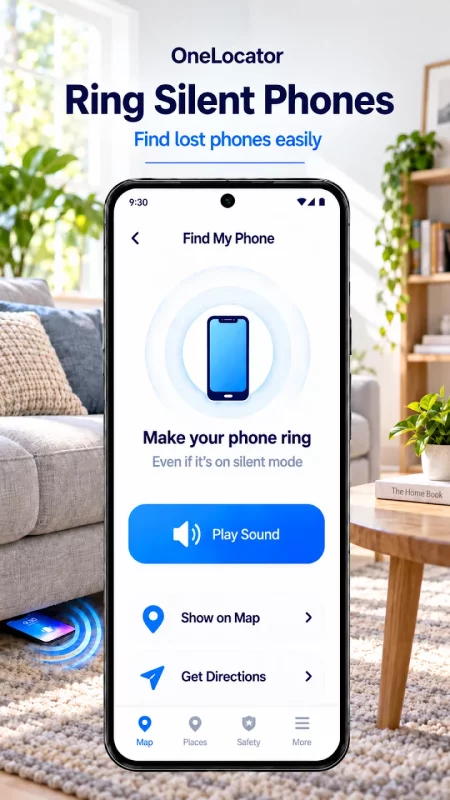
* Ring a Phone in Silent Mode
Send a high-volume ringing command to a connected phone, even when it is set to silent.
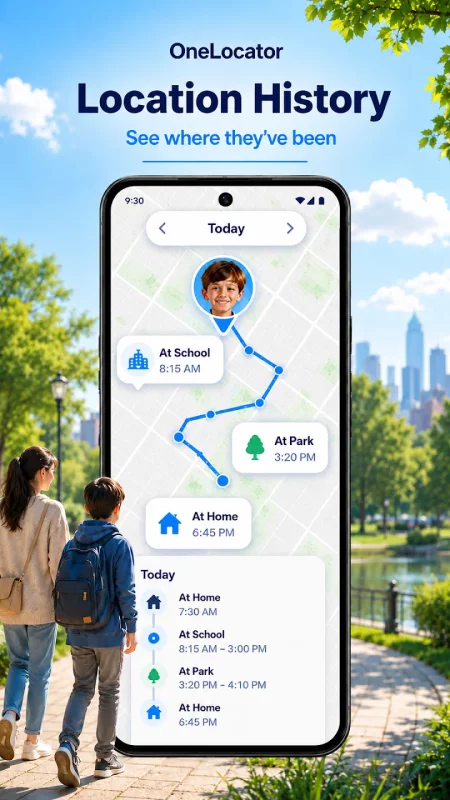
* Location History
Review recent locations and visited places to help identify where a phone may have been left.
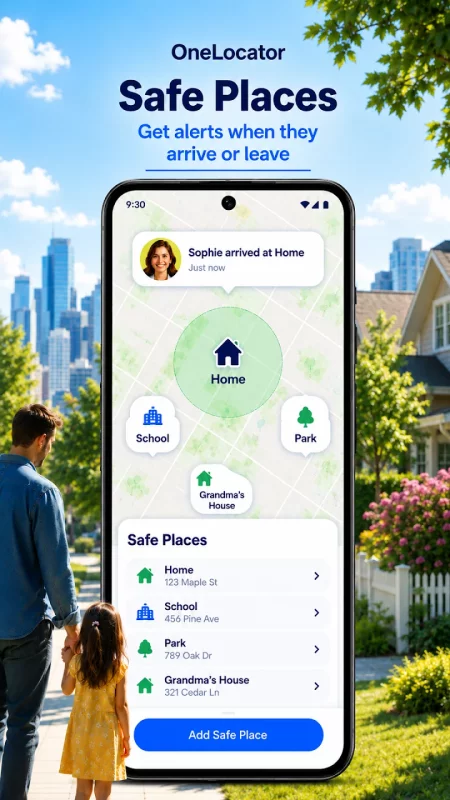
* Safe Zones and Place Alerts
Create Safe Zones around important places such as Home, Office, Gym, Parking Area, or Meeting Point. Receive notifications when a connected device arrives at or leaves a saved location.
* SOS Alerts
Activate SOS when urgent assistance is needed. OneLocator can send an alert and the device’s available location to selected trusted contacts.
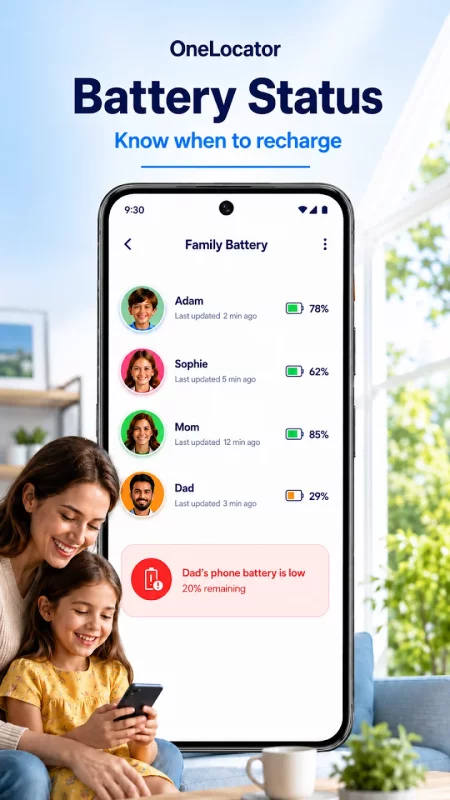
* Battery Status and Low-Battery Alerts
Check the battery level of a connected device and receive an alert when its power is running low.
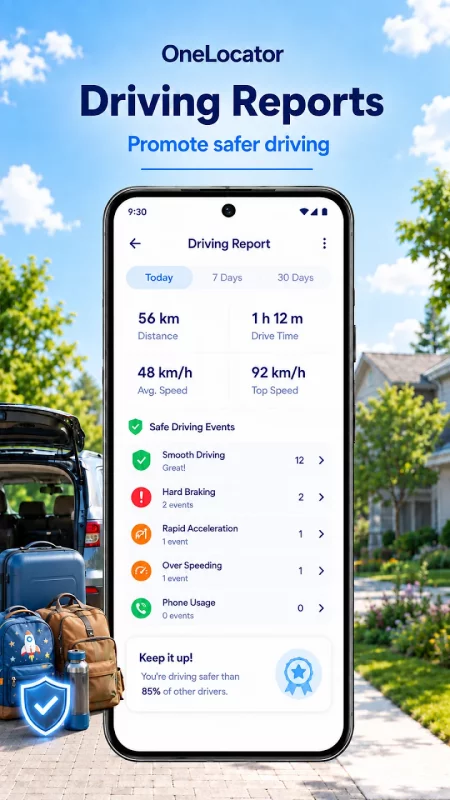
* Driving Speed and Movement Information
View available movement and driving-speed information to help determine whether a connected phone is stationary or moving.
* Private and Secure Connections
Device locations and shared information are available only through authorized connections. Users remain in control of their location-sharing settings.
# Minimum Permissions Required
OneLocator asks only for the minimum permissions needed to provide the features you choose to use:
* Location permission is used for GPS location updates, live location sharing, lost-phone recovery, location history, Safe Zone alerts, and location details included in an SOS alert.
* Notification permission is used to deliver Safe Zone arrival and departure alerts, SOS alerts, low-battery warnings, location-sharing updates, and important device-status notifications.
* Physical Activity permission may be used to identify whether the device is stationary, walking, running, or traveling in a vehicle. This supports movement and driving information and helps reduce unnecessary location updates.
Permissions can be managed in your device settings. Features may be unavailable when required permissions are disabled.
OneLocator provides voluntary and transparent location sharing between trusted contacts. Sharing starts only after the invited user accepts the invitation, installs the app, and grants the required permissions. Users can stop sharing at any time.
OneLocator is intended for locating your own devices, devices you are authorized to manage, and sharing locations between consenting users.
Download Phone Tracker By Number today to locate connected devices, share your live GPS location, receive Safe Zone alerts, use SOS when needed, check battery status, and ring a misplaced phone.
# Need Help?
For assistance with setup, permissions, location updates, SOS, Safe Zones, billing, or other issues, contact [email protected]
Include your device model, Android version, and a brief description of the issue.
Download Phone Tracker By Number for Android for free
- Download the XAPK file to your Android device.
- Install one of these installers from our website:
- Open the installer and select the downloaded file from the Downloads folder.
- Allow installation from this source if Android asks for permission.
- Start installation. To update the app, install the newer file without uninstalling the current version.