Music Player & MP3 - DDMusic

Music Player & MP3 - DDMusic

0 votes
  • Update
    24.09.2026
  • Latest Version
    2.11.1
  • Android OS
    7.0+
  • License
    Free
  • Languages
    English
  • Content Rating
    Everyone
  • Developer
  • Package Name
    musicplayer.playmusic.audioplayer

Play music with this powerful offline music player for android!🎵

Developed by a professional team, this music player comes with an awesome built-in equalizer to bring you high-quality sound.🎹

Together with a simple, clean, and stylish user interface, MP3 Player gives you the best audio-visual feast ever.🎧

⭐️ Powerful Audio Player
Format not supported? Poor sound quality? Lyrics not showing? These never occur on Music Player! MP3, WAV, FLAC, AAC, 3GP, OGC, etc., are all supported! Tested repeatedly on thousands of devices, it works flawlessly on any of them!

⭐ Built-in Equalizer
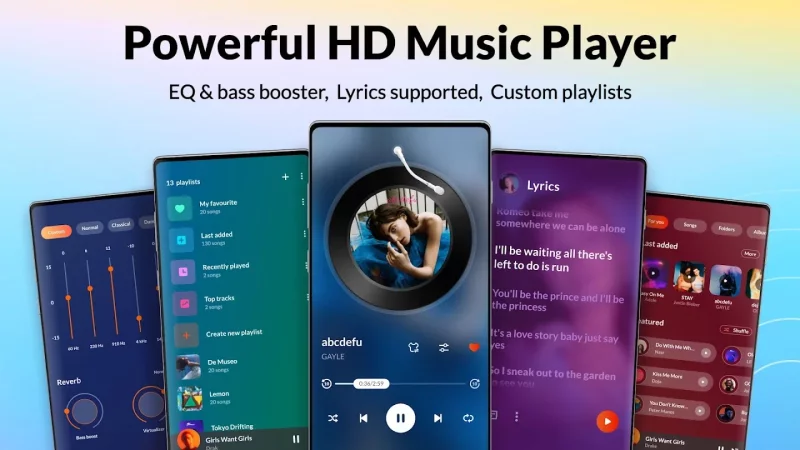
Amazing equalizer presets, classical, folk, jazz, rock, etc., enhance your music experience with one click. Bass boosting, various reverb effects, music virtualizer, etc, all to suit your individual musical tastes.

⭐️ Personalized Music Library
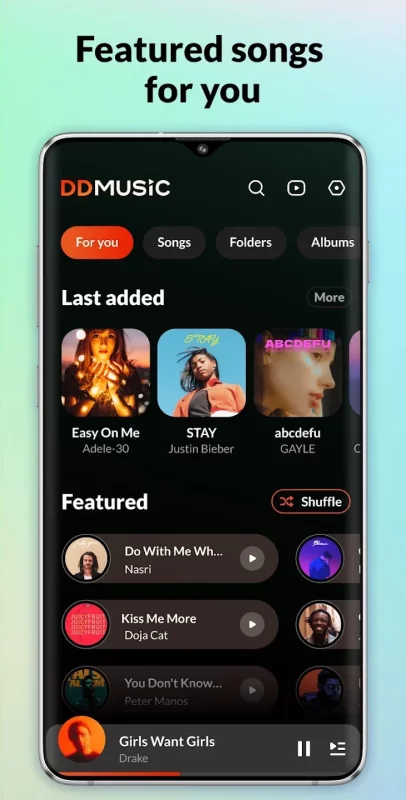
Smart tracks all your listening habits, presented by playlists: Recently Played, Most Played, and Featured. It lets you easily manage all local music in one place, browse songs with quick search, customize your music library, create playlists, hide & favorite songs…

⭐️ Stylish Design
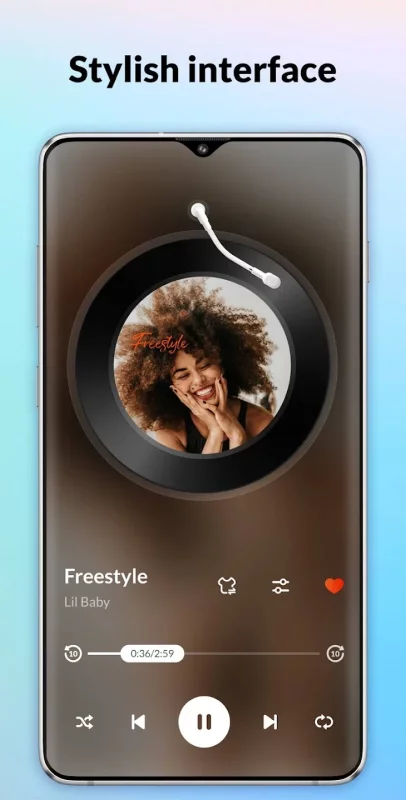
Coupled with a clean and stylish UI, it takes your music experience to the next level! Enjoy the perfect music experience this powerful audio player brings.🎵

⭐️ Key Features:
🎵 Offline audio player that supports all formats - MP3, WAV, FLAC, AAC, 3GP, OGC, etc.
🎵 Deep scan & auto refresh music library
🎵 Music duration & size filter
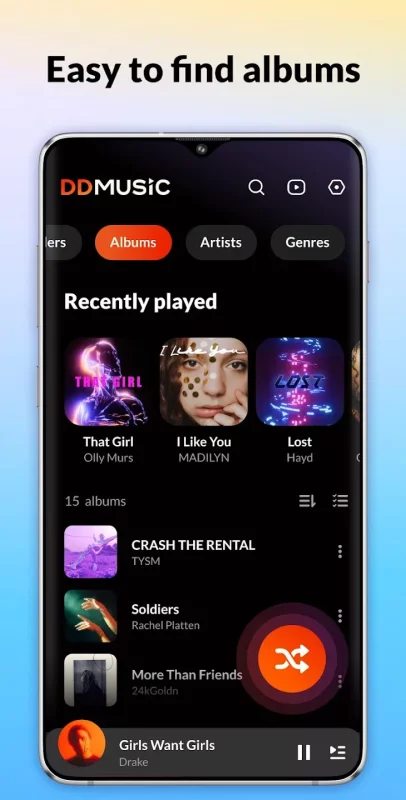
🎵 Browse, manage, and play music by playlists, folders, albums, artists, genres, etc.
🎵 Backup & restore playlists.
🎵 Smart auto playlists: Featured, Most Played, Recently Played, etc.
🎵 Powerful built-in equalizer with bass boost & reverb effects.
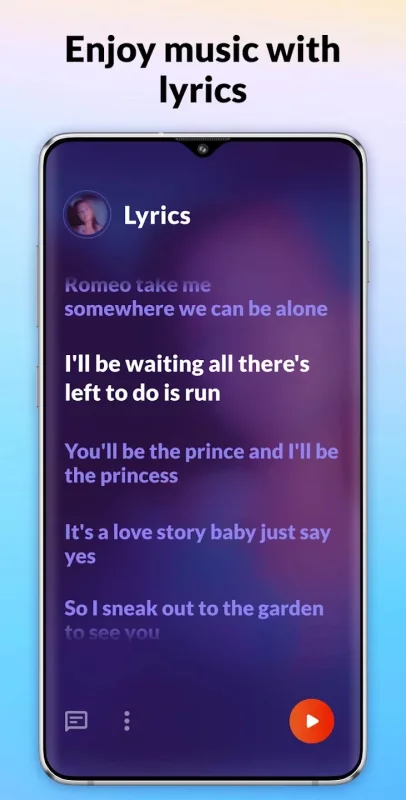
🎵 Lyrics supported.
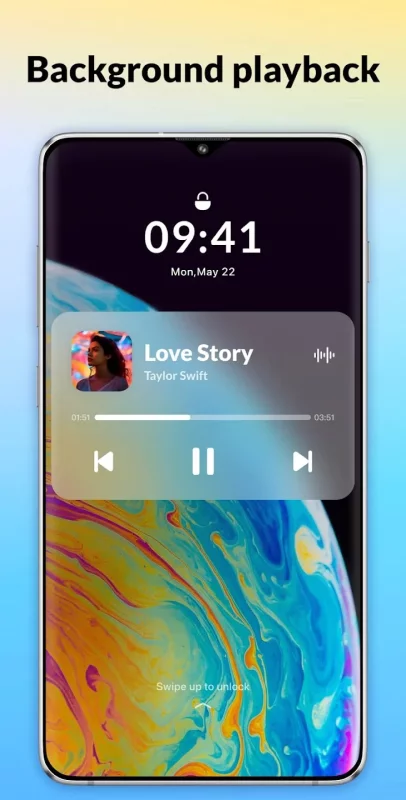
🎵 Control music playback via home screen widgets/notification center.
🎵 Shuffle, loop, repeat songs, or play in sequence.
🎵 Quick search: by albums, artists, genres, playlists, etc.
🎵 Ringtone setting.
🎵 Smart sleep timer & customizable playback duration.
🎵 Tag editor: change song name, album cover, etc.
🎵 Customize your music library & playlists.
🎵 Lock screen & background play.
🎵 Works well with Bluetooth/wired headphones.
🎵 Stylish user interface.

If you have any questions or problems while using this music player, please feel free to email us via [email protected].💗
Download Music Player & MP3 - DDMusic for Android for free

Download Music Player & MP3 - DDMusic 2.11.1 xapk Android 7.0+ ARMV8
79.22 Mb
No viruses found
Permissions (31)
Detections: 0
Check date: 24 September 2026, 17:15
The file was scanned for viruses using VirusTotal.
ACCESS_COARSE_LOCATION - allows an app to access approximate location.
ACCESS_FINE_LOCATION - allows an app to access precise location.
ACCESS_NETWORK_STATE - allows applications to access information about networks.
ACCESS_WIFI_STATE - allows applications to access information about wi-fi networks.
BROADCAST_STICKY - allows an application to broadcast sticky intents.
CAMERA - required to be able to access the camera device.
CHANGE_NETWORK_STATE - allows applications to change network connectivity state.
CHANGE_WIFI_STATE - allows applications to change wi-fi connectivity state.
FOREGROUND_SERVICE - allows a regular application to use service.startforeground.
FOREGROUND_SERVICE_MEDIA_PLAYBACK - allows a regular application to use service.startforeground with the type "mediaplayback".
FOREGROUND_SERVICE_SPECIAL_USE - allows a regular application to use service.startforeground with the type "specialuse".
INTERNET - allows applications to open network sockets.
MOUNT_UNMOUNT_FILESYSTEMS - allows mounting and unmounting file systems for removable storage.
NEARBY_WIFI_DEVICES - required to be able to advertise and connect to nearby devices via wi-fi.
POST_NOTIFICATIONS - allows an app to post notifications
READ_EXTERNAL_STORAGE - allows an application to read from external storage.
READ_MEDIA_AUDIO - allows an application to read audio files from external storage.
READ_MEDIA_IMAGES - allows an application to read image files from external storage.
READ_MEDIA_VIDEO - allows an application to read video files from external storage.
READ_MEDIA_VISUAL_USER_SELECTED - allows an application to read image or video files from external storage that a user has selected via the permission prompt photo picker.
READ_PHONE_STATE - allows read only access to phone state, including the current cellular network information, the status of any ongoing calls, and a list of any phoneaccounts registered on the device.
RECEIVE_BOOT_COMPLETED - allows an application to receive the intent.action_boot_completed that is broadcast after the system finishes booting.
REQUEST_IGNORE_BATTERY_OPTIMIZATIONS - permission an application must hold in order to use settings.action_request_ignore_battery_optimizations.
SYSTEM_ALERT_WINDOW - allows an app to create windows using the type windowmanager.layoutparams.type_application_overlay, shown on top of all other apps.
VIBRATE - allows access to the vibrator.
WAKE_LOCK - allows using powermanager wakelocks to keep processor from sleeping or screen from dimming.
WRITE_EXTERNAL_STORAGE - allows an application to write to external storage.
WRITE_SETTINGS - allows an application to read or write the system settings.
INSTALL_SHORTCUT - allows an application to install a shortcut in launcher.
SHA1 signature: 72ae7dc294f8808bc639d43e561e97da02d93357
SHA256 signature: 70ecf67f2c0bdb09025a5b794966a09a40a3005bbc9c161b58a3d638a2547aa9
How to install XAPK
  1. Download the XAPK file to your Android device.
  2. Install one of these installers from our website:
  3. Open the installer and select the downloaded file from the Downloads folder.
  4. Allow installation from this source if Android asks for permission.
  5. Start installation. To update the app, install the newer file without uninstalling the current version.

⚠If the download fails or gets stuck, try enabling a VPN, disabling your ad blocker, or switching to a different network.
See also
Muzio I Music Player & MP3 App
Play music with Muzio player: A Stylish, Powerful and Fast Music Player App Enjoy your music
Unlimited MP3 Music Downloader
Search for Free Music Online • Search for free music or podcasts online • Browse free music or
Spotify: Music and Podcasts
With the Spotify music and podcast app, you can play millions of songs, albums and original
Ultimate Guitar: Chords & Tabs
Ultimate Guitar is your portal to playing your favorite songs. Learn on any instrument, including
Pandora - Music & Podcasts
Pandora gives you a personalized listening experience that continually evolves with your tastes.
Ringtones for Android™
Ringtones for Android™ helps you to easily personalize your phone with music ringtones and HD
SoundCloud: The Music You Love
What’s next in music is first on SoundCloud. Your taste, your scene, your people, your soundtrack,
TuneIn Radio: Music & Sports
Listen to All the Audio You Love, All in One Place Access over 100,000 live AM/FM radio stations
Comments (0)
Loading comments...