• Update
    05.10.2026
  • Latest Version
    5.88.0.2
  • Android OS
    9+
  • License
    Free
  • Languages
    English
  • Content Rating
    Everyone
  • Developer
  • Package Name
    com.nest.android

At Google Nest, we make products that are beautiful, helpful and easy to use. The Nest app is no exception.

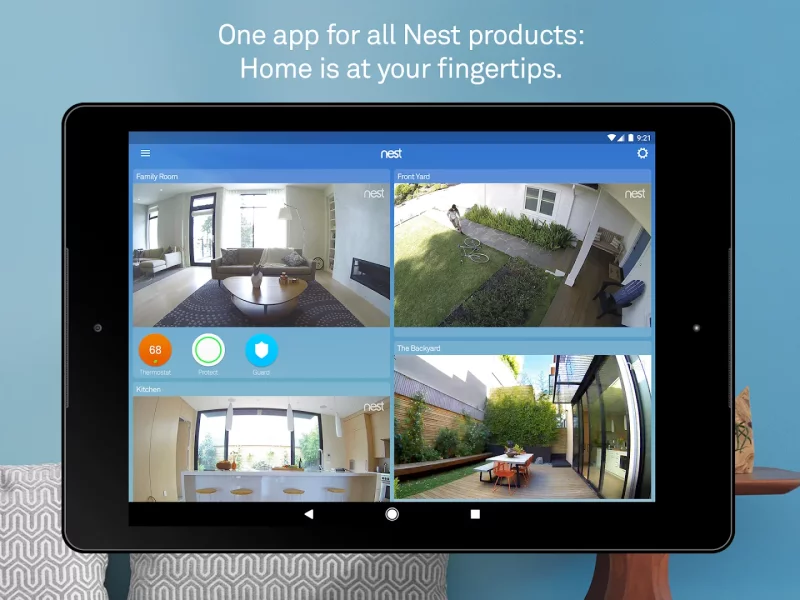
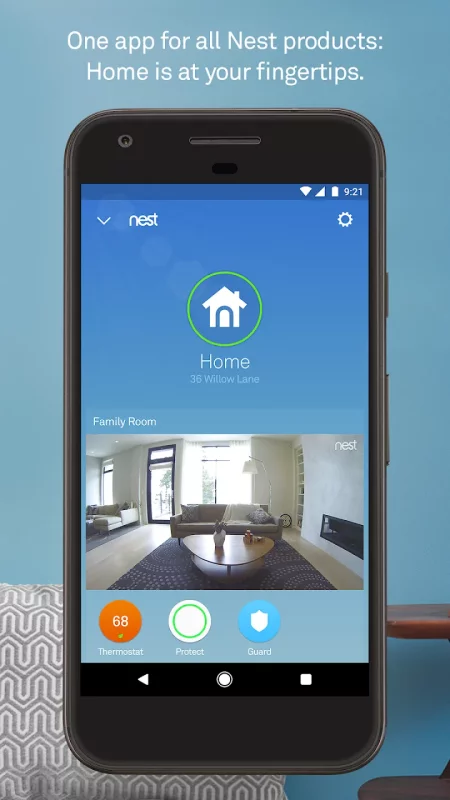
Control your Nest thermostat, arm and disarm your Nest Secure alarm system, see your home with Nest Cam, and get an alert if Nest Protect goes off – all in one place. And receive notifications on your Android phone or tablet.

Nest uses sensors, algorithms, and the location of your phone to do the right thing automatically, turning off the heat and turning on the camera when you leave. Forget to set the alarm? It will notice, and send you a Remind Me alert.

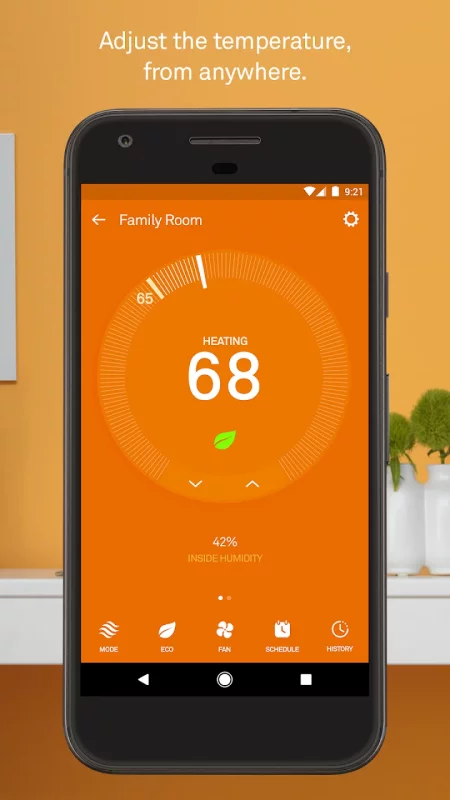
Nest Learning Thermostat and Nest Thermostat E

Thermostats that program themselves to help you save energy.

- Change the temperature from the subway or the sofa using your phone.
- See how much energy you used, and why.
- View and edit your schedule.
- Get extreme temperature alerts before your home gets too cold.

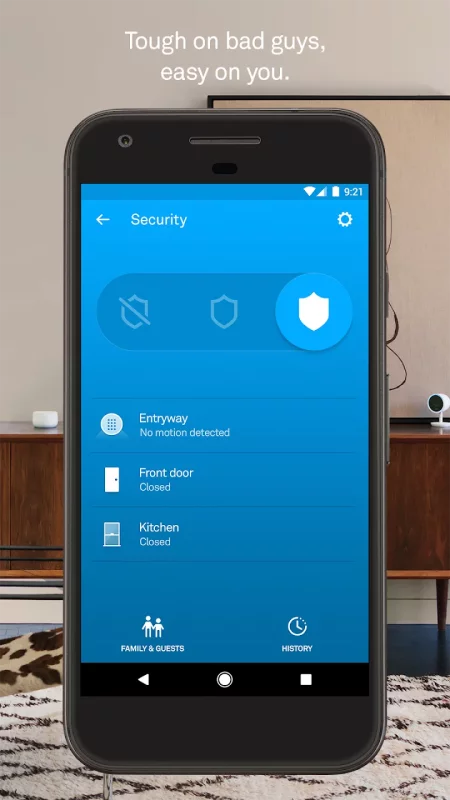
Nest Secure alarm system

- Arm and disarm your home remotely from the app.
- Receive a Remind Me alert if you leave home and forget to set the alarm.
- Receive a security alert on your phone telling you what triggered the alarm – a door or window opening, or someone entering a room.

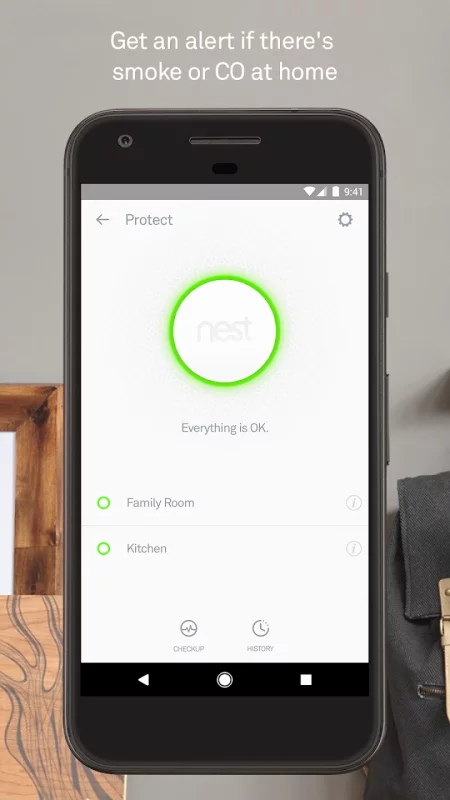
Nest Protect

The smoke and carbon monoxide alarm that thinks, speaks, and alerts your phone.

- Get an alert if Nest Protect senses smoke or carbon monoxide. (Requires Wi-Fi and a working internet connection.)
- Silence an alarm from your phone with App Silence. (Nest Protect 2nd gen only.)
- See the status of your batteries, sensors, and Wi-Fi connection.
- Run a Safety Checkup to test all your alarms at once. (Nest Protect 2nd gen only.)
- See your Safety History so you know when alerts happened and why.

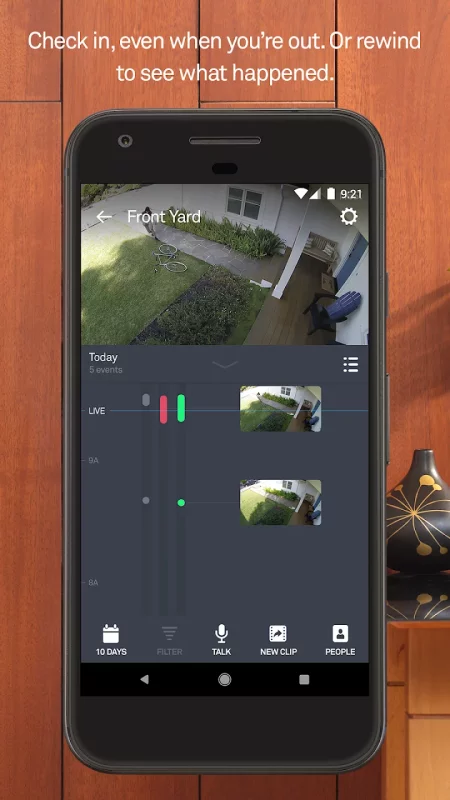
Nest Cam IQ Indoor and Outdoor, Nest Cam Indoor, Nest Cam Outdoor, and Dropcam

The security cameras that let you see your home on your phone, inside and out.

- Get alerts when there’s activity, and talk back to get someone’s attention.
- See what you missed with snapshots of the last three hours.
- Check in 24/7 with crisp 1080p HD video (Nest Cam and Dropcam Pro only).
- Get person alerts (or familiar face alerts with Nest Cam IQ) and up to 30 days of video history when you subscribe to Nest Aware. (Subscription service sold separately.)

Nest Hello

Know who’s knocking.

- 24/7 video streaming means you’ll never miss a moment.
- Designed to show you everything at your doorstep – people head to toe, or packages on the ground.
- Knows the difference between a person and a thing.
- Notifies you about visitors, even if they don’t ring the bell.
- HD Talk and Listen lets you have a seamless conversation with someone at your door.
- When you can’t answer the door, quick responses let you reply to visitors with prerecorded audio messages.

Nest x Yale Lock

The lock for a more secure connected home.

- Instead of sharing keys, assign passcodes to people you trust in the Nest app.
- Get an alert when someone locks or unlocks the door.
- With Home/Away Assist and Auto-Lock, your door can lock itself when you leave.

Some features require a working internet connection, Wi-Fi, and/or Bluetooth.
Download Nest for Android for free

Download Nest 5.88.0.2 xapk Android 9+ ARMV8
58.76 Mb
No viruses found
Permissions (27)
Detections: 0
Check date: 05 October 2026, 12:45
The file was scanned for viruses using VirusTotal.
ACCESS_BACKGROUND_LOCATION - allows an app to access location in the background.
ACCESS_COARSE_LOCATION - allows an app to access approximate location.
ACCESS_FINE_LOCATION - allows an app to access precise location.
ACCESS_NETWORK_STATE - allows applications to access information about networks.
ACCESS_WIFI_STATE - allows applications to access information about wi-fi networks.
BLUETOOTH - allows applications to connect to paired bluetooth devices.
BLUETOOTH_ADMIN - allows applications to discover and pair bluetooth devices.
BLUETOOTH_CONNECT - required to be able to connect to paired bluetooth devices.
BLUETOOTH_SCAN - required to be able to discover and pair nearby bluetooth devices.
CAMERA - required to be able to access the camera device.
CHANGE_NETWORK_STATE - allows applications to change network connectivity state.
CHANGE_WIFI_STATE - allows applications to change wi-fi connectivity state.
FOREGROUND_SERVICE - allows a regular application to use service.startforeground.
FOREGROUND_SERVICE_LOCATION - allows a regular application to use service.startforeground with the type "location".
GET_ACCOUNTS - allows access to the list of accounts in the accounts service.
INTERNET - allows applications to open network sockets.
NFC - allows applications to perform i/o operations over nfc.
POST_NOTIFICATIONS - allows an app to post notifications
READ_CONTACTS - allows an application to read the user's contacts data.
READ_EXTERNAL_STORAGE - allows an application to read from external storage.
READ_PHONE_STATE - allows read only access to phone state, including the current cellular network information, the status of any ongoing calls, and a list of any phoneaccounts registered on the device.
RECEIVE_BOOT_COMPLETED - allows an application to receive the intent.action_boot_completed that is broadcast after the system finishes booting.
RECORD_AUDIO - allows an application to record audio.
USE_FULL_SCREEN_INTENT - required for apps targeting build.version_codes.q that want to use notification full screen intents.
VIBRATE - allows access to the vibrator.
WAKE_LOCK - allows using powermanager wakelocks to keep processor from sleeping or screen from dimming.
WRITE_EXTERNAL_STORAGE - allows an application to write to external storage.
SHA1 signature: 4487bbcd9da4300a9bed37c763cbbb86f0daded0
SHA256 signature: 1533d8bedc9f693bc627cc759b7b4d7f7e7f85715e9c0b6e4ea865611fc72da3
How to install XAPK
  1. Download the XAPK file to your Android device.
  2. Install one of these installers from our website:
  3. Open the installer and select the downloaded file from the Downloads folder.
  4. Allow installation from this source if Android asks for permission.
  5. Start installation. To update the app, install the newer file without uninstalling the current version.

⚠If the download fails or gets stuck, try enabling a VPN, disabling your ad blocker, or switching to a different network.
See also
Find My Phone: Find Lost Phone
Find My Phone has over 15 Million downloads. Find Lost Phone is one of best lost phone finder
Instacart: Get Food Delivery
Get food delivery and grocery orders delivered directly to your door in as fast as 30 minutes with
Zillow: Homes for Sale & Rent
Find your new home to buy or rent with expert real estate tools and millions of listings right at
TikTok - Videos, Shop & LIVE
TikTok is the global discovery platform for videos, streaming on LIVE, shopping, and more. Our
Mercari: Buy and Sell App
MEET MERCARI: a marketplace built for you. Sell quick and save big all in one, top-rated
Make Money: Play to Earn Cash
Join millions using the Mode Earn App to earn rewards through everyday activities! Mode Earn App
Street View Map and Navigation
Street View Map and Navigation The street view map and navigation app is a complete GPS navigation
Funimate Video Editor & Maker
Funimate is the best video editing app you can find on mobile! Join millions of Funimate users who
Comments (0)
Loading comments...