
- Update03.10.2026
- Latest Version1.6.8
- Android OS6.0+
- LicenseFree
-
LanguagesEnglish Afrikaans, አማርኛ, العربية, অসমীয়া, Azərbaycan dili, Беларуская, Български, বাংলা, Bosanski, Català, Čeština, Dansk, Deutsch, Ελληνικά, English, Español, Eesti, Euskara, فارسی, Suomi, Filipino, Français, Galego, ગુજરાતી, हिन्दी, Hrvatski, Magyar, Հայերեն, Bahasa Indonesia, Íslenska, Italiano, עברית, 日本語, ქართული, Қазақ тілі, ខ្មែរ, ಕನ್ನಡ, 한국어, Кыргызча, ລາວ, Lietuvių, Latviešu, Македонски, മലയാളം, Монгол, मराठी, Bahasa Melayu, မြန်မာ, Norsk bokmål, नेपाली, Nederlands, Norsk, ଓଡ଼ିଆ, ਪੰਜਾਬੀ, Polski, Português, Română, Русский, සිංහල, Slovenčina, Slovenščina, Shqip, Српски, Svenska, Kiswahili, தமிழ், తెలుగు, ไทย, Tagalog, Türkçe, Twi, Українська, اردو, Oʻzbekcha, Tiếng Việt, 中文, isiZulu
- Content RatingEveryone
- DeveloperLeap Fitness Group
- Package Namepedometer.steptracker.calorieburner.stepcounter
Wonder how many steps you take throughout the day? Want an easy pedometer and walking app to track your daily steps and stay active?
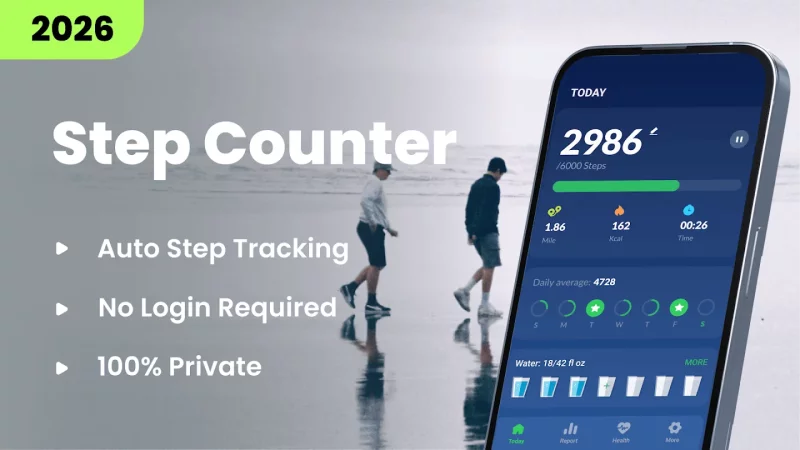
This easy-to-use pedometer and step counter automatically records your daily steps and helps you build a more active routine. Check your walking distance, activity time and calories burned, set a daily step goal and follow your progress in clear charts.
The step tracker uses your phone's built-in sensor to count steps while reducing unnecessary battery use. Carry your phone in your hand, pocket, bag or armband, and it can continue tracking your steps when the screen is locked.
KEY FEATURES OF STEP COUNTER - PEDOMETER
✔ Automatic Step Counting
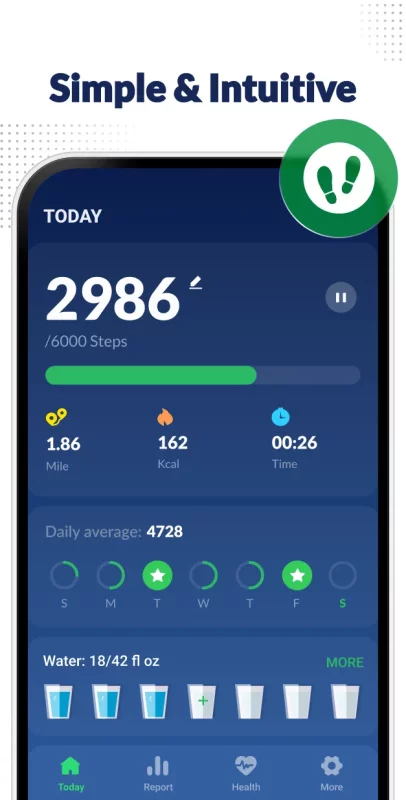
Tap Start and carry your phone as usual. The pedometer automatically detects movement and records your steps throughout the day. You can pause or restart the step counter whenever needed, or reset today's step count and begin again from zero.
✔ Daily Goals and Activity Tracking
Set a daily step goal and check your progress at a glance. This step counter records your daily steps, walking distance, activity time and estimated calories burned.
✔ Detailed Activity Reports
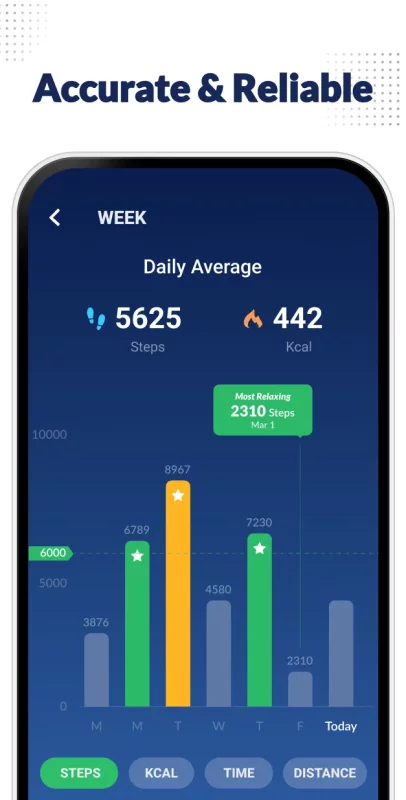
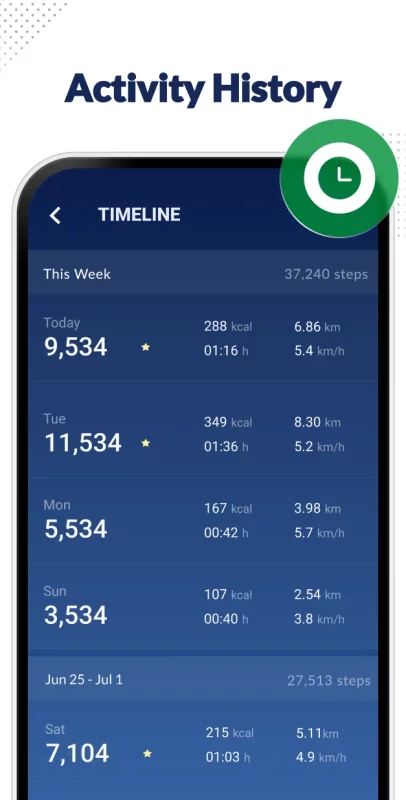
View your walking data in daily, weekly and monthly charts. The step tracker makes it easy to compare your steps, distance, calories burned and activity time across different periods.
✔ Workout and Fitness Features
This step counter offers guided workout plans for fitness, relaxation, sleep and weight loss. You can also browse daily exercises, follow exercise demonstrations and review your workout history.
✔ Water, Heart Rate and Weight Tracking
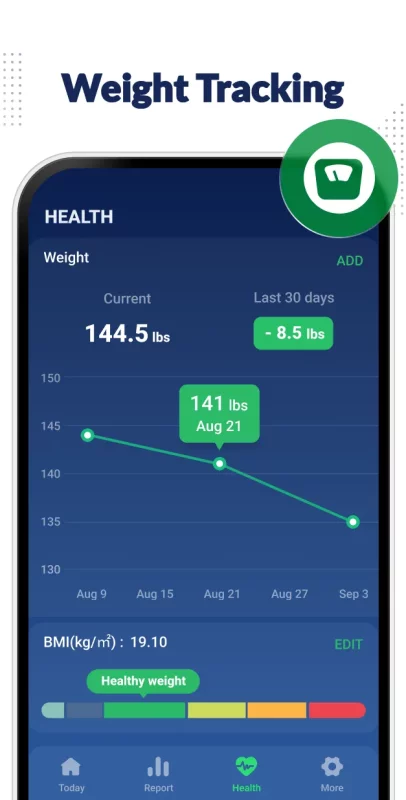
Track key health and fitness metrics in one place by recording your water intake, tracking heart rate, and monitoring weight and BMI trends.
✔ Reminders and Achievements
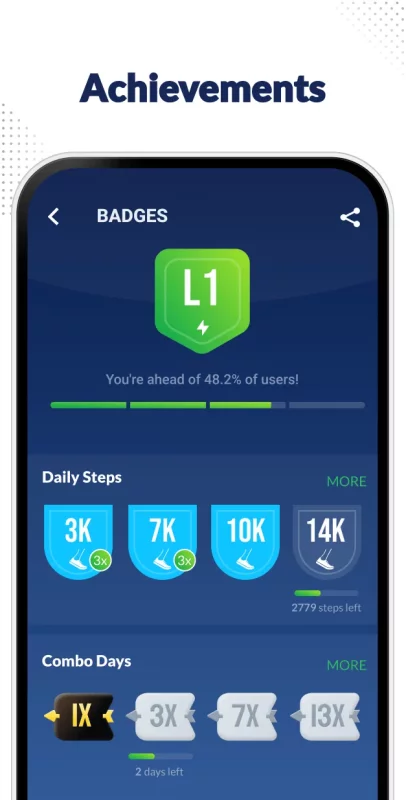
Set reminders for walking tracker, drinking water and workouts. Stay motivated by unlocking achievements based on your steps, active days, goal streaks and total walking distance.
✔ Backup and Personalization
Back up activity data and settings to Google Drive and restore them when needed. Customize your pedometer with step goals, sensitivity settings, measurement units and home-screen widgets.
✔ Clean and Stylish Design
This pedometer features a clean, easy-to-use interface for viewing your activity at a glance.
IMPORTANT NOTES
● To improve step counter accuracy, please enter accurate information in pedometer settings. It will be used to calculate your walking distance and calories burned.
● You can adjust the sensitivity to help the pedometer count your steps more accurately.
● Due to device power-saving settings, some phones may stop counting steps when the screen is locked.
● On some older devices, the step tracker may not work when the screen is locked. This is caused by device limitations and cannot be resolved by the app.
Download the pedometer to count your steps, understand your daily activity and build healthier walking habits one step at a time.
Walking app for everyday activity
Whether you are commuting, shopping, walking the dog or exercising, this step tracker helps capture everyday movement. Use it as a daily walk planner to understand your habits, set achievable goals and stay consistent.
Support your health and fitness goals
Looking for a lose weight app? Unlike other health apps, this pedometer combines step tracking, workouts, water intake, heart rate, weight and BMI in one place. It can support your weight loss routine by helping you stay aware of your activity.
Sync your walking and health data
The pedometer supports syncing activity data with health apps such as Samsung Health when available on your device.
Download Step Counter - Pedometer for Android for free
- Download the XAPK file to your Android device.
- Install one of these installers from our website:
- Open the installer and select the downloaded file from the Downloads folder.
- Allow installation from this source if Android asks for permission.
- Start installation. To update the app, install the newer file without uninstalling the current version.