- Update25.09.2026
- Latest Version9.5.0
- Android OS11+
- LicenseFree
-
LanguagesEnglish Afrikaans, አማርኛ, العربية, অসমীয়া, Azərbaycan dili, Беларуская, Български, বাংলা, Bosanski, Català, Čeština, Dansk, Deutsch, Ελληνικά, English, Español, Eesti, Euskara, فارسی, Suomi, Français, Galego, ગુજરાતી, हिन्दी, Hrvatski, Magyar, Հայերեն, Bahasa Indonesia, Íslenska, Italiano, עברית, 日本語, ქართული, Қазақ тілі, ខ្មែរ, ಕನ್ನಡ, 한국어, Кыргызча, ລາວ, Lietuvių, Latviešu, Македонски, മലയാളം, Монгол, मराठी, Bahasa Melayu, မြန်မာ, Norsk bokmål, नेपाली, Nederlands, Norsk, ଓଡ଼ିଆ, ਪੰਜਾਬੀ, Polski, Português, Română, Русский, සිංහල, Slovenčina, Slovenščina, Shqip, Српски, Svenska, Kiswahili, தமிழ், తెలుగు, ไทย, Tagalog, Türkçe, Українська, اردو, Oʻzbekcha, Tiếng Việt, 中文, isiZulu
- Content RatingEveryone
- DeveloperPlayStation Mobile Inc.
- Package Namecom.playstation.remoteplay
Use PS Remote Play to access your PS5™ or PS4™ wherever you go.
With PS Remote Play, you can:
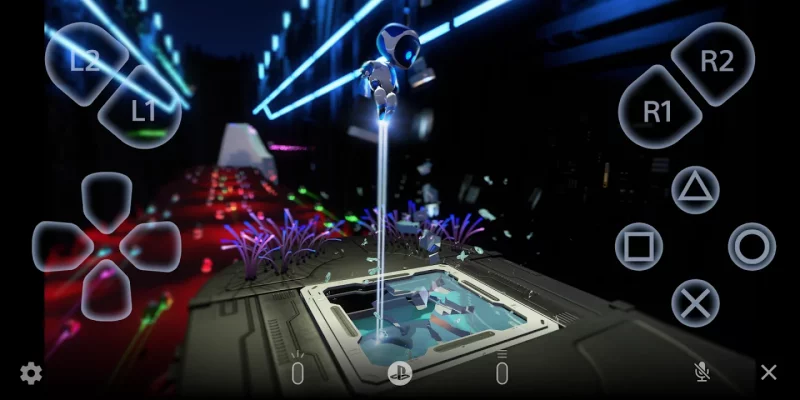
• Display the PlayStation®5 or PlayStation®4 screen on your mobile device.
• Use the on-screen controller on your mobile device to control your PS5 or PS4.
• Use the DUALSHOCK®4 wireless controller.
• Use the DualSense™ wireless controller on mobile devices with Android 12 or later installed.
• Use the DualSense Edge™ wireless controller on mobile devices with Android 14 or later installed.
• Use the Backbone One PlayStation® Edition on USB Type-C Android smartphones.
• Join voice chats using the mic on your mobile device.
• Enter text on your PS5 or PS4 using the keyboard on your mobile device.
To use this app, you need the following:
• A mobile device with Android 11 or later installed
• A PS5 or PS4 console with the latest system software version
• An account for PlayStation
• A fast and stable internet connection
When using mobile dаta:
• Depending on your carrier and network conditions, you may not be able to use Remote Play.
• Remote Play uses a lot more data than most video streaming services. Data charges may apply.
Verified devices:
• Google Pixel 10 series
• Google Pixel 9 series
• Google Pixel 8 series
Using your Controller:
• You can use the DUALSHOCK 4 wireless controller. (On devices with Android 11 installed, use the on-screen controller to use the touch pad function.)
• You can use the DualSense wireless controller on mobile devices with Android 12 or later installed.
• You can use the DualSense Edge wireless controller on mobile devices with Android 14 or later installed.
• You can use the Backbone One PlayStation® Edition on USB Type-C Android smartphones.
Note:
• This app may not work properly on unverified devices.
• This app may not be compatible with some games.
• Your controller may vibrate differently than when playing on your PS5 or PS4 console.
• Depending on your mobile device's performance, you might experience input lag when using your wireless controller.
App subject to end-user license agreement:
www.playstation.com/legal/sie-inc-mobile-application-license-agreement/
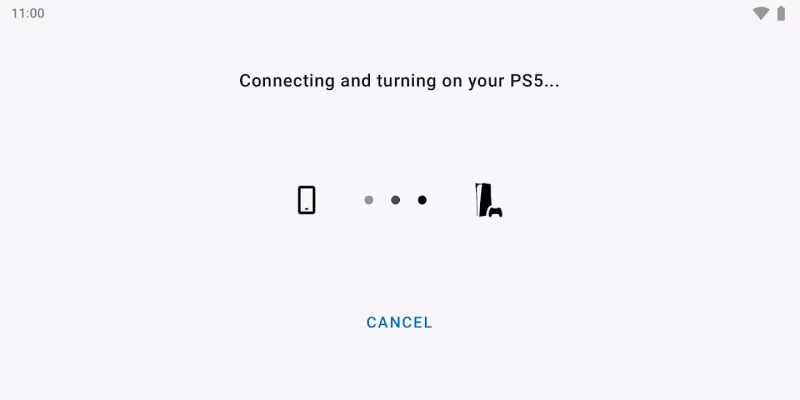
Download PS Remote Play for Android for free
- Download the APK file to your Android device.
- Find the file in the Downloads folder and open it.
- Allow installation from this source if Android blocks it.
- Tap Install. To update the app, install the newer APK without uninstalling the current version.