
- Update04.09.2026
- Latest Version26.33.1
- Android OS9+
- LicenseFree
-
LanguagesEspañol
- Content RatingEveryone
- DeveloperWalmart
- Package Namecom.walmart.android
Save money. Live better.
The Walmart app is the easiest way to shop for everything on your list, including fresh groceries, household essentials, the latest tech and a lot more. Plus, our convenient pickup, delivery and shipping options make it a breeze to get your order exactly when you want it, whether you’re shopping online, in-store or on the go.
Convenient ways to shop for your items:
Pickup
Swing by the store to collect your order curbside—we’ll even load all your groceries and other items into your car.
Delivery
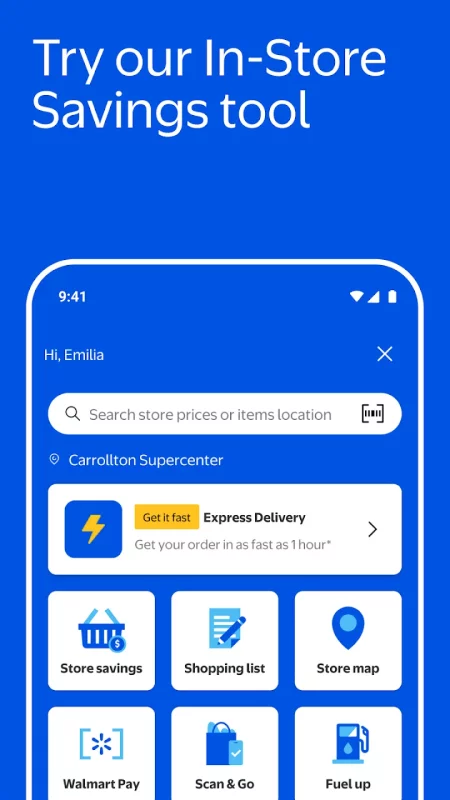
From a local store straight to your door. For those need-it-now moments, choose Express delivery to get your order in as fast as one hour.*
*Restrictions and fees apply.
Shipping
Fast two-day shipping, dropped off by FedEx or UPS. Eligible orders over $35 ship free!
Even more time-saving features you’ll love:
Home VR
New! View furniture and decor in your space before you buy it.
Personalized online shopping suggestions
Quickly and easily fill your cart with frequently purchased items and groceries.
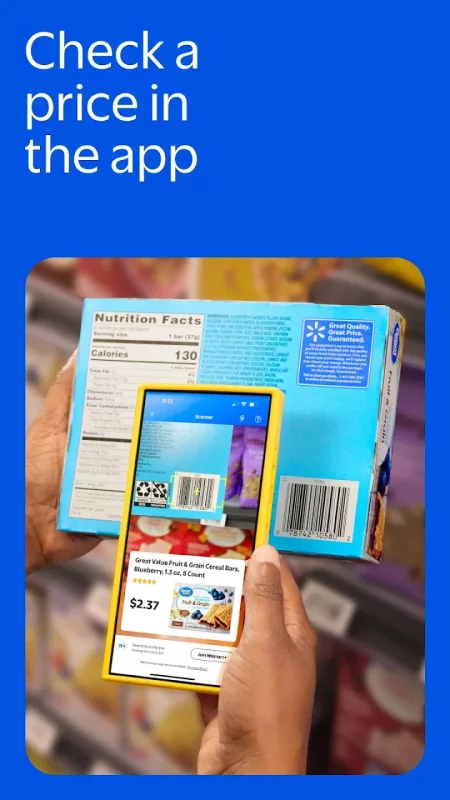
Easy barcode scanning
Check prices and build your shopping lists with the item barcode scanner.
Stress-free store pickup
Check in with the Walmart app when you’re on your way to the store and we’ll bring your order out to you when it’s ready for pickup.
Real-time order tracking
Get live order updates sent straight to your phone and easily track order status any time from the homepage.
Walmart Pay
Check out with the app in-store using all your payment methods. Just tap “Pay” and we’ll recommend how to split your total to make the most of your cards and balances.
Store maps
Find all your favorite items quickly with store maps and save time shopping for groceries and essentials when you visit a Walmart store.
Pharmacy
Refill, transfer, manage and pick up your family’s prescriptions. Plus, schedule
vaccinations, locate testing sites and more.
Meet Walmart+
The Walmart app is the easiest way to get the most out of your membership and save more time and money. App-exclusive features for Walmart+ include:
Scan & go
Use your phone to shop for groceries and more in-store and check out contact-free.
Gas Savings
Get up to 10¢ off every gallon at 13,000+ locations nationwide**—including Exxon and Mobil stations! **Available at participating stations. May vary by location & subject to change.
Meet Sparky, your AI assistant
Sparky makes it easy. Ask Sparky! You’ll get answers fast with real-time Q&A. Get review summaries to help you make the best pick. Hosting a party? Tell Sparky. Get help shopping for birthdays, housewarmings & more.
EXPRESSAPP Code Terms & Conditions
A credit will be applied to eligible orders with a valid discount code to cover the Express Delivery fee. Offer valid for first time Walmart Express Delivery orders only. Order must be placed in the Walmart app. Minimum order of $50. Offer not transferable and void where prohibited by law. Does not apply to alcohol or Rx purchases. Customer responsible for all applicable taxes. Offer subject to change or expire without notice. Standard item restrictions apply.




Download Walmart: Shopping & Savings for Android for free
- Download the XAPK file to your Android device.
- Install one of these installers from our website:
- Open the installer and select the downloaded file from the Downloads folder.
- Allow installation from this source if Android asks for permission.
- Start installation. To update the app, install the newer file without uninstalling the current version.