

- Update04.09.2026
- Latest Version200.0.77
- Android OS7.0+
- LicenseFree
-
LanguagesEnglish English, Afrikaans, አማርኛ, العربية, অসমীয়া, Azərbaycan dili, Беларуская, Български, বাংলা, Bosanski, Català, Čeština, Dansk, Deutsch, Ελληνικά, Español, Eesti, Euskara, فارسی, Suomi, Français, Galego, ગુજરાતી, हिन्दी, Hrvatski, Magyar, Հայերեն, Bahasa Indonesia, Íslenska, Italiano, עברית, 日本語, ქართული, Қазақ тілі, ខ្មែរ, ಕನ್ನಡ, 한국어, Кыргызча, ລາວ, Lietuvių, Latviešu, Македонски, മലയാളം, Монгол, मराठी, Bahasa Melayu, မြန်မာ, Norsk bokmål, नेपाली, Nederlands, ଓଡ଼ିଆ, ਪੰਜਾਬੀ, Polski, Português, Română, Русский, සිංහල, Slovenčina, Slovenščina, Shqip, Српски, Svenska, Kiswahili, தமிழ், తెలుగు, ไทย, Tagalog, Türkçe, Українська, اردو, Oʻzbekcha, Tiếng Việt, 中文, isiZulu
- Content RatingEveryone 10+
- DeveloperHarperCollins Christian Publishing
- Downloads1
- Package Namecom.csnmedia.android.bg
Completely rebuilt for Spring 2026 with an all-new design, focused on getting you into Scripture without friction. This is Bible Gateway at its best.
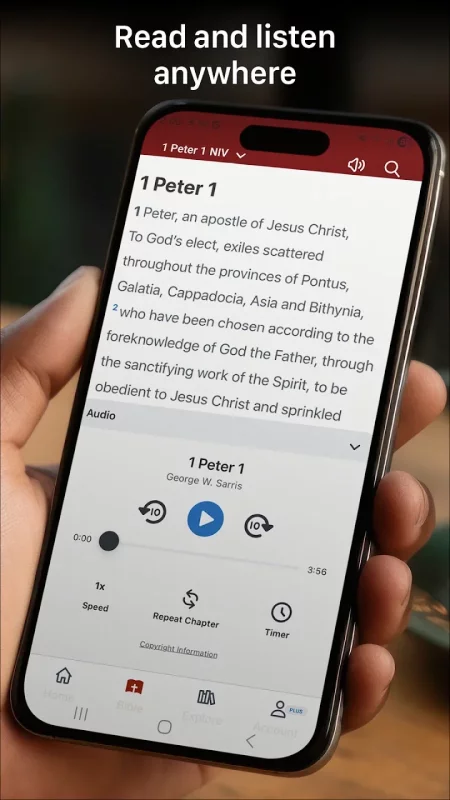
Read, listen, and study the Bible anywhere with the Bible Gateway App.
Trusted by millions for over 30 years, Bible Gateway helps you engage with God’s Word through 200+ Bible translations and audio Bibles in 15+ languages—all free to use.
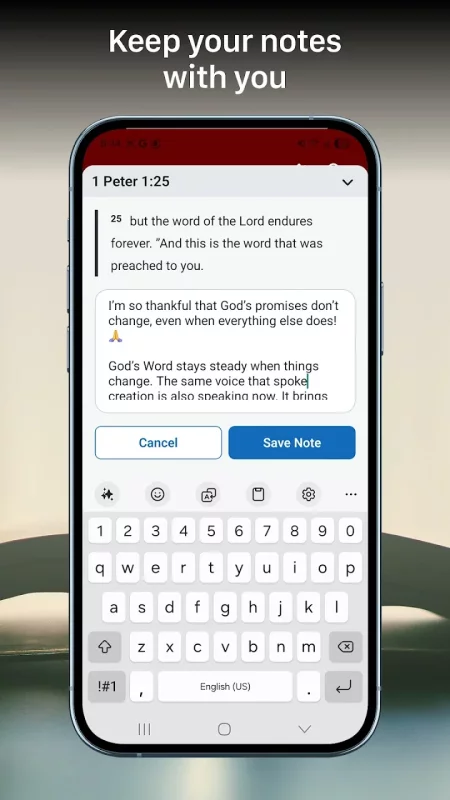
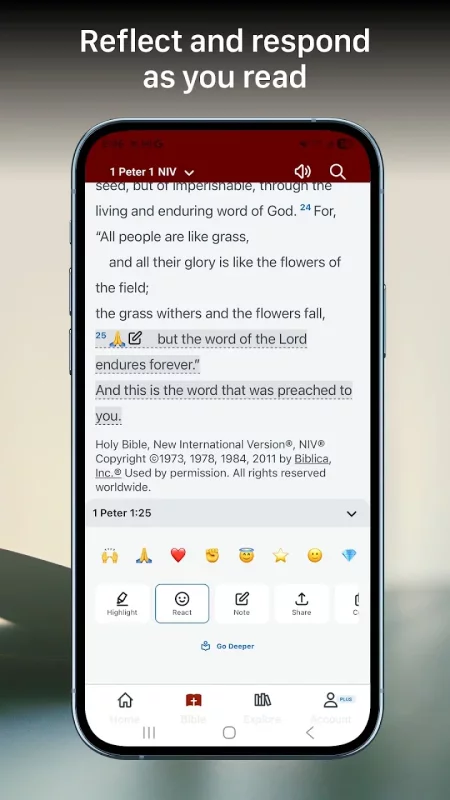
Create a free account to highlight verses, write notes, react with emojis, and sync automatically across devices.
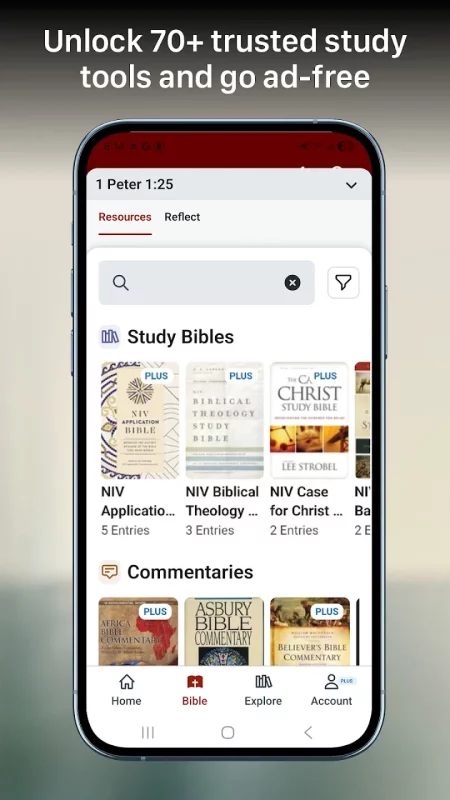
Go ad-free with Bible Gateway Plus and access insights from over 60 trusted study tools, including commentaries, study Bibles, and more—aligned with every verse.
Top Features
• 200+ Bible translations, including NIV, KJV, ESV, NKJV, NASB, AMP, and MSG
• 30+ Audio Bibles in English, Spanish, Chinese, and more
• Search by keyword, verse, or topic instantly
• Highlight, take notes, respond to your favorite verses with emojis and sync across devices with your free account
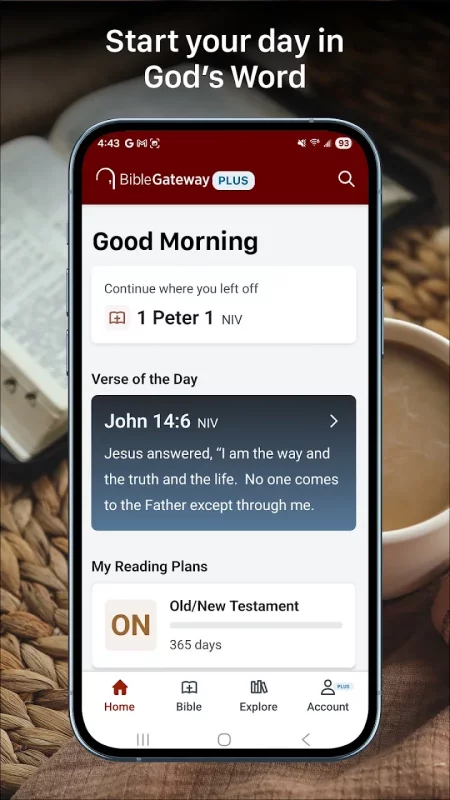
• Follow reading plans and track your progress
• Read two Bible versions side by side on tablets
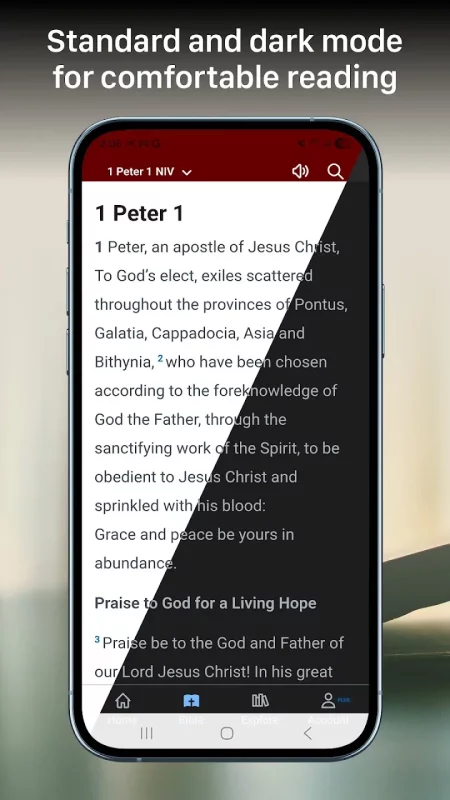
• Switch to dark mode for comfortable reading at night
• Read the Verse of the Day in your preferred translation
• Share verses easily with friends and family
Want to go deeper? Upgrade to Bible Gateway Plus.
Go ad-free and access insights from over 60 trusted Bible study resources—aligned with every verse you read.
Resources included with Bible Gateway Plus:
• 30+ study Bibles such as The NIV Application Bible, The NIV Study Bible, NKJV MacArthur Study Bible, and CSB Tony Evans Study Bible
• Commentaries including Believer’s Bible Commentary, Abridged Expositor’s Bible Commentary, Thru the Bible (J. Vernon McGee), and select volumes from the NIV Application Commentary
• Dictionaries and word studies like Mounce’s Expository Dictionary, Vine’s Complete Expository Dictionary, and The Zondervan Illustrated Bible Dictionary
Whether you’re beginning your Bible study journey or exploring Scripture in depth, Bible Gateway Plus gives you powerful tools to grow—wherever you are.
Download Bible Gateway for Android for free
- Download the APK file to your Android device.
- Find the file in the Downloads folder and open it.
- Allow installation from this source if Android blocks it.
- Tap Install. To update the app, install the newer APK without uninstalling the current version.