
- Update23.09.2026
- Latest Version9.5.2
- Android OS11+
- LicenseFree
-
LanguagesEnglish Afrikaans, አማርኛ, العربية, অসমীয়া, Azərbaycan dili, Беларуская, Български, বাংলা, Bosanski, Català, Čeština, Dansk, Deutsch, Ελληνικά, English, Español, Eesti, Euskara, فارسی, Suomi, Filipino, Français, Galego, ગુજરાતી, हिन्दी, Hrvatski, Magyar, Հայերեն, Bahasa Indonesia, Íslenska, Italiano, עברית, 日本語, ქართული, Қазақ тілі, ខ្មែរ, ಕನ್ನಡ, 한국어, Кыргызча, ລາວ, Lietuvių, Latviešu, Македонски, മലയാളം, Монгол, मराठी, Bahasa Melayu, မြန်မာ, Norsk bokmål, नेपाली, Nederlands, ଓଡ଼ିଆ, ਪੰਜਾਬੀ, Polski, Português, Română, Русский, සිංහල, Slovenčina, Slovenščina, Shqip, Српски, Svenska, Kiswahili, தமிழ், తెలుగు, ไทย, Tagalog, Türkçe, Українська, اردو, Oʻzbekcha, Tiếng Việt, 中文, isiZulu
- Content RatingEveryone
- DeveloperMonitored Communications, LLC
- Package Namecom.talkingparents.tpandroid
Parents who are divorced, separated, or were never legally married use TalkingParents to manage all communication regarding their children. Whether your co-parenting situation is amicable or high conflict, our cutting-edge tools make joint custody easier to navigate, while keeping interactions saved to a court-admissible Record. TalkingParents is here to help you coordinate more seamlessly, set boundaries, and focus on what matters most: your children.
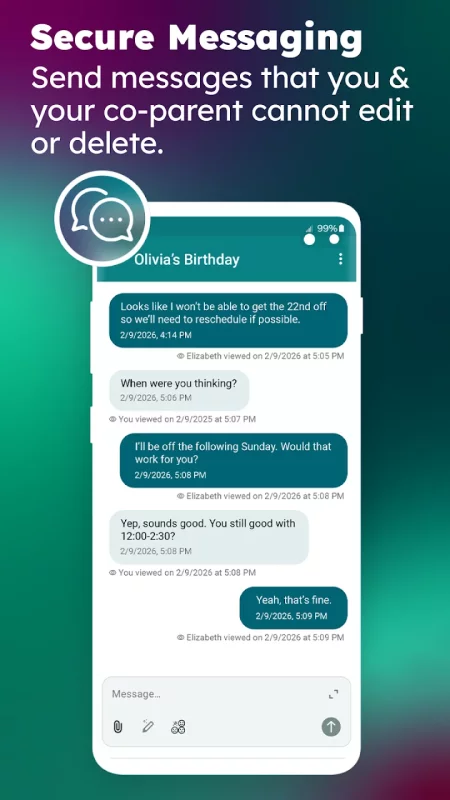
Secure Messaging: Send messages that can’t be edited or deleted and easily organize them by topic. All messages and read receipts are timestamped, allowing you to see when your co-parent sent or viewed a message.
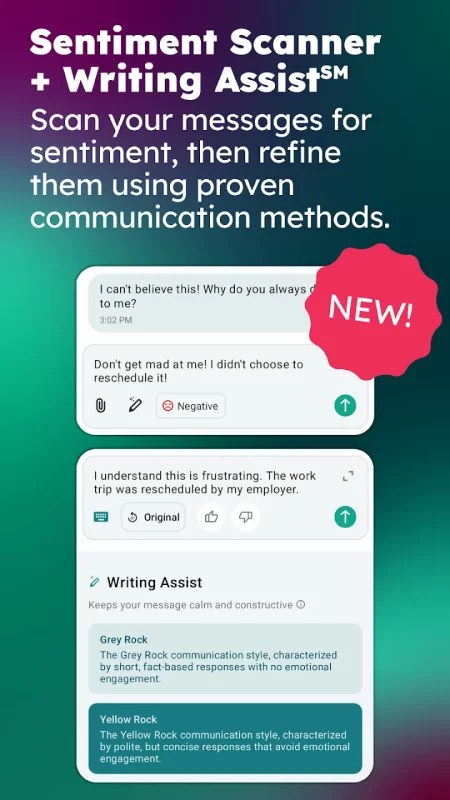
Sentiment Scanner + Writing Assist: Scan messages for sentiment before you send them to understand how your words may come across. Rewrite messages using professionally developed communication methods designed to reduce tension and minimize conflict.
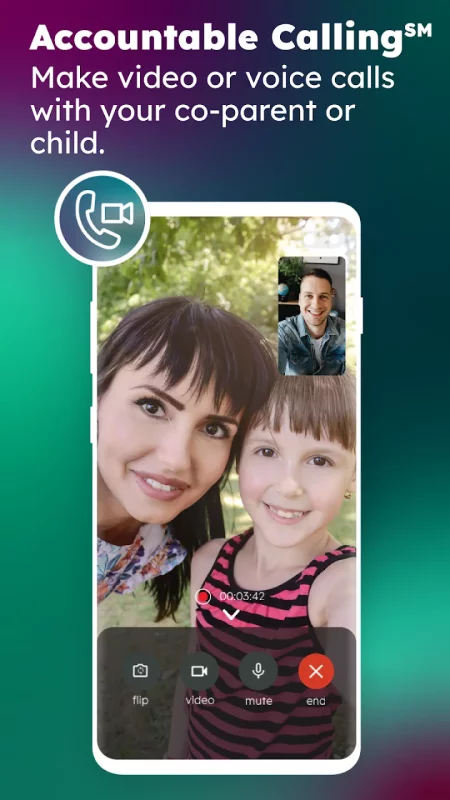
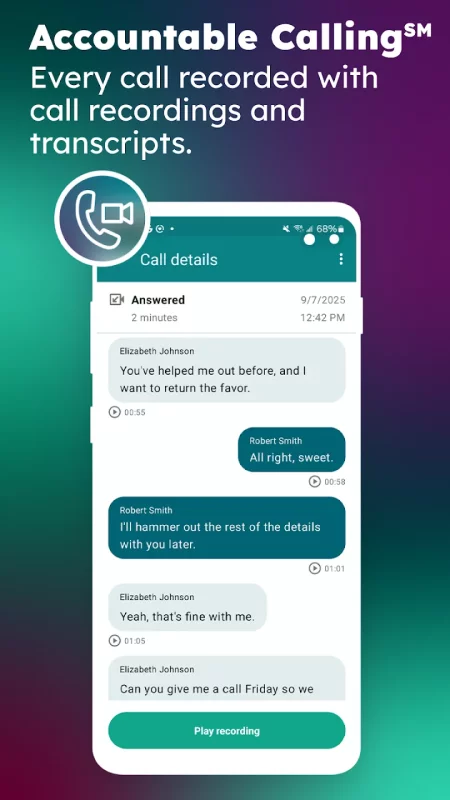
Accountable Calling: Make phone and video calls, complete with recordings and transcripts, without ever having to share your phone number.
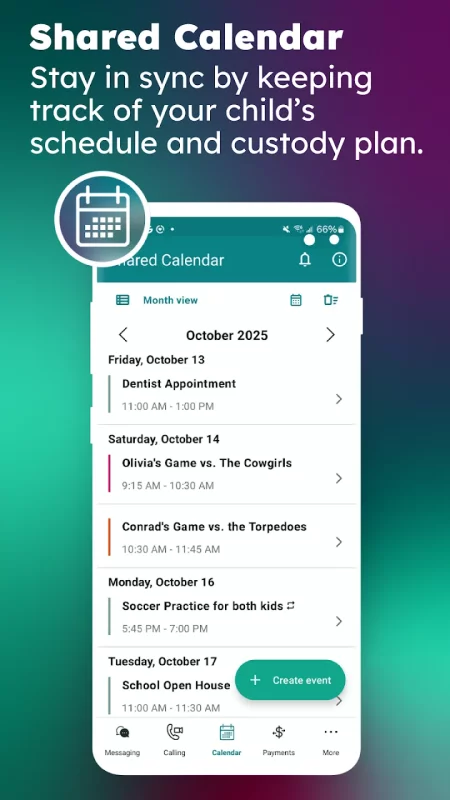
Shared Calendar: Manage custody schedules and your child’s appointments and activities all on a Shared Calendar that both parents can access. Create single events for things like doctor’s appointments and repeating events for your child’s extracurriculars and custody transition days.
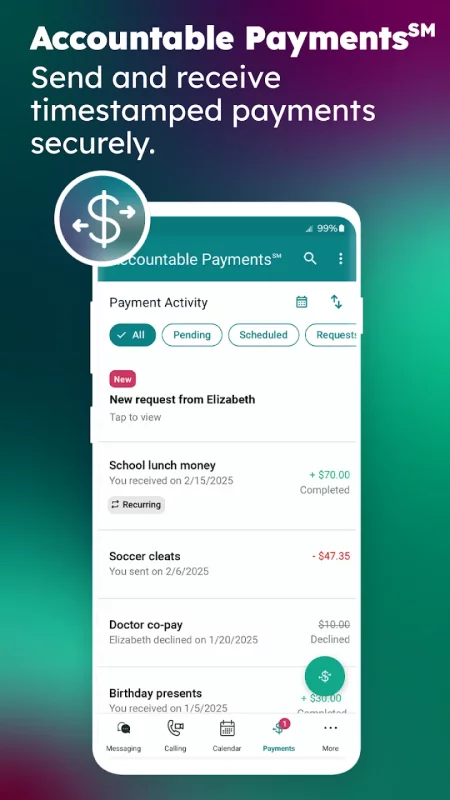
Accountable Payments: Make payment requests and securely send or receive money, allowing you to keep track of all shared parenting expenses. Requests and payments are timestamped, and you can also schedule monthly recurring payments.
Info Library: Share important details about the kids with customizable cards that both parents can access without having to contact each other. This feature is a great place to store frequently used information like clothing sizes, medical information, and more.
Personal Journal: Keep private notes about thoughts and interactions you want recorded for later. Whether it’s in-person discussions with your co-parent or child behavior observances, journal entries are just for you and can include up to five attachments.
Vault File Storage: Store photos, videos, and important documents. Your Vault cannot be accessed by your co-parent, but you may choose to share files with any third party by copying or emailing a link, which can be set to expire. You can also download files to your device.
Unalterable Records: All interactions within TalkingParents are stored to Unalterable Records that are trusted by legal professionals and accepted in courtrooms nationwide. Each Record includes a Digital Signature and unique 16-digit Authentication Code that verifies the Record is genuine and has not been modified in any way. PDF and Printed Records are available for Secure Messaging, Accountable Calling, Shared Calendar, Accountable Payments, Info Library, and Personal Journal.
FAQs:
Do I have to be on the same plan as my co-parent?
No, you can communicate through TalkingParents no matter what plan your co-parent is on. We offer three different plans—Essentials, Enhanced, or Ultimate.
Is TalkingParents court-monitored?
No, though Unalterable Records are court-admissible and can be used as evidence in family law cases, no one monitors interactions between you and your co-parent. This is for the privacy of our users.
Can I change plans?
Yes, TalkingParents offers monthly subscriptions that make it easy to modify your plan at any time. If you don’t think your needs will change throughout the year, we also offer annual plans that include an 8% discount.
Can my account be deleted?
No, TalkingParents does not allow the deletion of accounts once created and matched. This ensures that neither co-parent can remove an account and clear messages, call records, or other details within the service.
Download TalkingParents: Co-Parent App for Android for free
- Download the APK file to your Android device.
- Find the file in the Downloads folder and open it.
- Allow installation from this source if Android blocks it.
- Tap Install. To update the app, install the newer APK without uninstalling the current version.